Staff Management

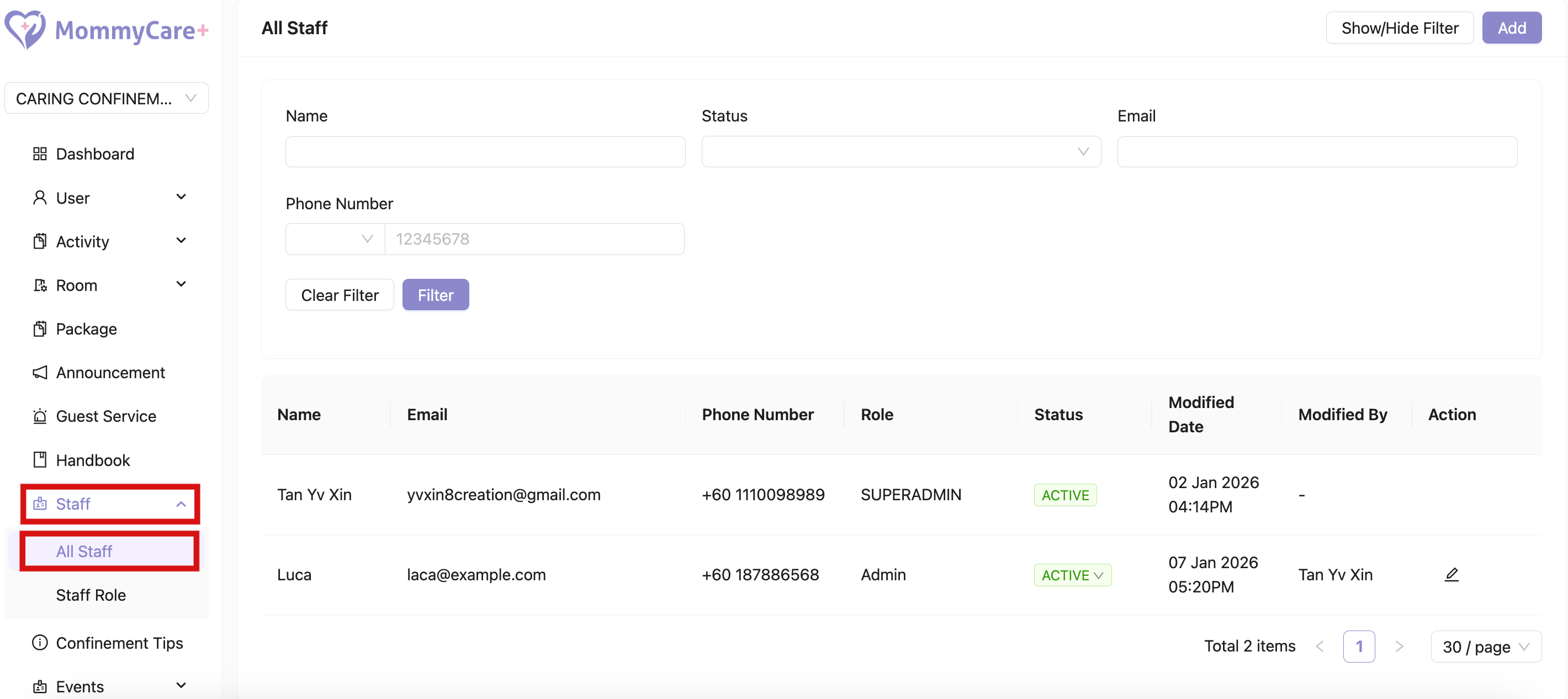
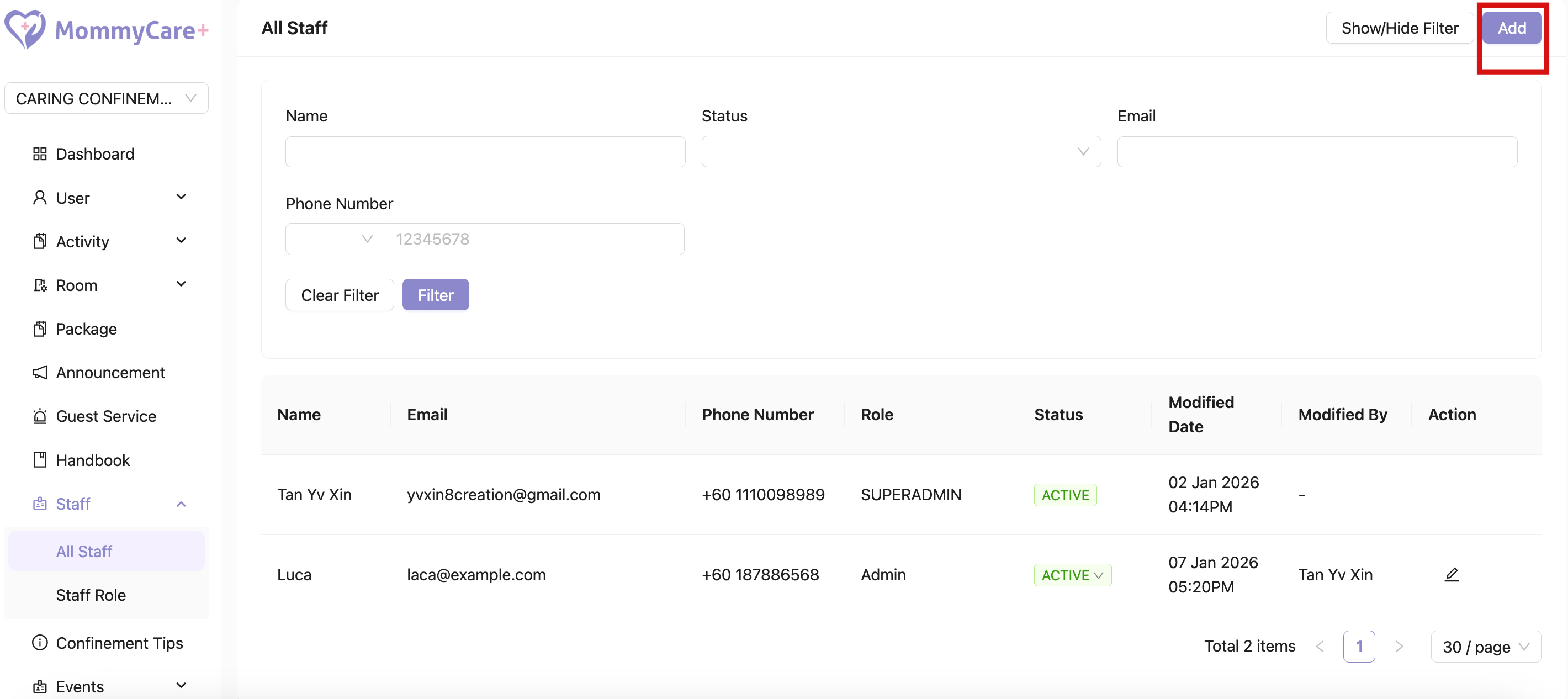
  • Location: Staff -> All Staff

Staff Management in Admin Portal

What are the Difference in Staff Roles

  • The MommyCare+ system defines different staff roles that are assigned specific permissions according to operational needs.
  • The Superadmin role has full access to the portal, including the ability to manage branches. In addition, Superadmins are granted access to the Staff App.
  • Superadmins are also authorised to create and customise staff roles, allowing them to control and assign permissions according to each staff member’s responsibilities.
How to Add Admin / Staff

  1. Click “Add”
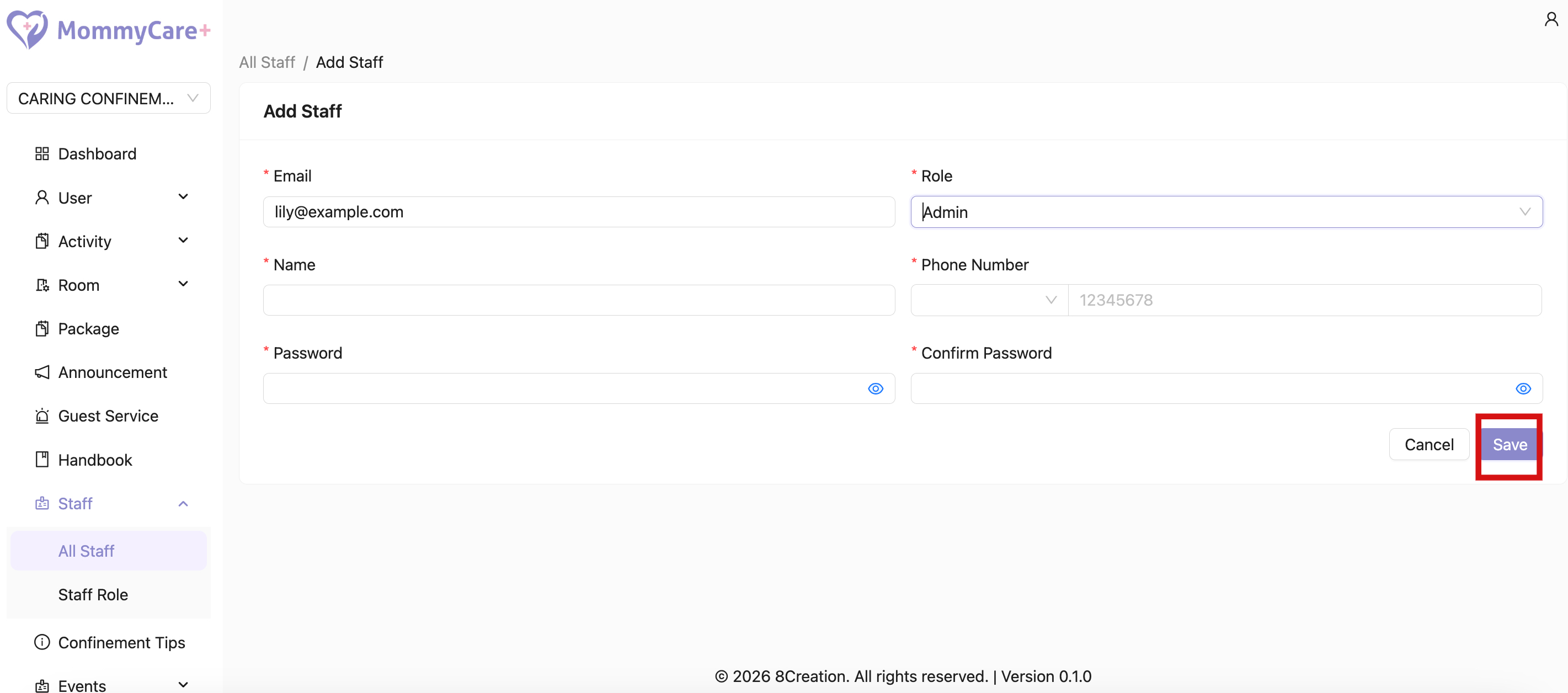
  2. Fill in the staff’s email address
  3. Fill in the required fields, assign role to the staff, then click “Save”

Add Admin/Staff

Save Admin/Staff

How to Filter Staff

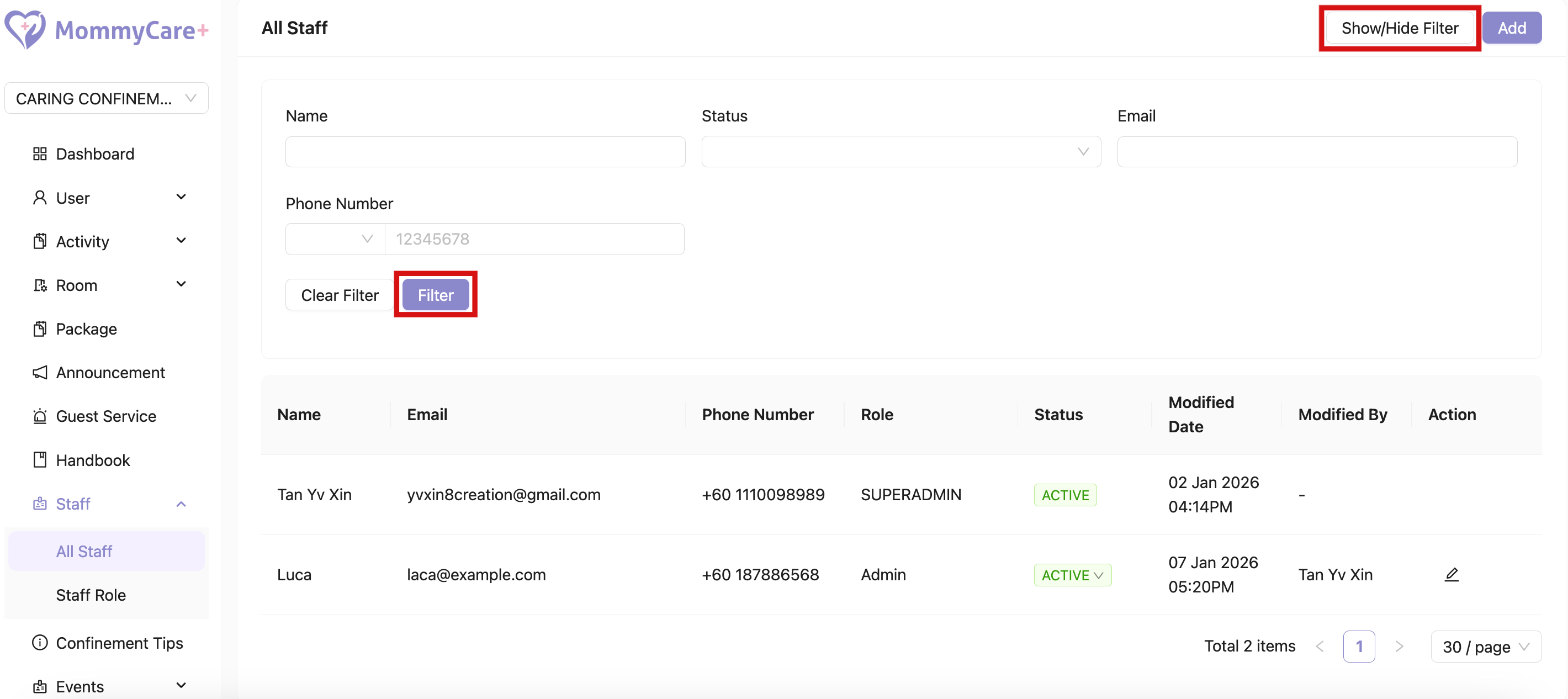
  1. Click “Show/Hide Filter”
  2. Fill in the field that you wish to filter, then click “Filter”

Filter Staff

How to Edit Staff

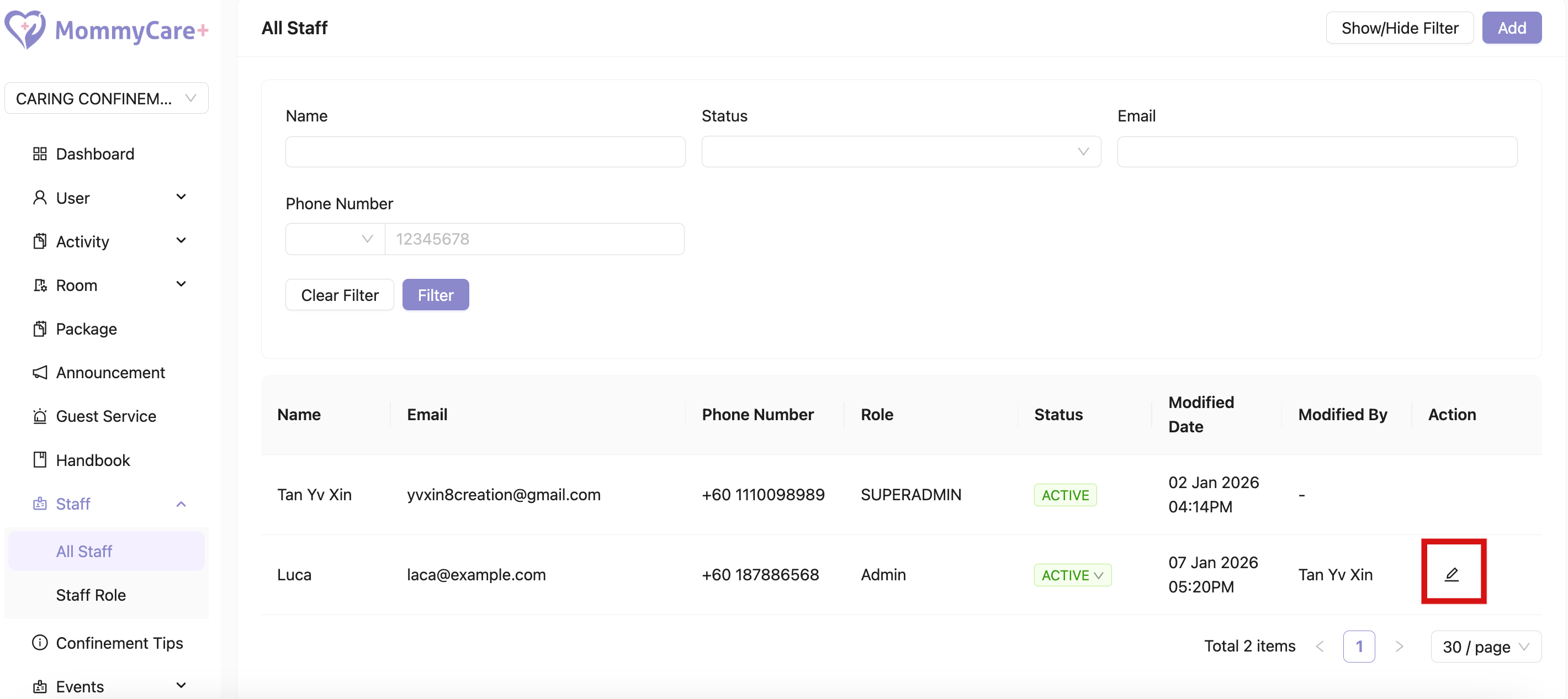
  1. Click on the Edit icon
  2. Make changes in the required field, then click “Save”

Edit Staff