View Report
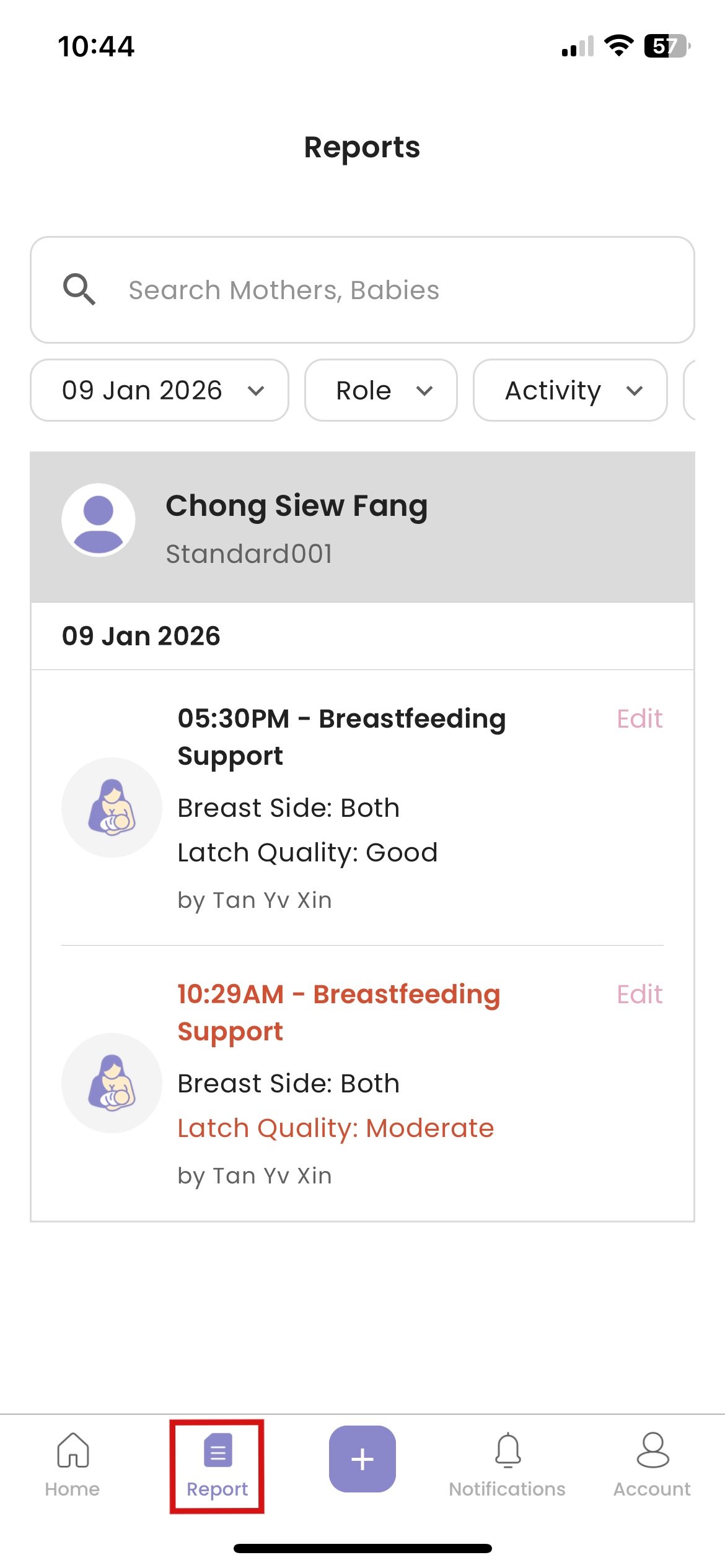
How to View Report
- Click “Report”
How to Search or Filter Reports
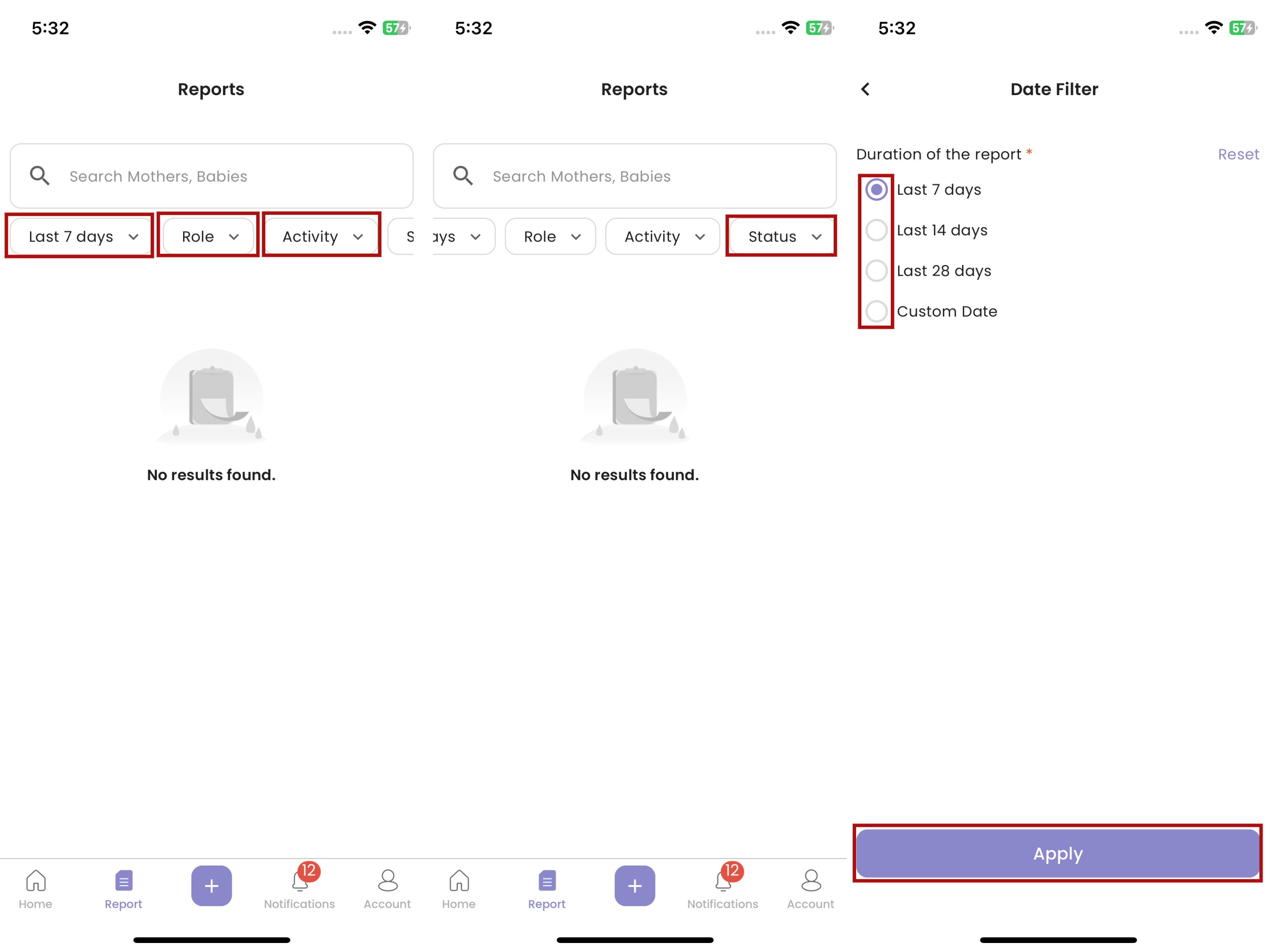
- Click “Search Care Recipient” then fill in care recipient name
- Click “Last 7 days” then select a duration / custom date to filter
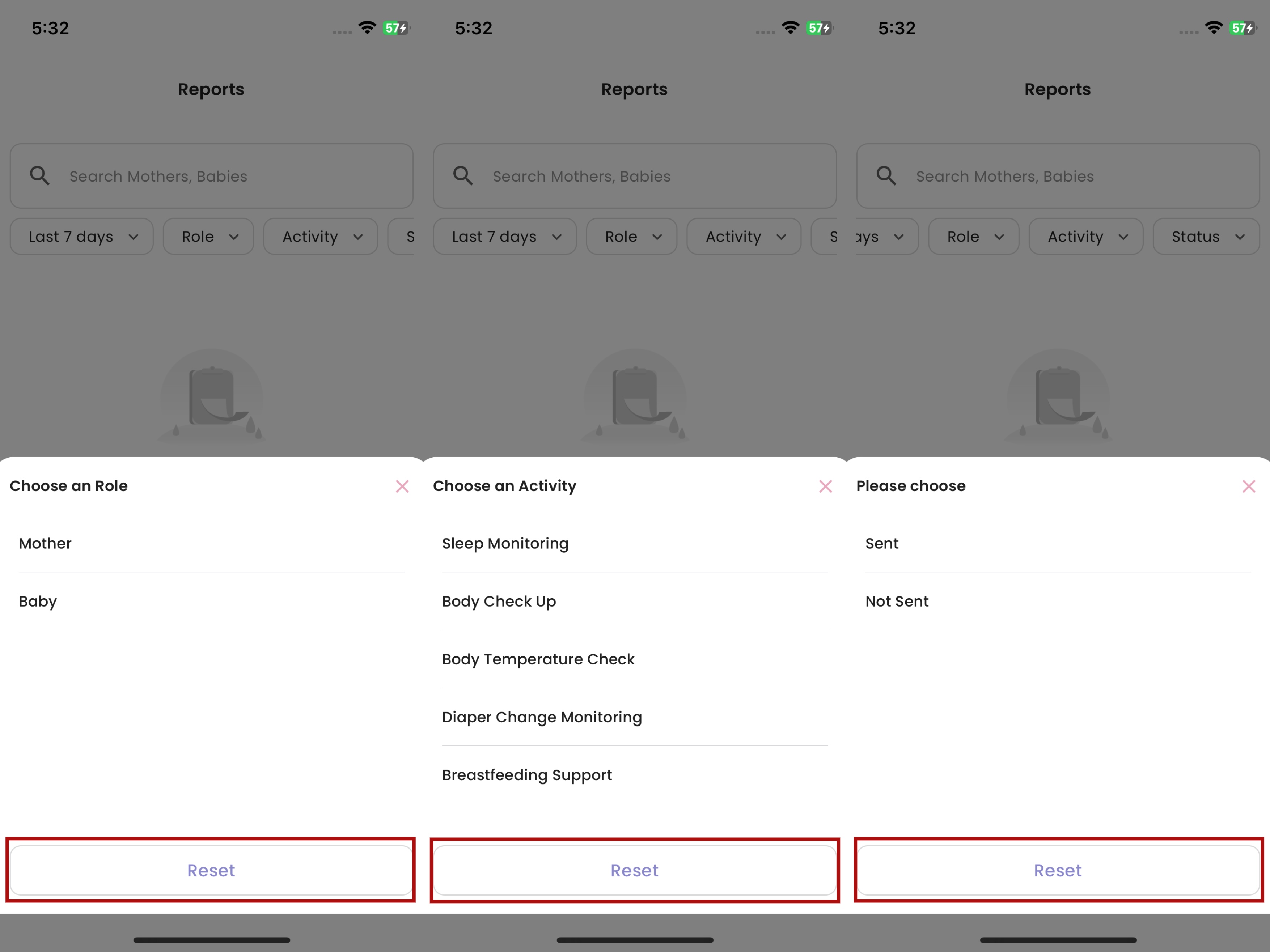
- Click “Role” then select a role to filter
- Click “Activity” then select an activity to filter
- Click “Status” then select a status to filter
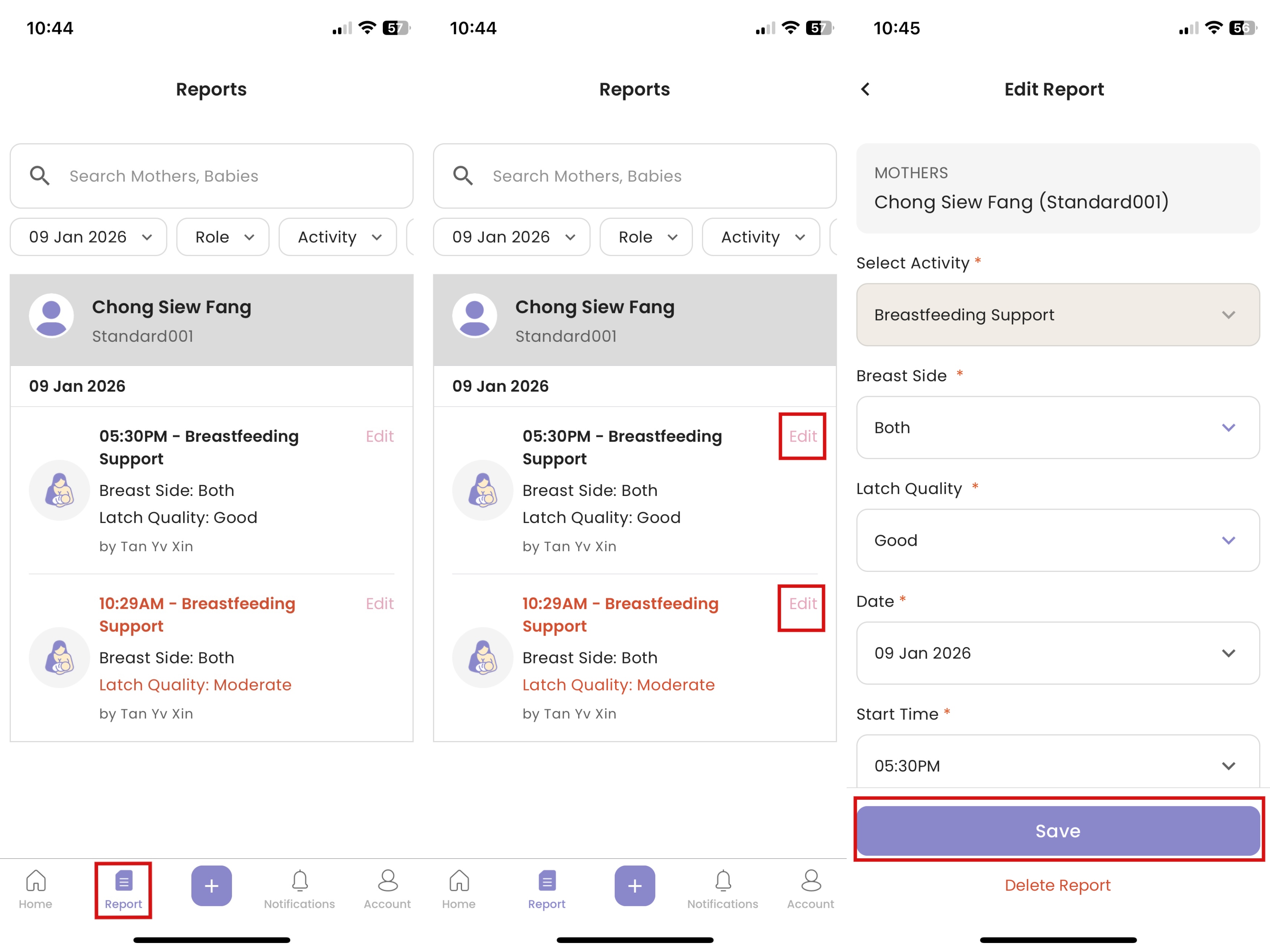
How to Edit Unsend Report
- Click “Report”
- Click “Edit”
- After making changes, click “Save”
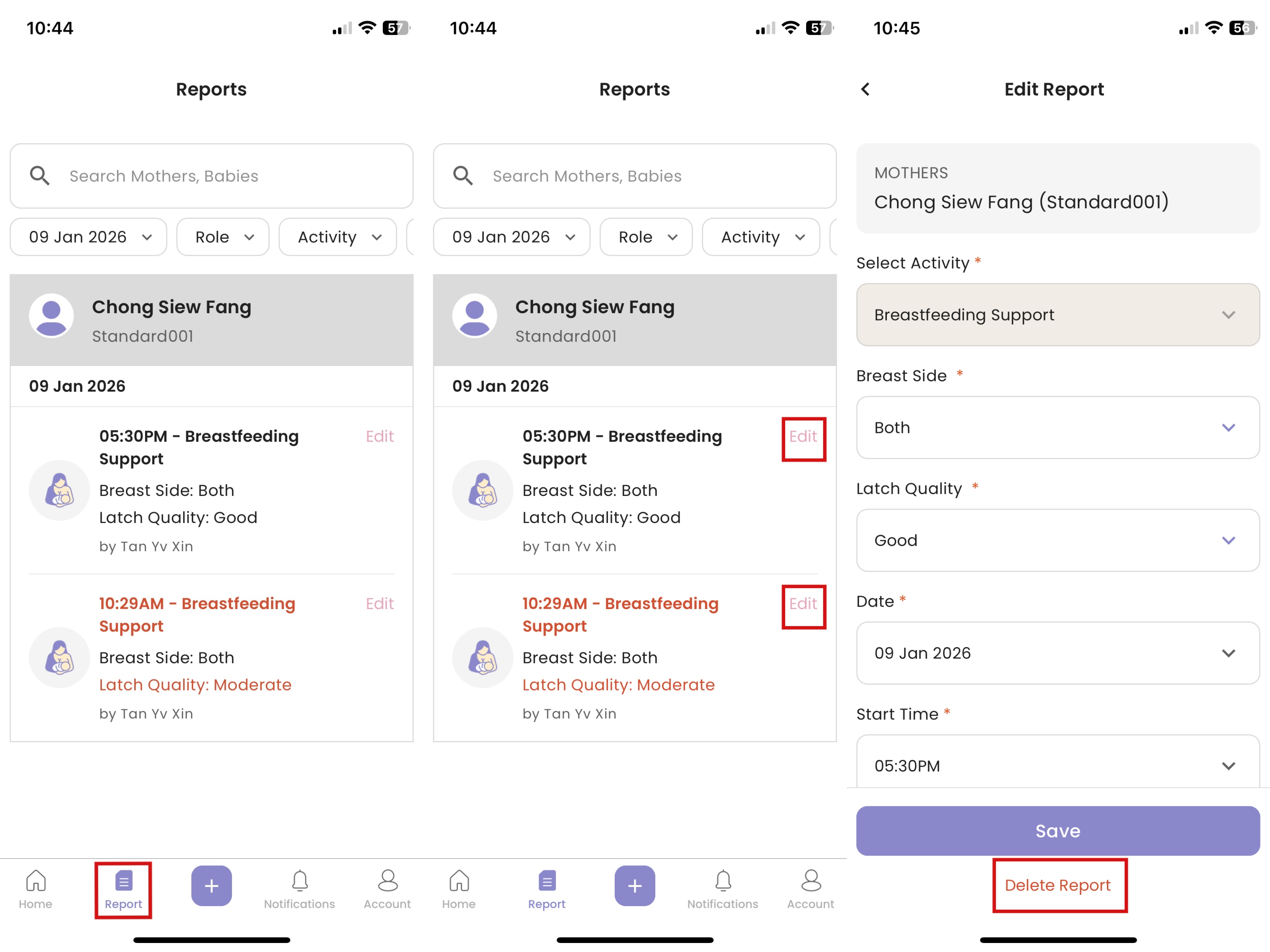
How to Delete Unsend Report
- Click “Edit”
- Click “Delete Report”
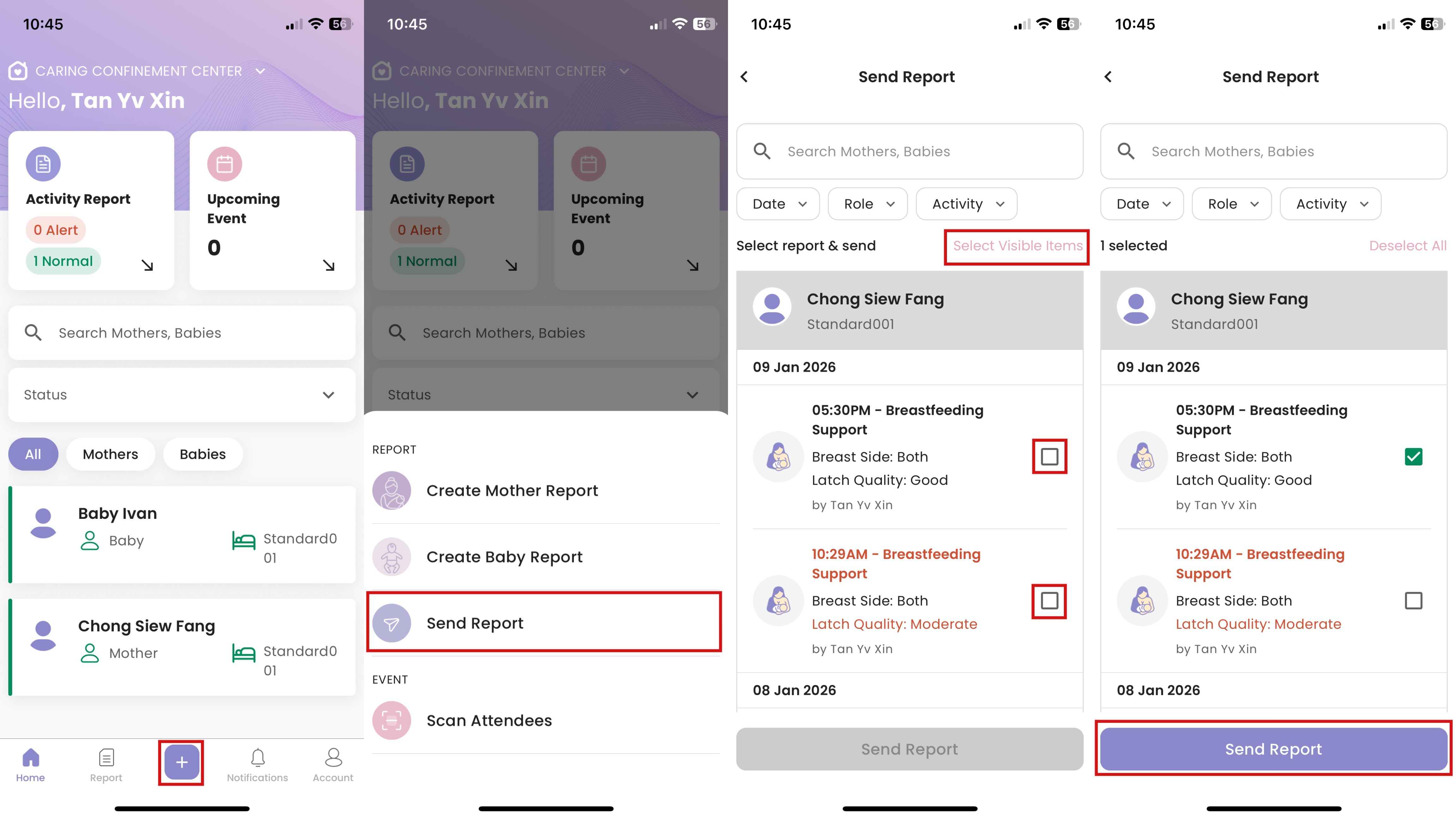
How to Send Report
- Click “+”
- Click "Send Report"
- Click on the tickbox to select reports, or click “Select Visible Items”
- Click “Send Report”
- The report will be marked as “Sent” and can no longer be edited after submission.