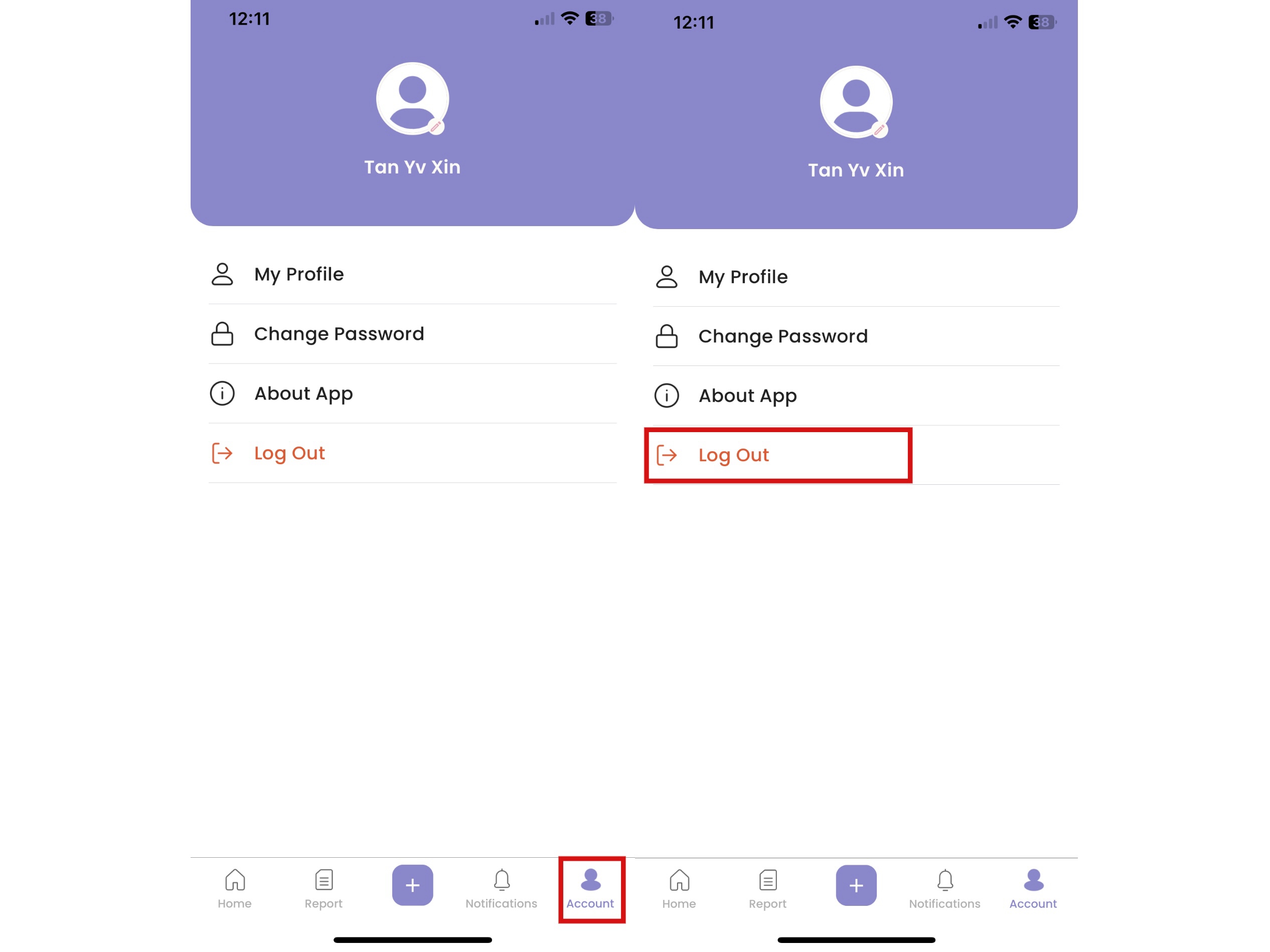
How to View Profile
- Click "Account"
- Click “My Profile”
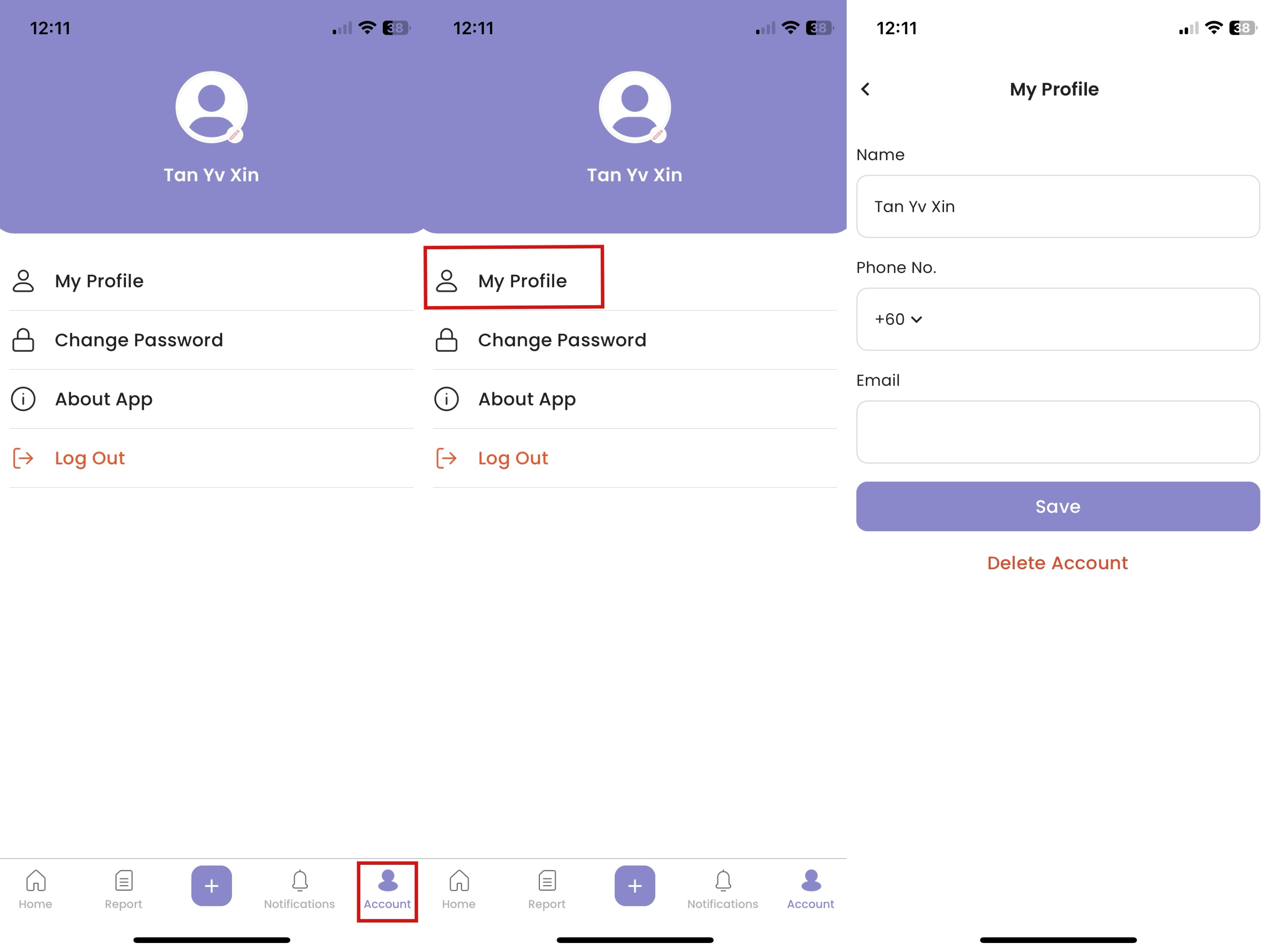
How to Edit Profile
- Click "Account"
- Click “My Profile”
- Click “Save” after changes done
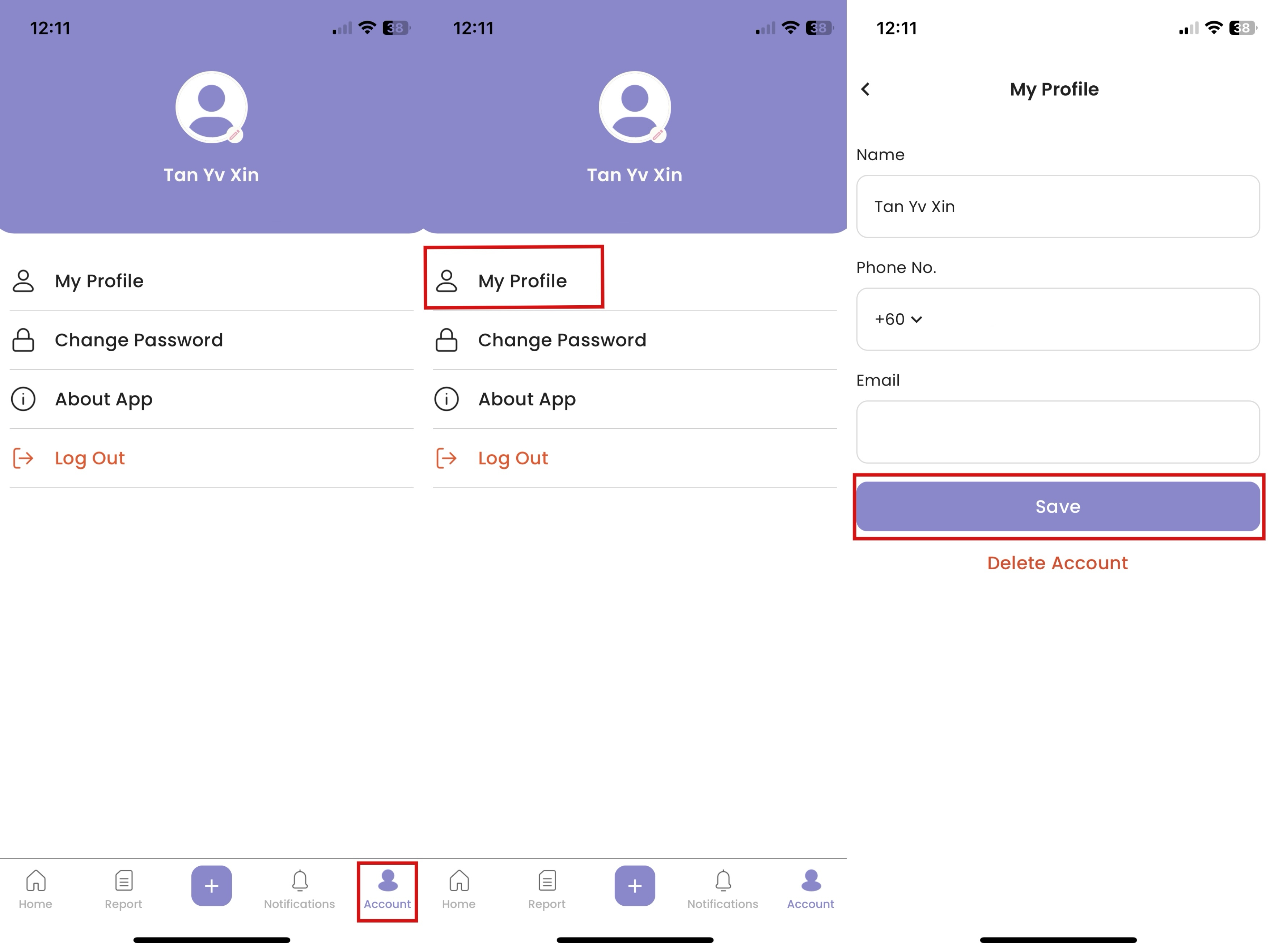
How to Delete Account
- Click "Account"
- Click “My Profile”
- Click “Delete Account”
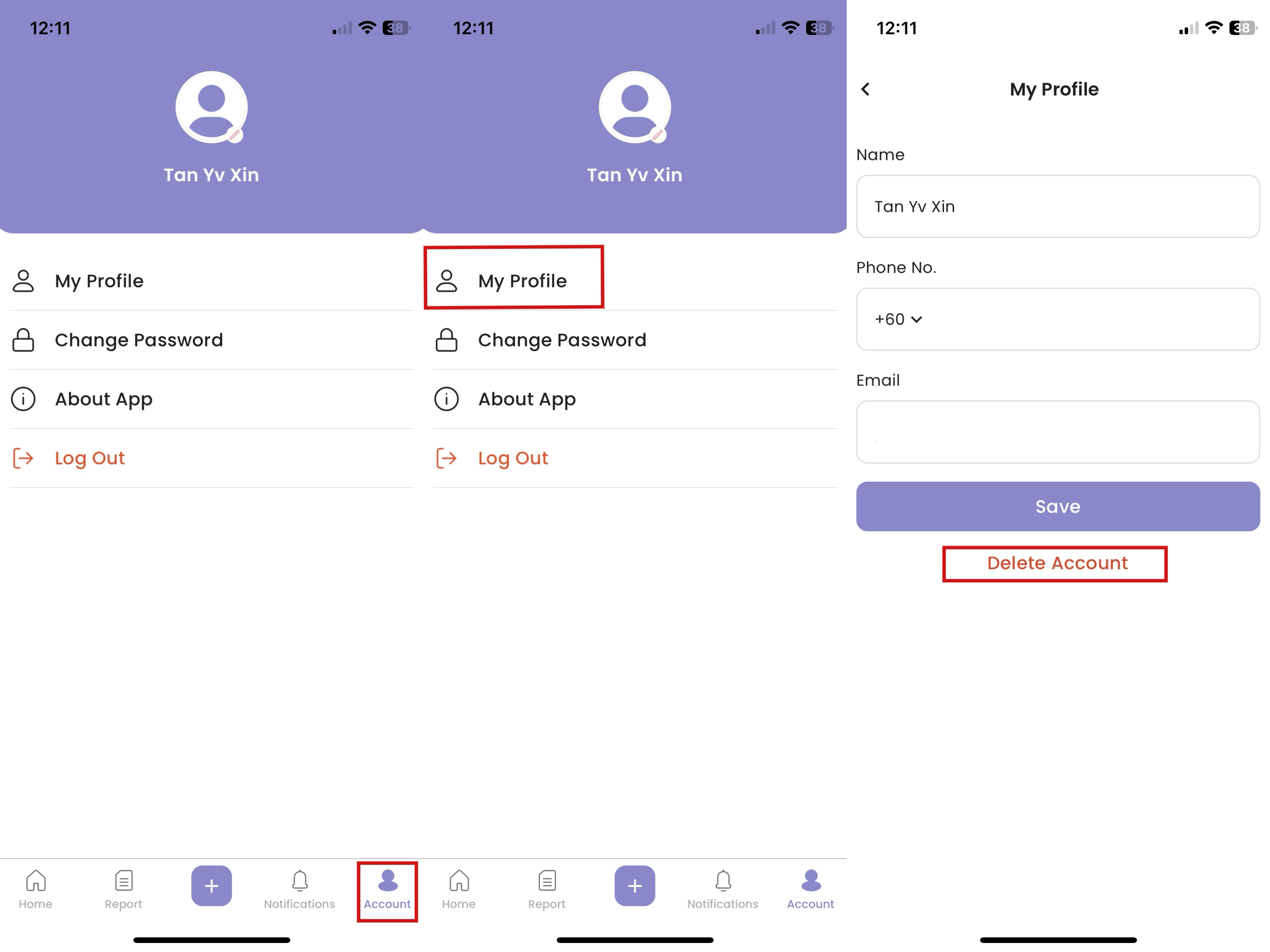
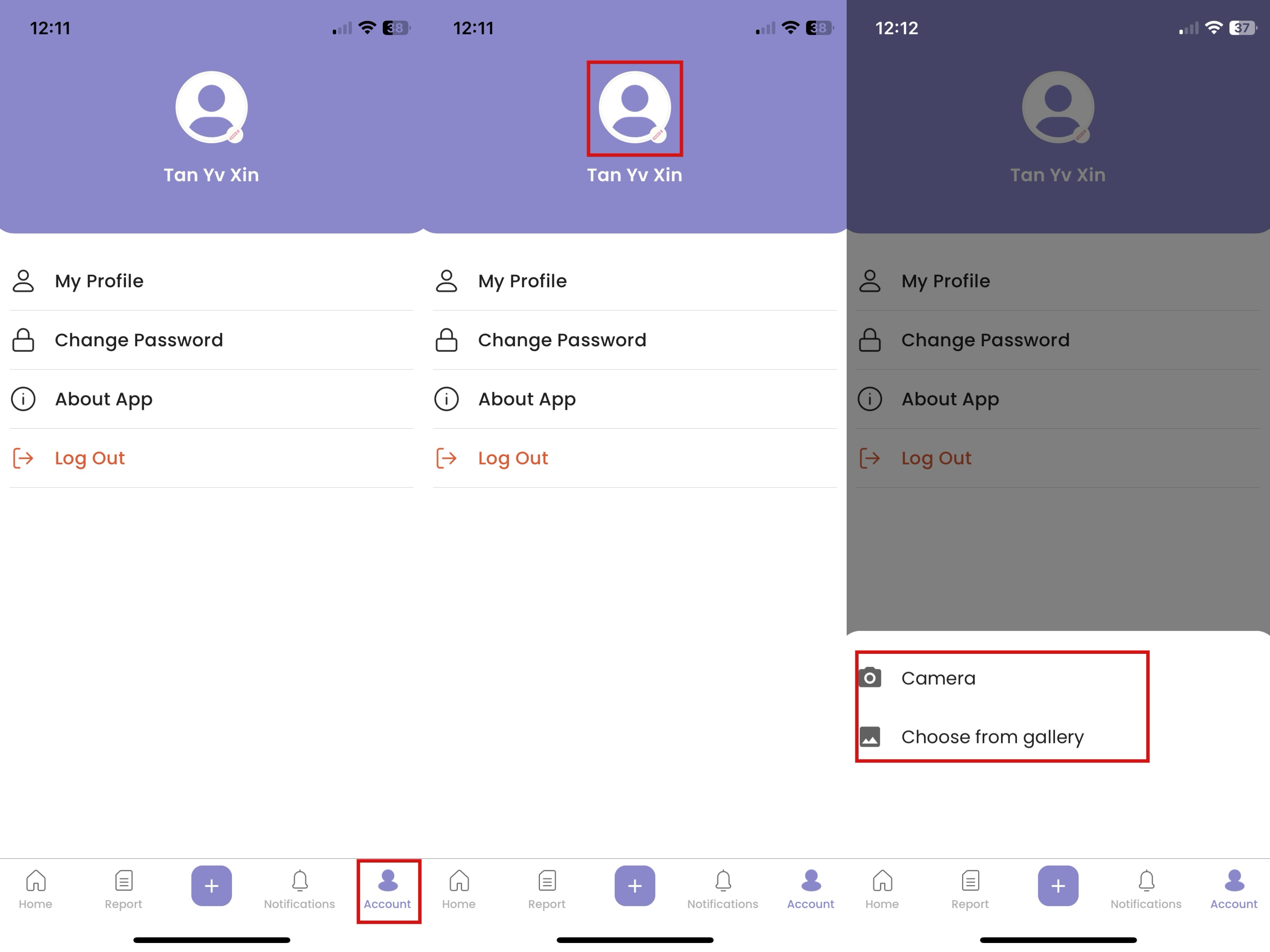
How to Upload Profile Picture
- Click "Account"
- Click on the profile photo
- Select “Camera” or “Choose from gallery”
- Click “✔”
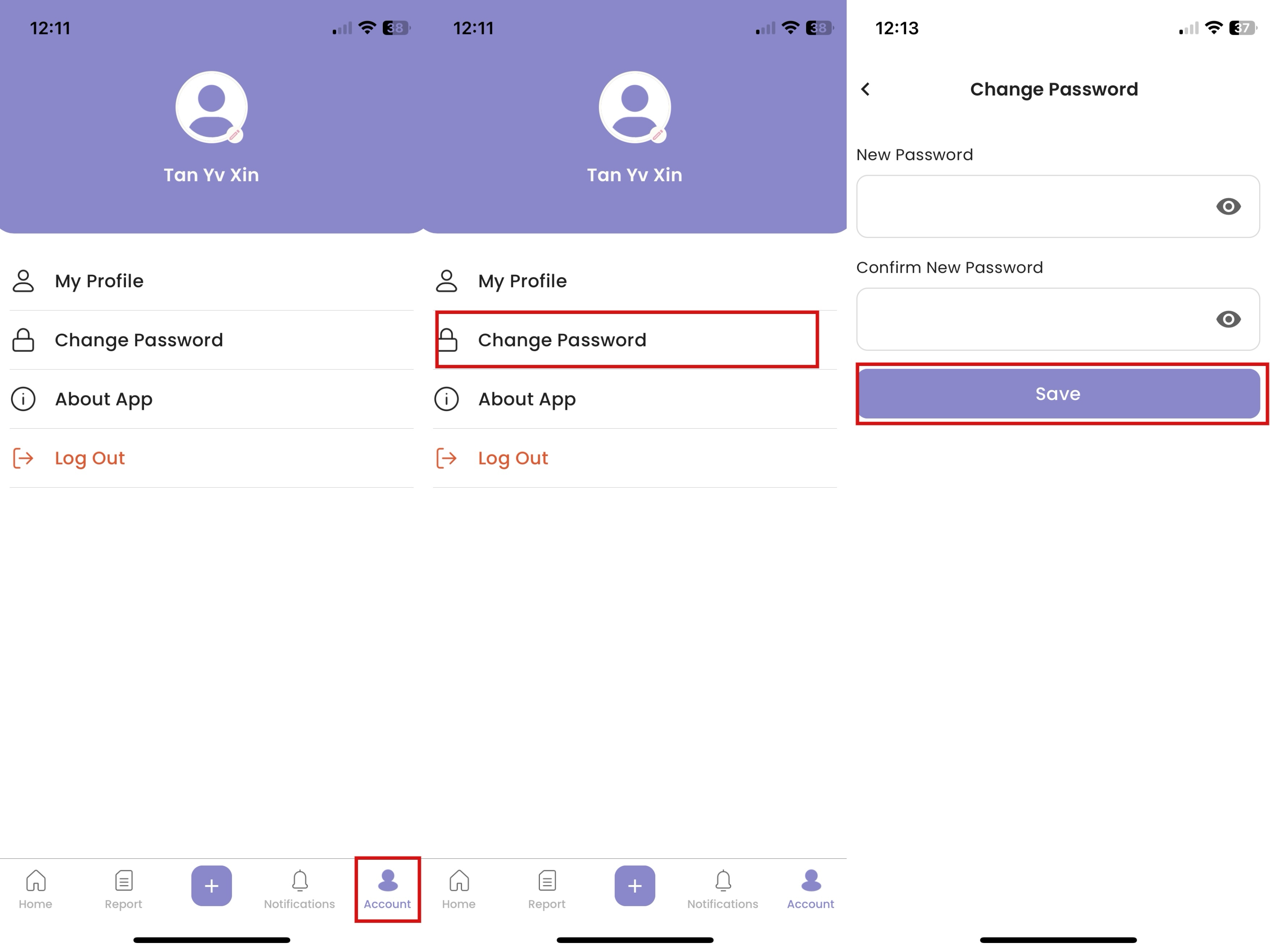
How to Change Password
- Click “Create New Password”
- Fill in new password, then click “Save”
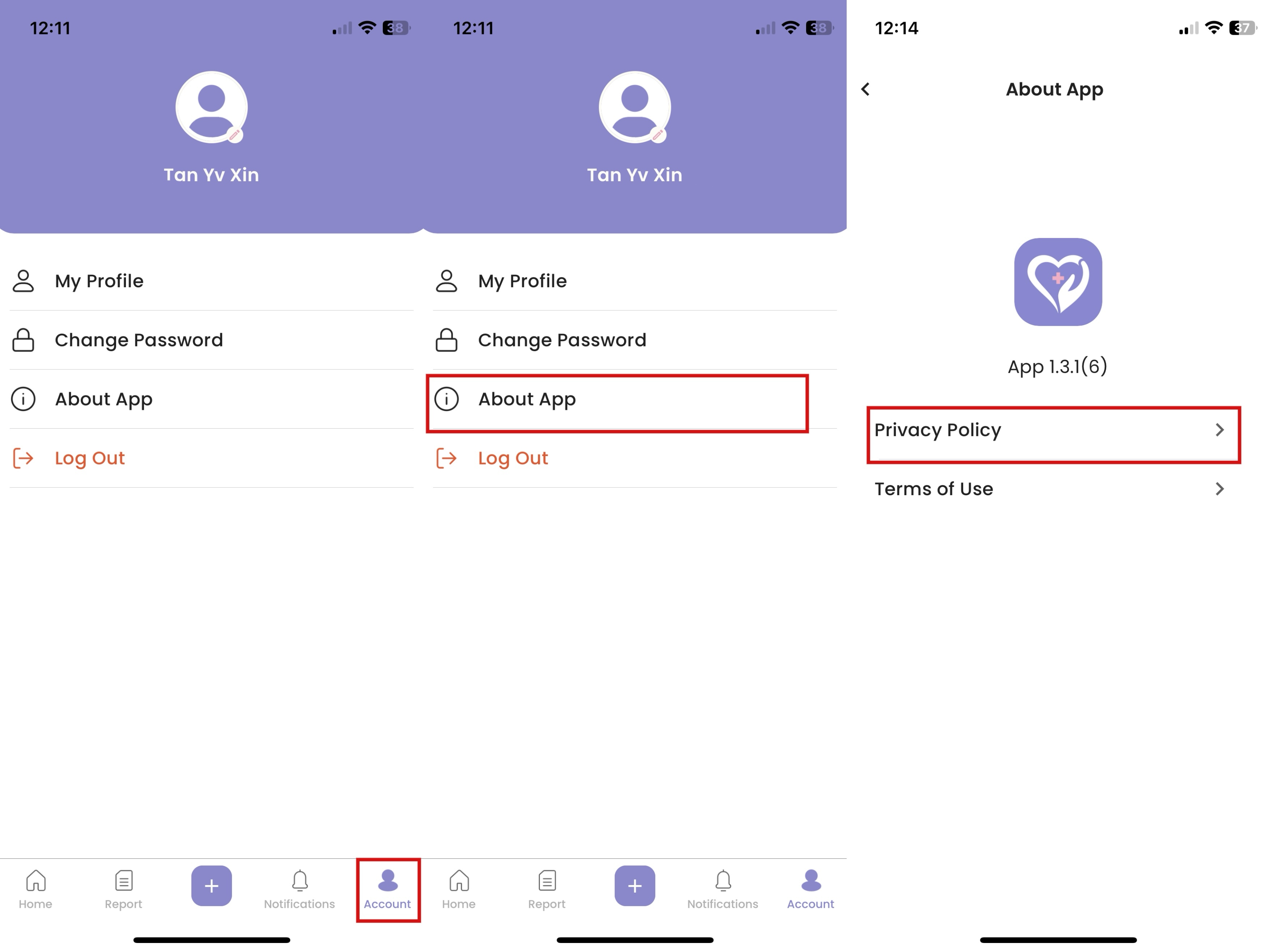
How to Access Privacy Policy
- Click “About App”
- Click “Privacy Policy”
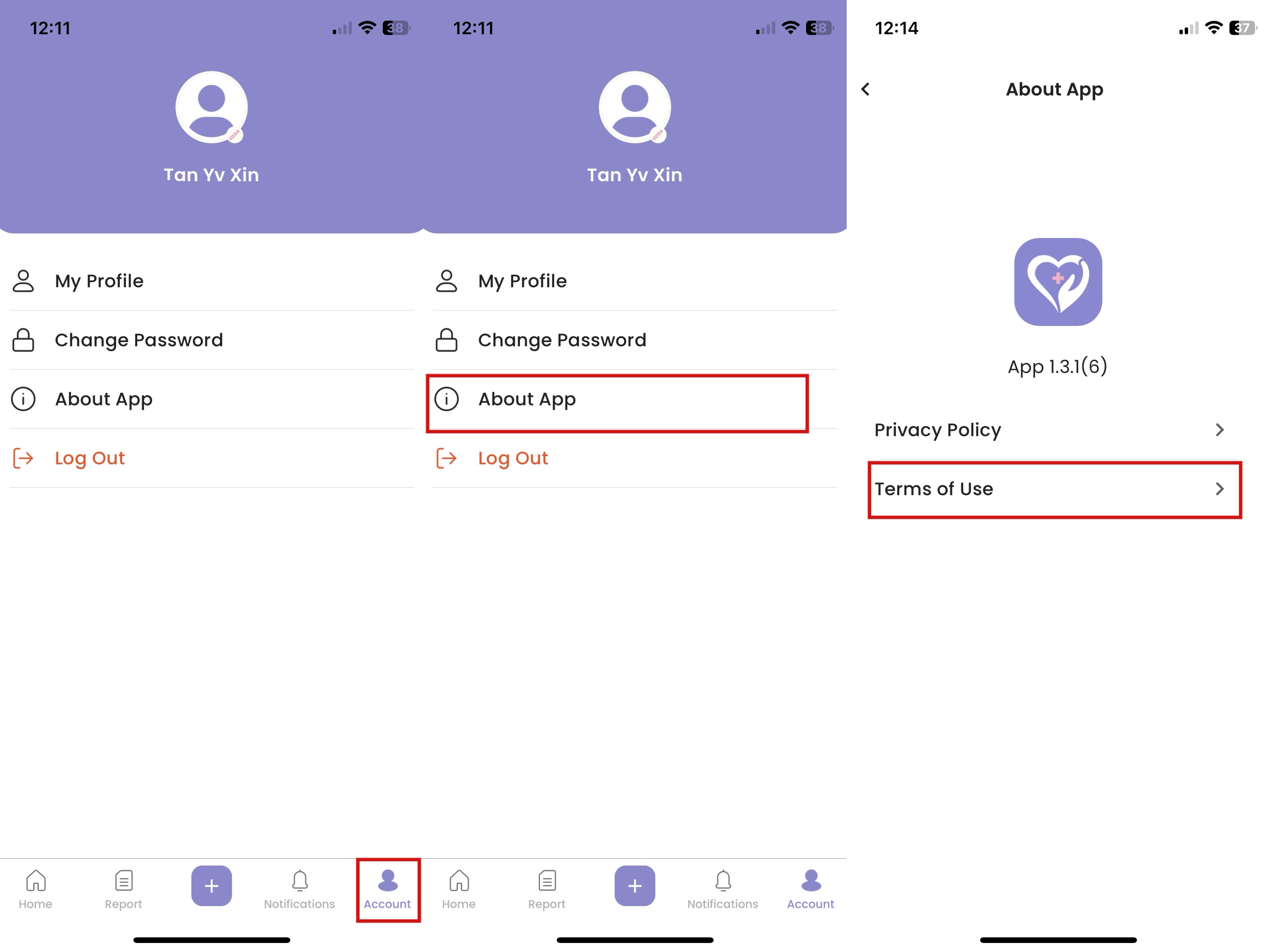
How to Access Terms of Use
- Click “About App”
- Click “Terms of Use”
How to Log Out
- Click “Log Out”