Account
Open the Account tab.
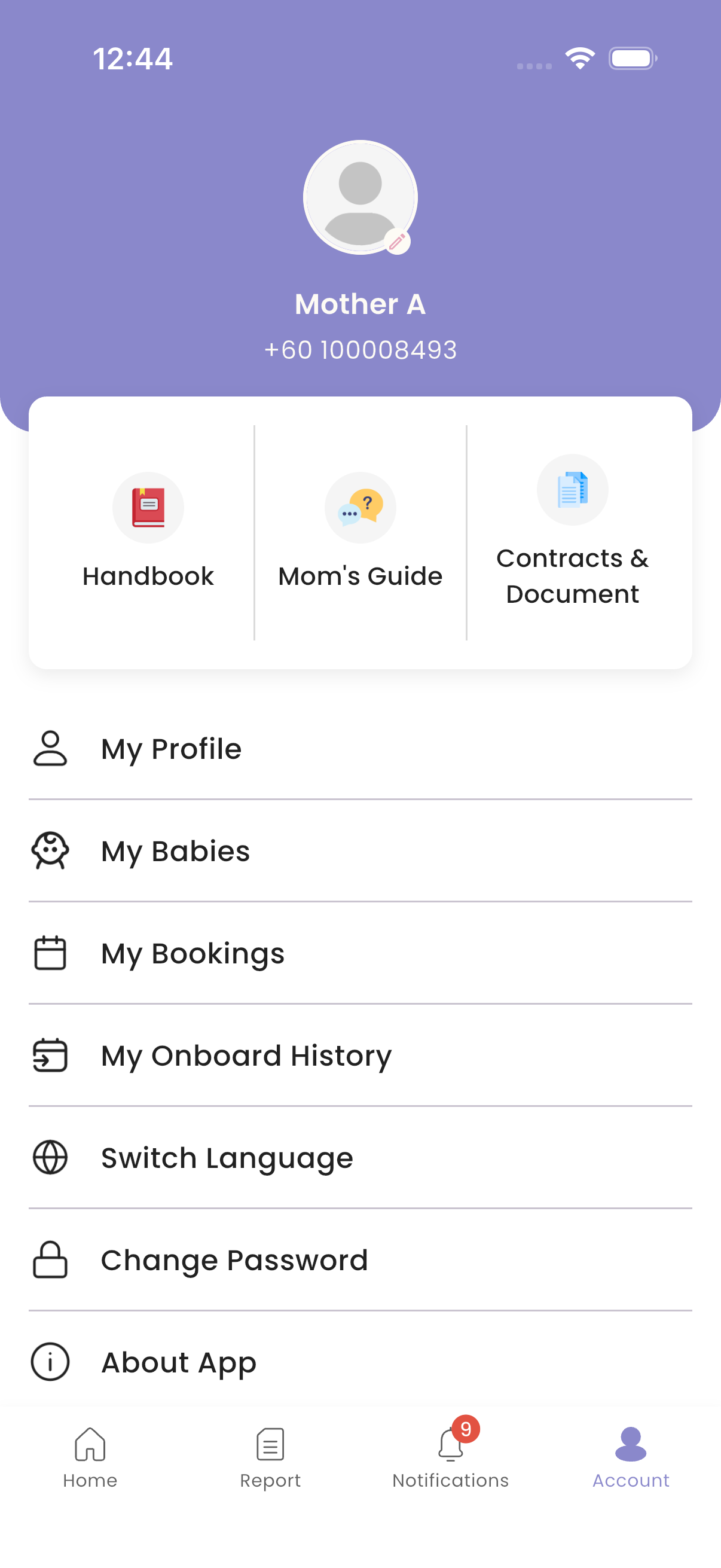
| Item | What it's for |
|---|---|
| My Profile | Your details |
| My Babies | Your babies' details, name and photo |
| My Onboard History | Your stays |
| My Bookings | Your benefit bookings. See Benefits & bookings. |
| Contracts & Document | Documents from the centre |
| Handbook | The centre's house rules. See Handbook. |
| Mom's Guide | Your confinement guides. See Mom's Guide. |
| Feedback | Send the centre your feedback. See Feedback. |
| Change Password, Switch Language, About App, Log Out | See below |
How to edit your profile
- Tap My Profile. It shows your name, NRIC / passport number, phone number, email, date of birth, blood group and address.
- Tap Edit Profile, change your name, email, phone number, NRIC / passport number, date of birth, blood group or address, and tap Save.
To change your photo, tap your profile photo on the Account screen and choose Camera or Choose from gallery.
How to see your babies
- Tap My Babies, then View on a baby.
- Baby Details shows the baby's information.
- To rename your baby, use Edit Name. You can also change the baby's photo.
The staff see the new name straight away.
How to see your stays
Tap My Onboard History, then View on a stay. Onboard Details shows the package, room, check-in and check-out dates, and delivery details.
How to open your documents
Tap Contracts & Document. Tap a document to open it. To save it, tap ⋮ then Download. On Android it is saved to your Downloads folder. On iPhone, choose Save to Files.
How to change your password
- Tap Change Password.
- Enter your new password twice and save.
You are logged out on all your devices. Log in again with the new password.
How to change the language
Tap Switch Language and choose English, Chinese or Malay. Your notifications follow this language too.
About the app
Tap About App to see the app version, the Privacy Policy and the Terms of Use.
How to delete your account
In My Profile, tap Delete Account. To delete your account, email the address shown.
How to log out
Tap Log Out. You stop getting notifications on this phone.
Troubleshooting
| What you see | Why, and what to do |
|---|---|
| Can't save your profile: address required | Your address can't be empty. |
| Email already used | Another account uses that email. Use a different one. |
| A document doesn't open | Make sure you're online, then try again. |