Home
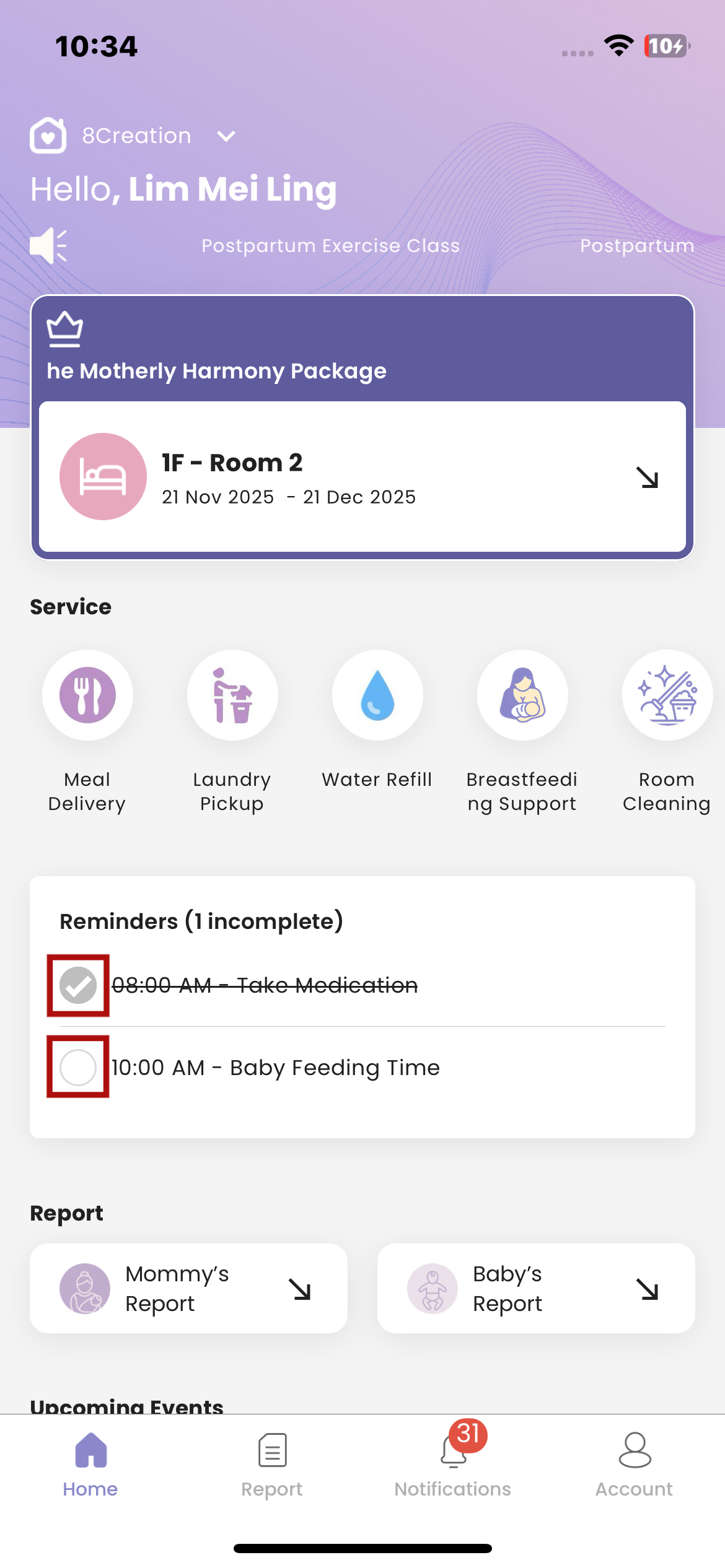
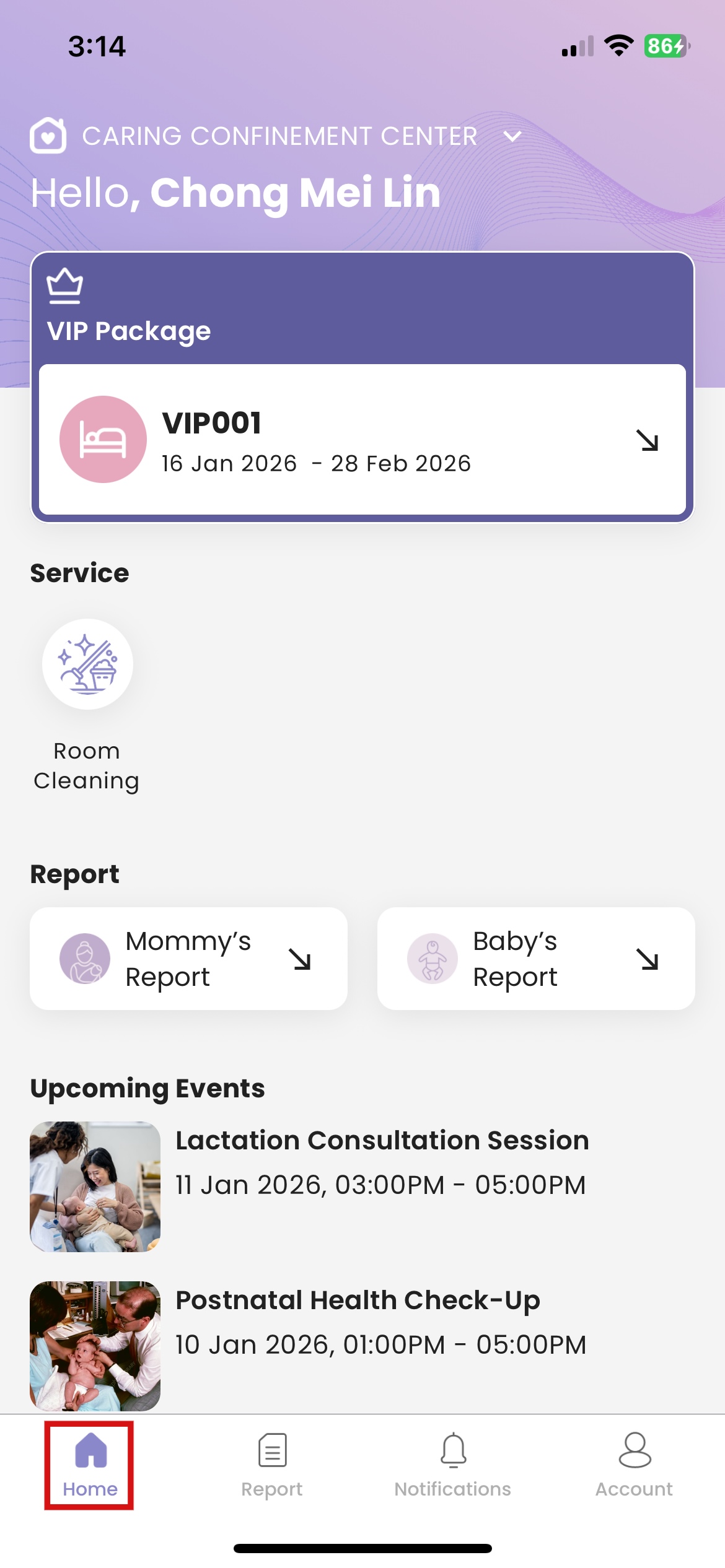
- Location: Home
How to View Room & Package Details
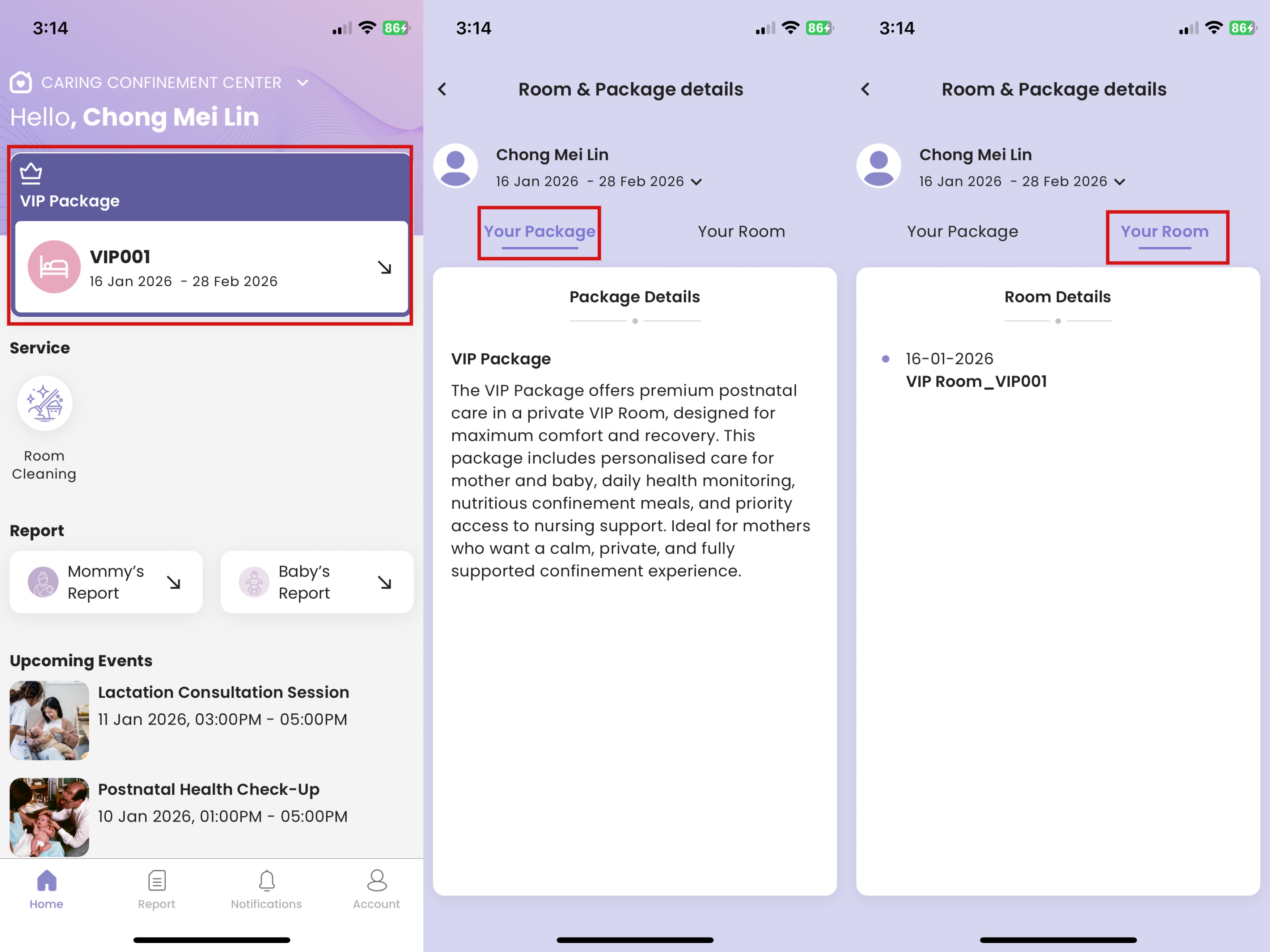
- Click the package & room information card
- Click "Your Package" to view package details
- Click "Your Room" to view room details
How to Request Service
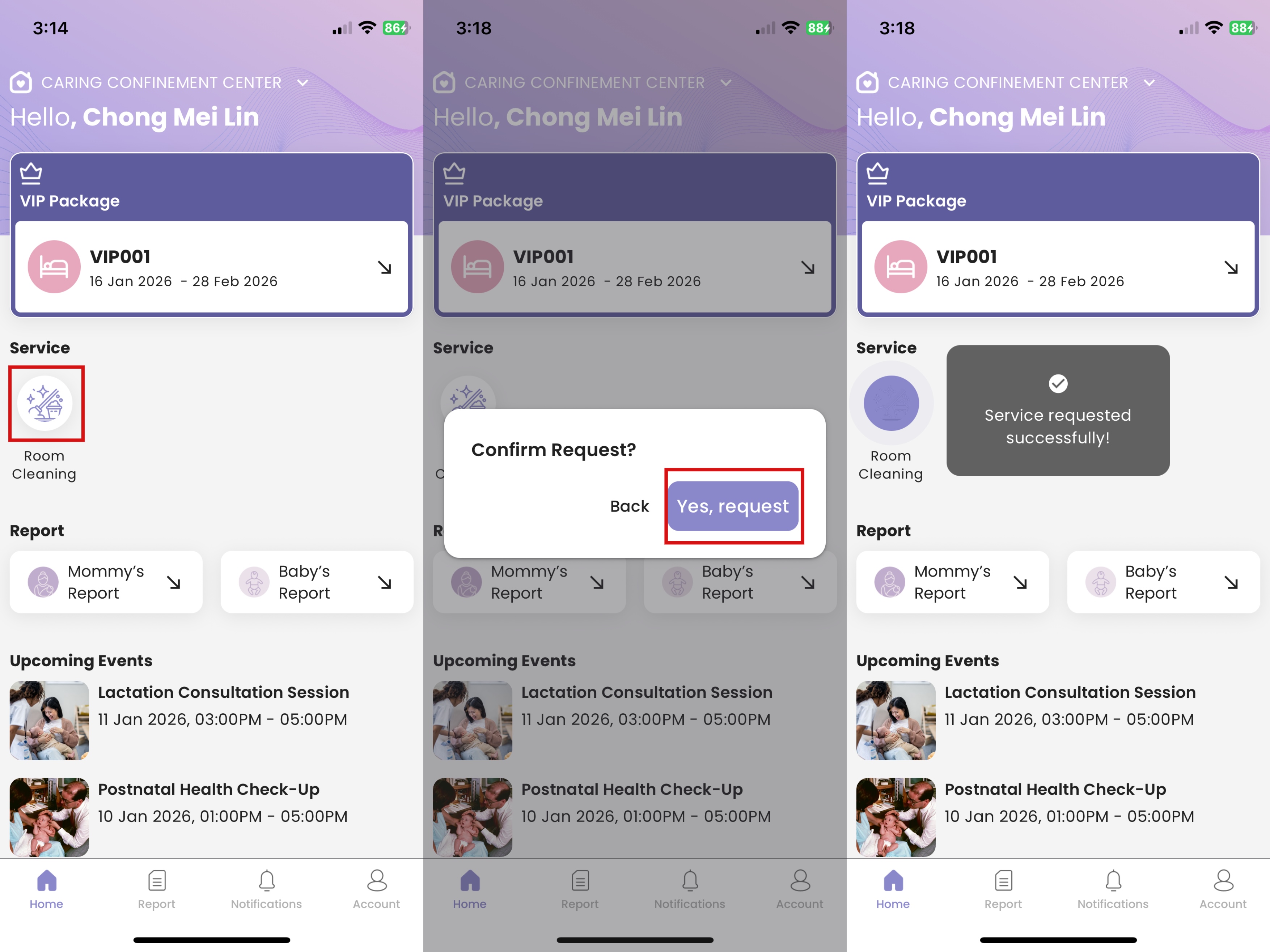
- Click the service button that you want to request
- Click "Yes, request"
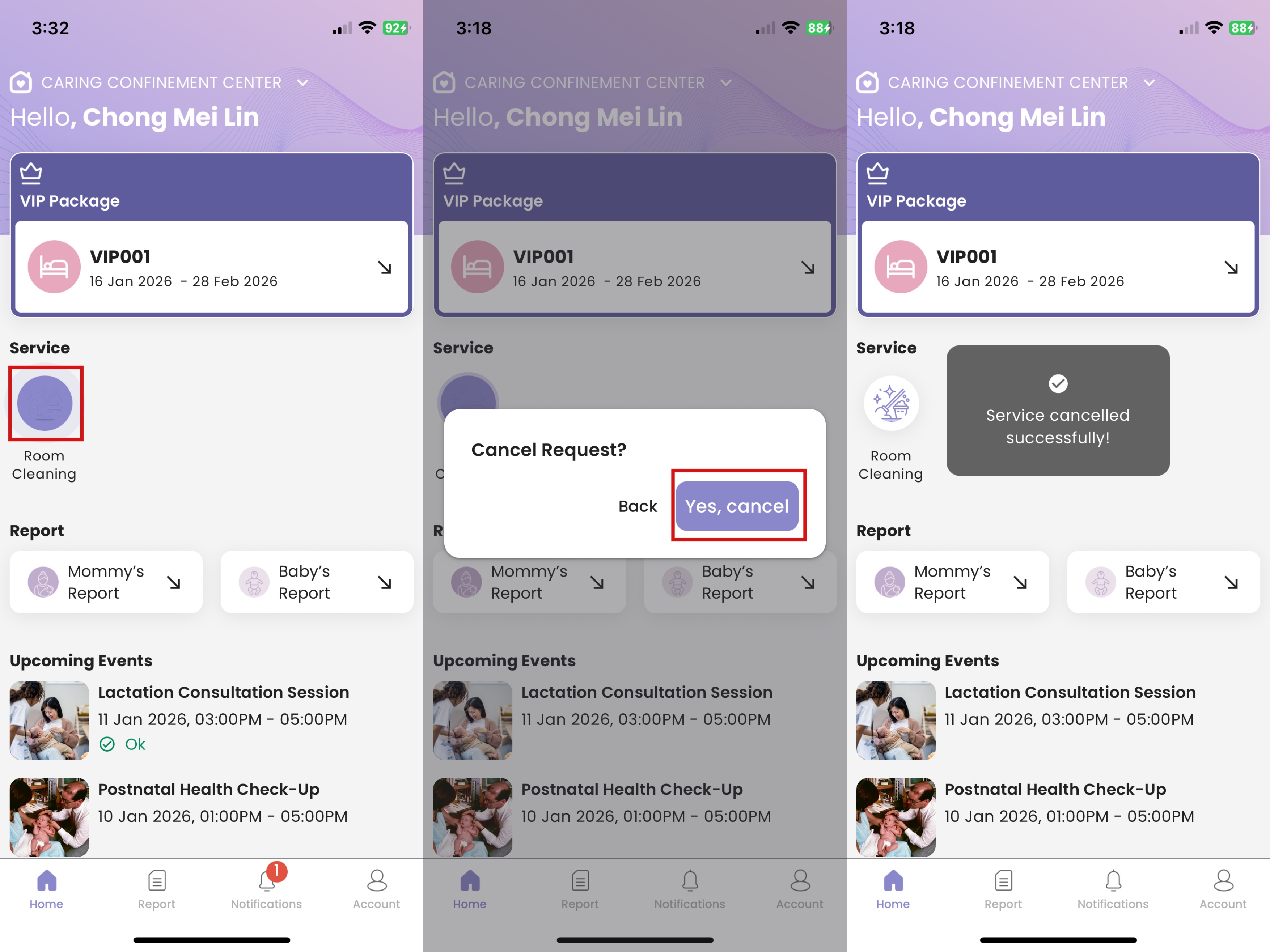
How to Cancel Request
- Click the service button that you want to cancel request
- Click "Yes, cancel"
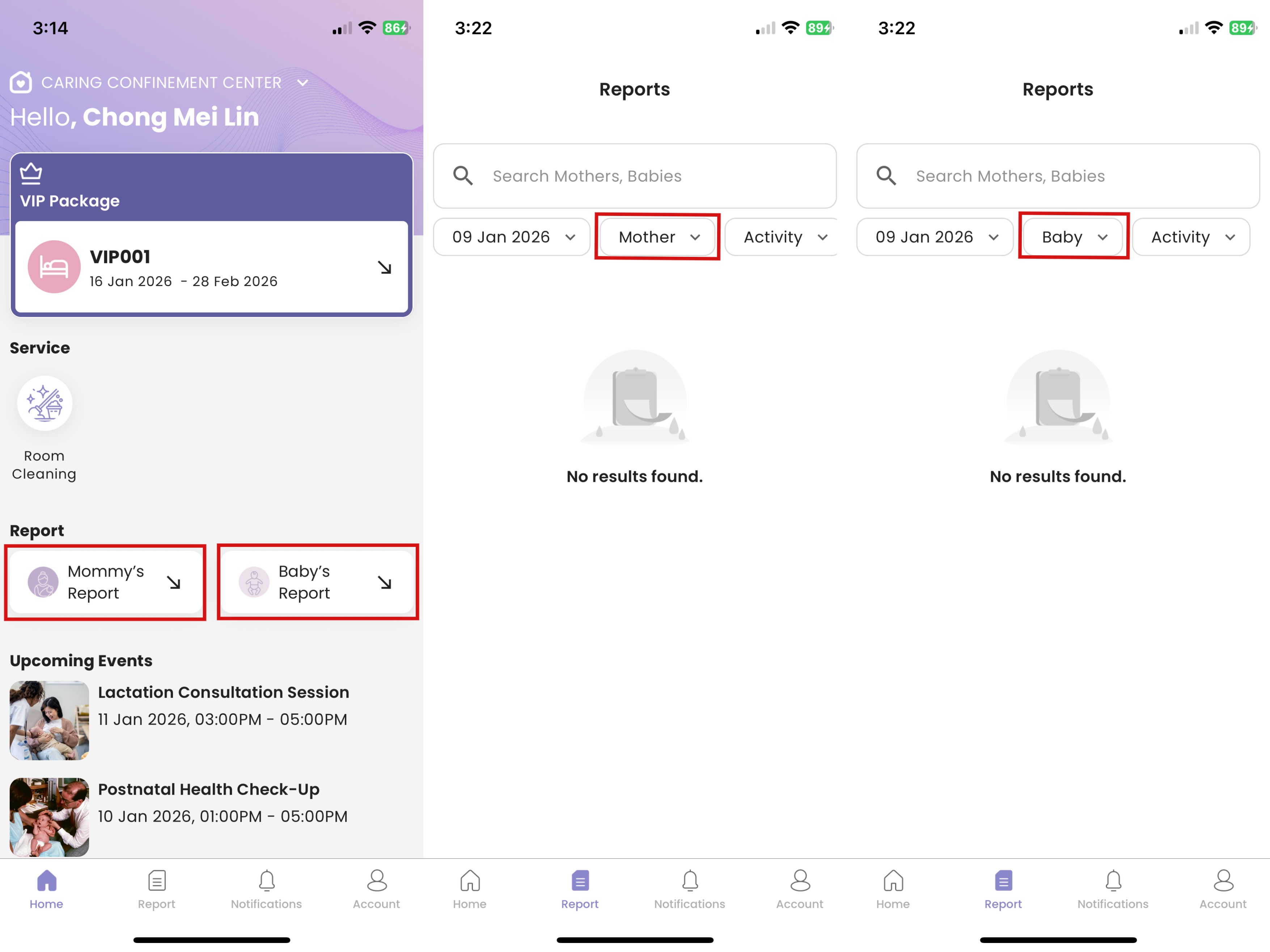
How to View Mommy/Baby's Report
- Click the report button
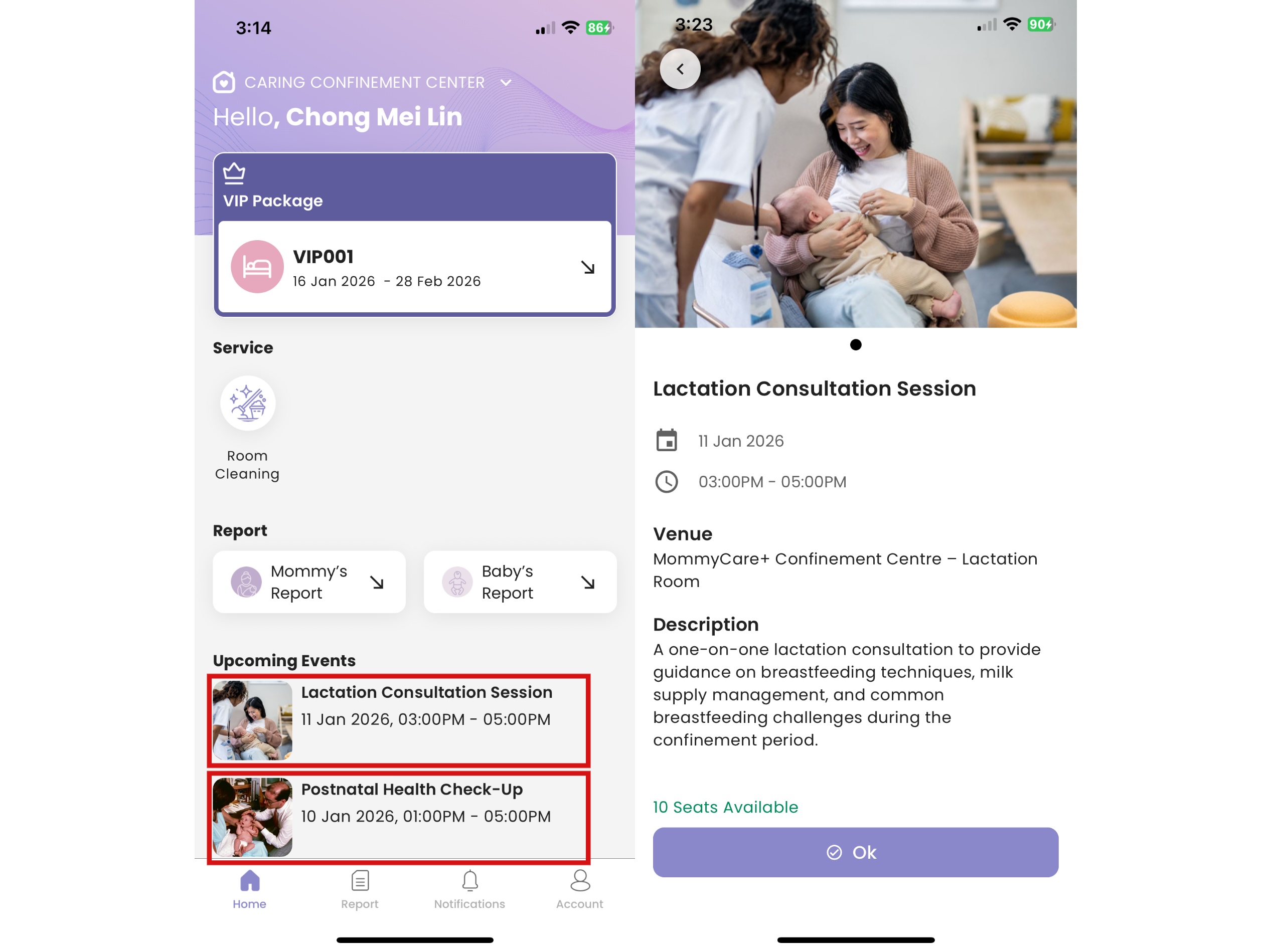
How to View Upcoming Event Detail
- Click the upcoming event that you're interested
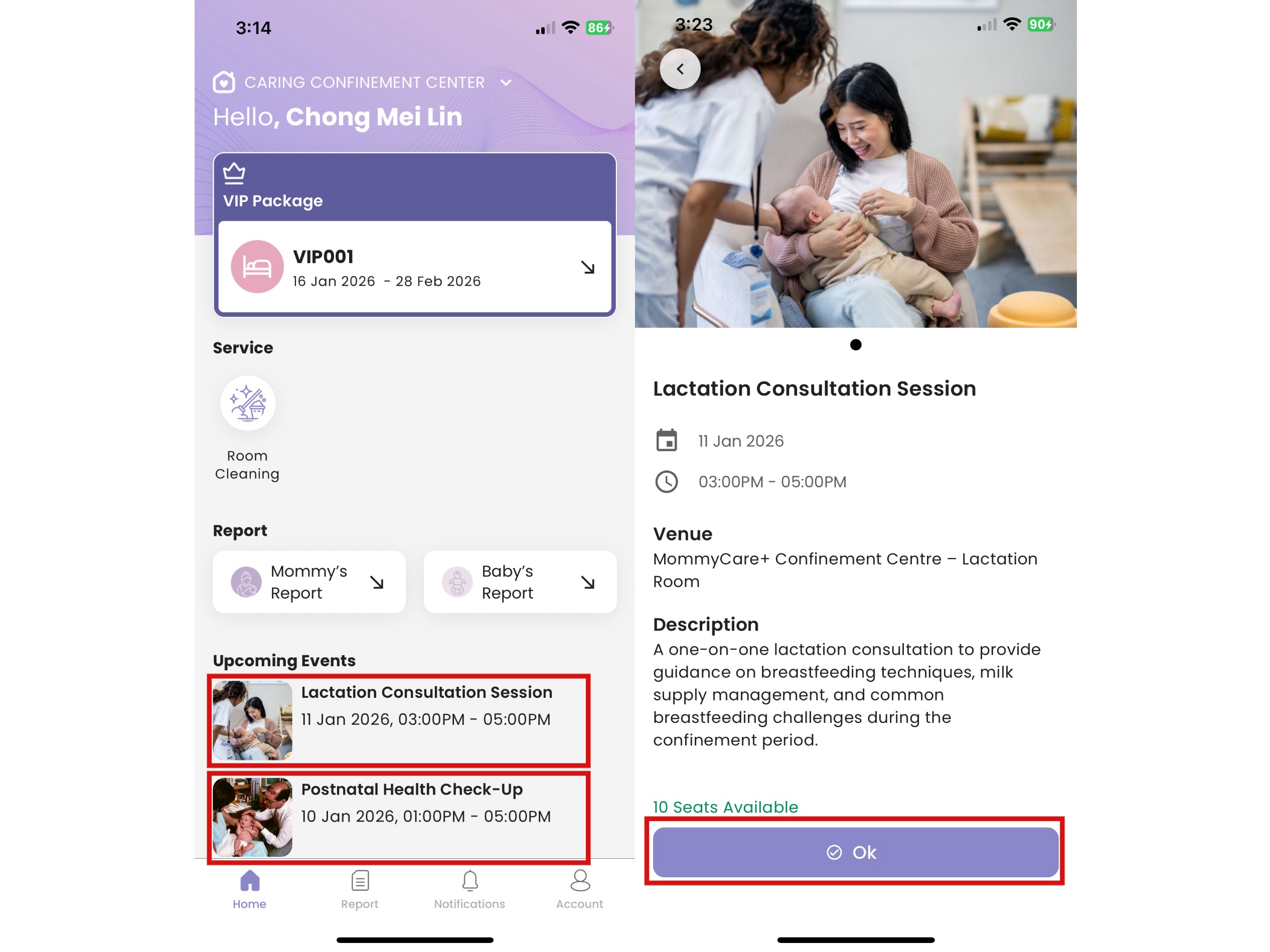
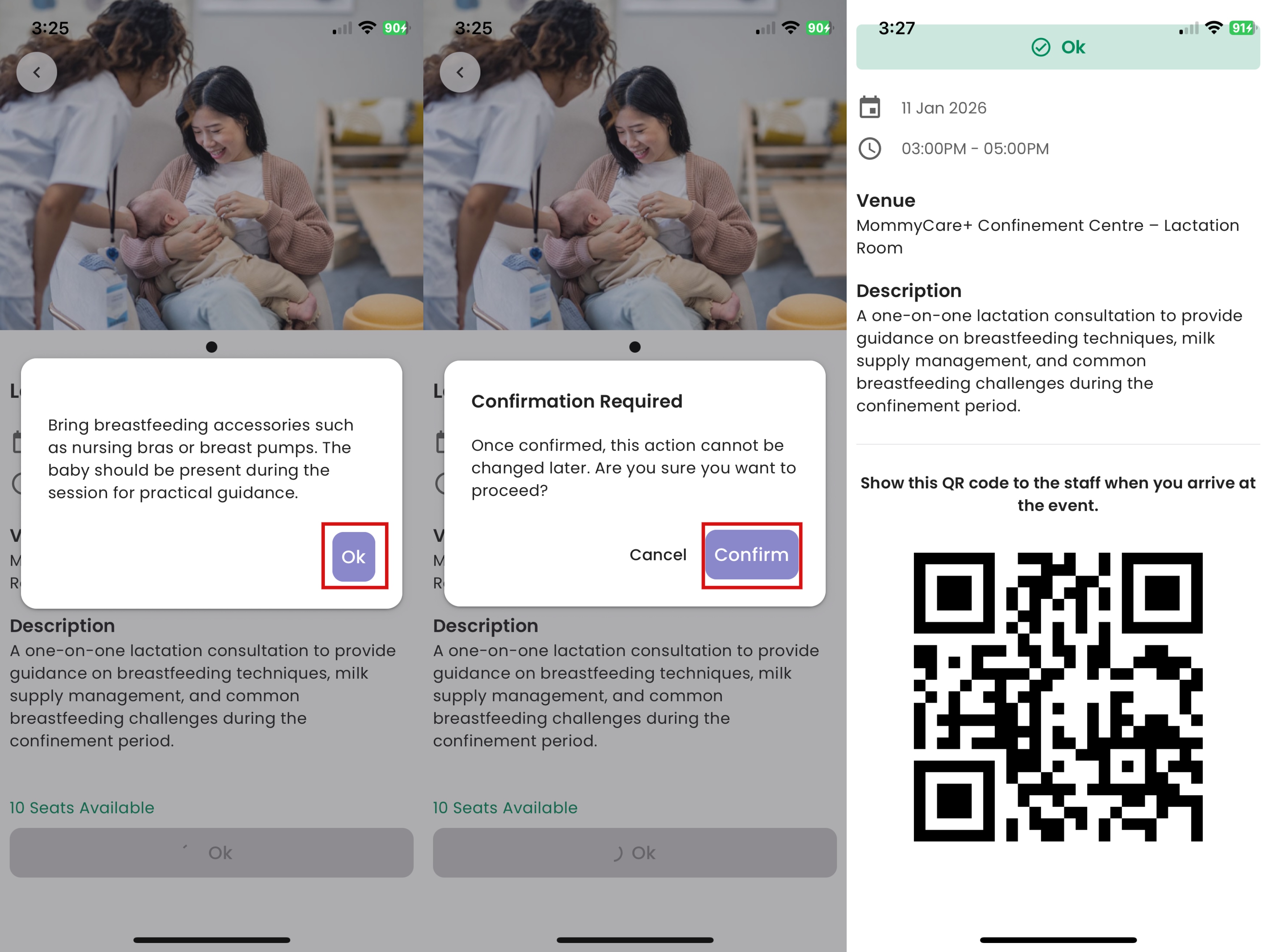
How to Book Upcoming Event
- Click the upcoming event that you're interested
- Click "OK"
- Click "OK" again
- Click "Confirm"
- A QR code will be auto generated, show the QR code to the staff when you arrive at the event
How to View Reminders
Location: Home -> Reminders
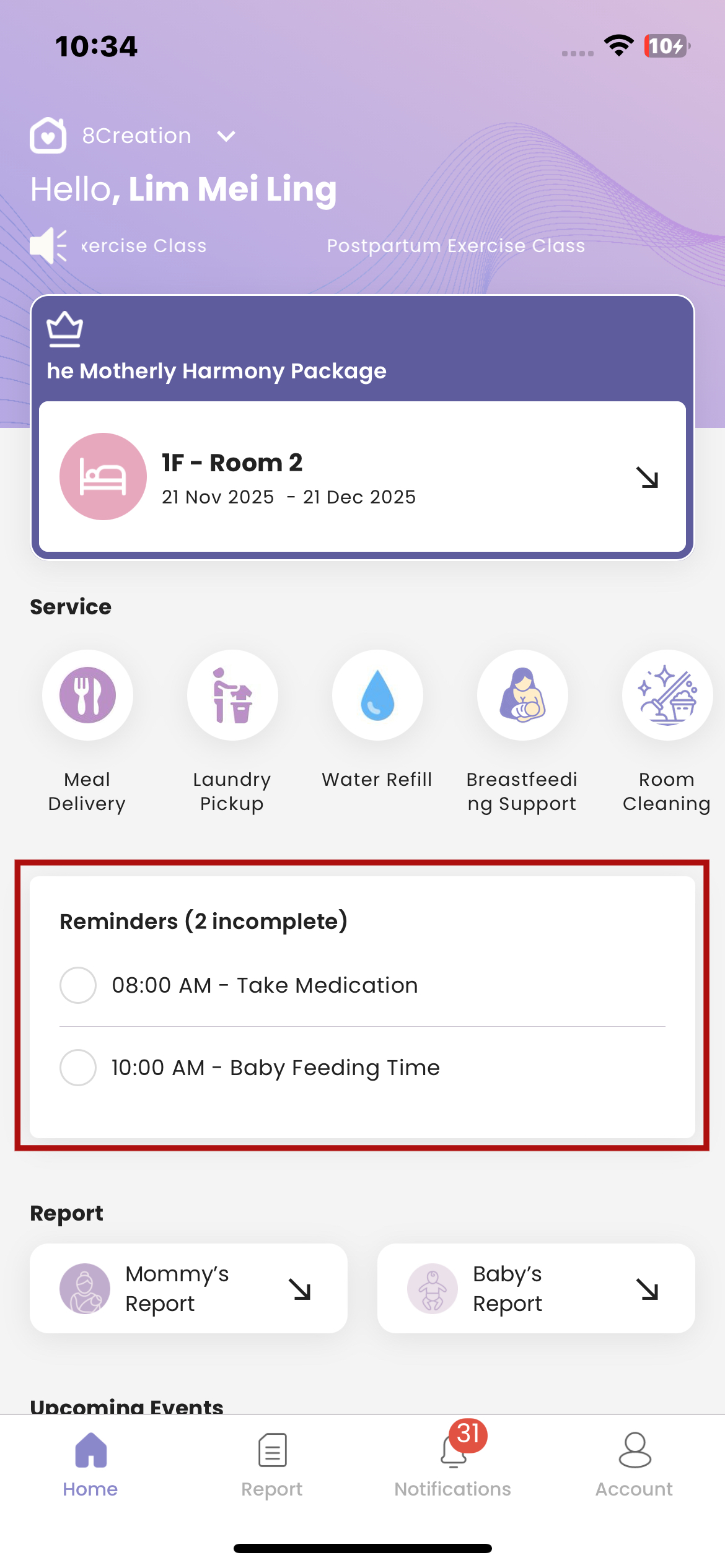
How to Update Reminders Status
- Go to the Reminders section
- Locate the task you want to update
- Tap the checkbox beside the task
- If the task is not completed, a tick will appear in the checkbox and the task name will display with a strikethrough, indicating it has been marked as completed.
- If the task is already completed, tapping the checkbox again will remove the tick, and the strikethrough on the task name will disappear, indicating the task is marked as not completed.