Away & Return Logs
How to Record Away/Return
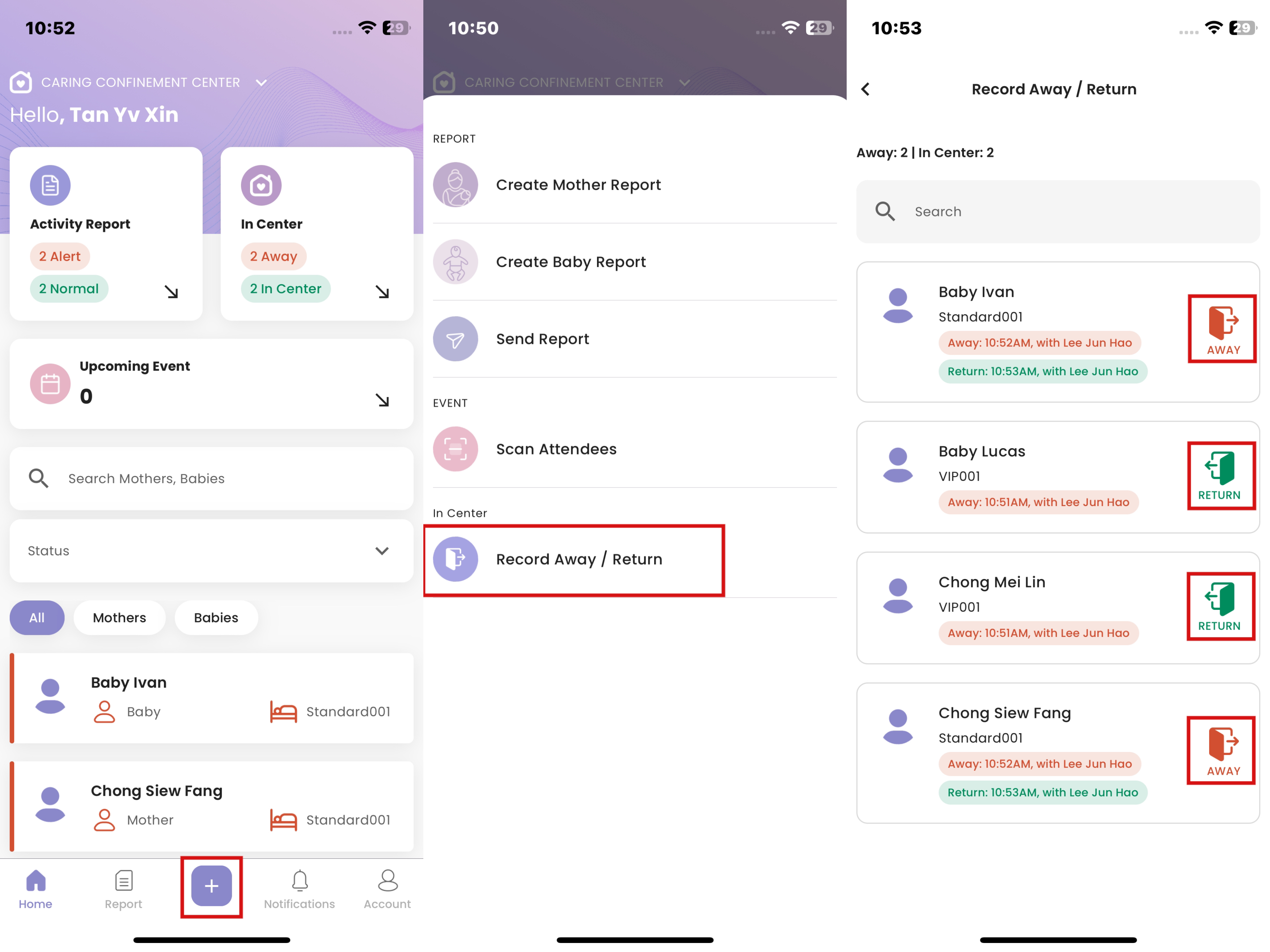
- Click “+”
- Click "Record Away/Return"
- Click on the Away or Return icon
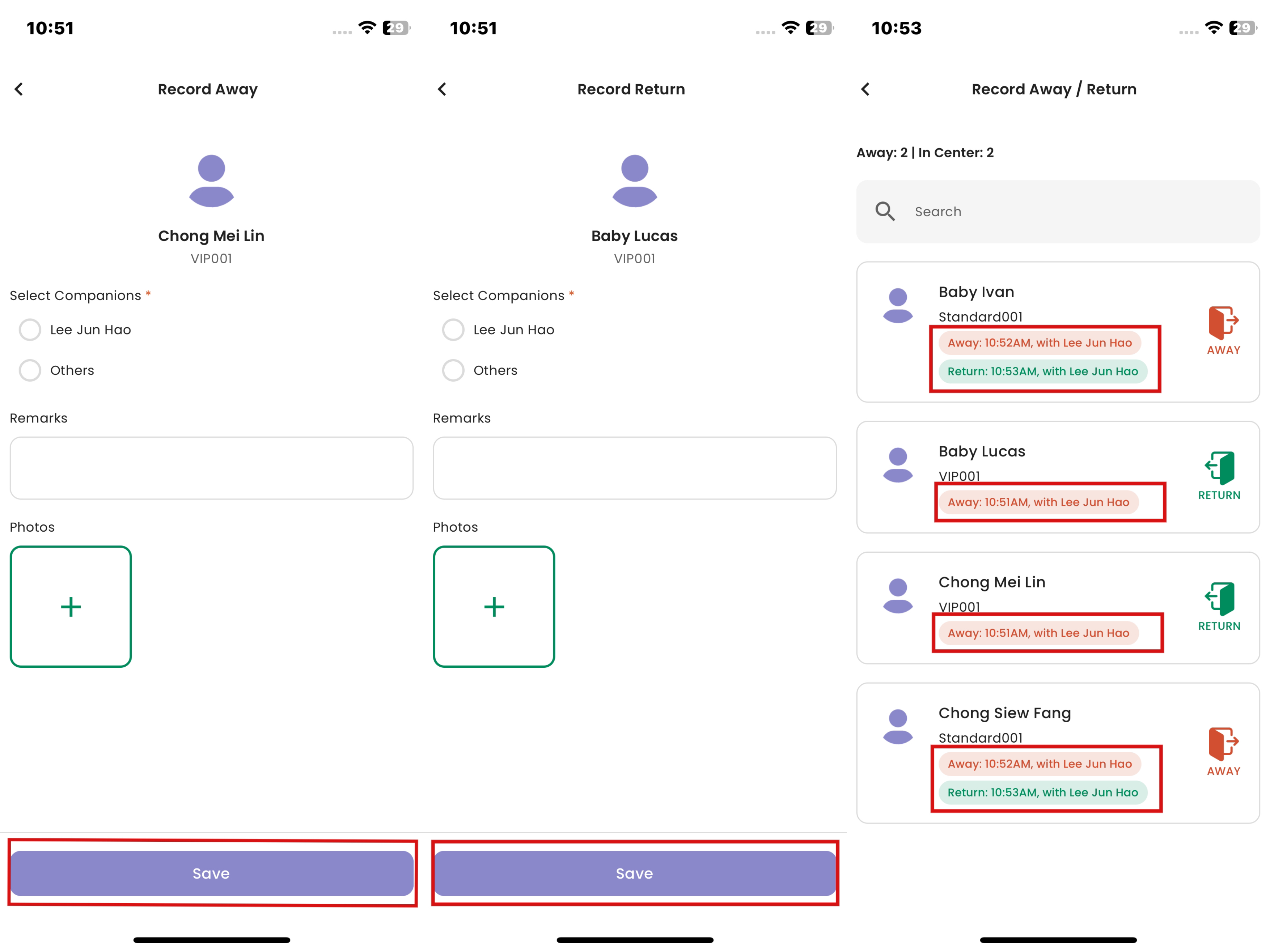
- Fill in the required fields, then click “Save”
- The status will be successfully updated in red for 'Away' status while in green for 'Return' status.