Home
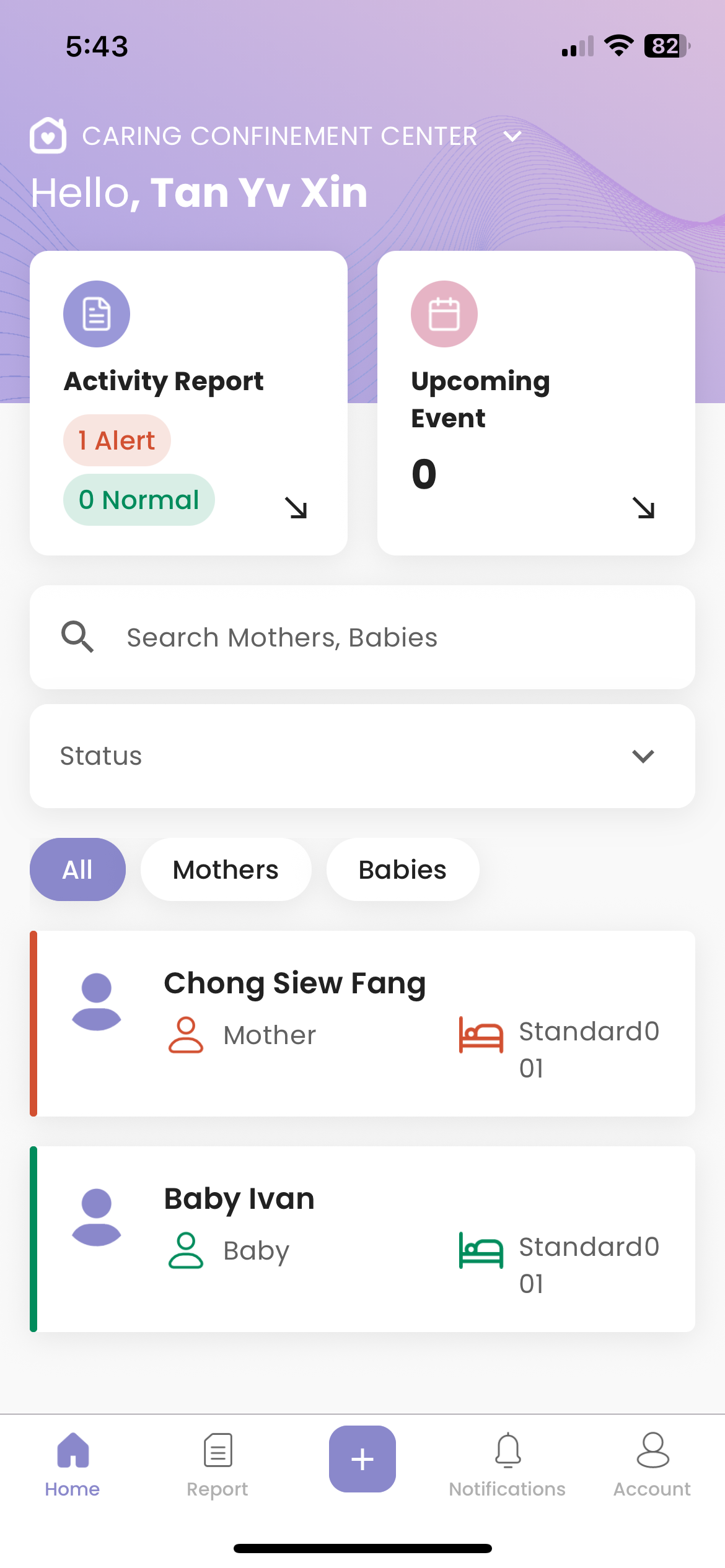
How to Differentiate Normal Mother/Baby and Mother/Baby Under Alert
- Normal mother/baby are green in color
- Mother/baby under alert are labelled in red
How to View Summary Report
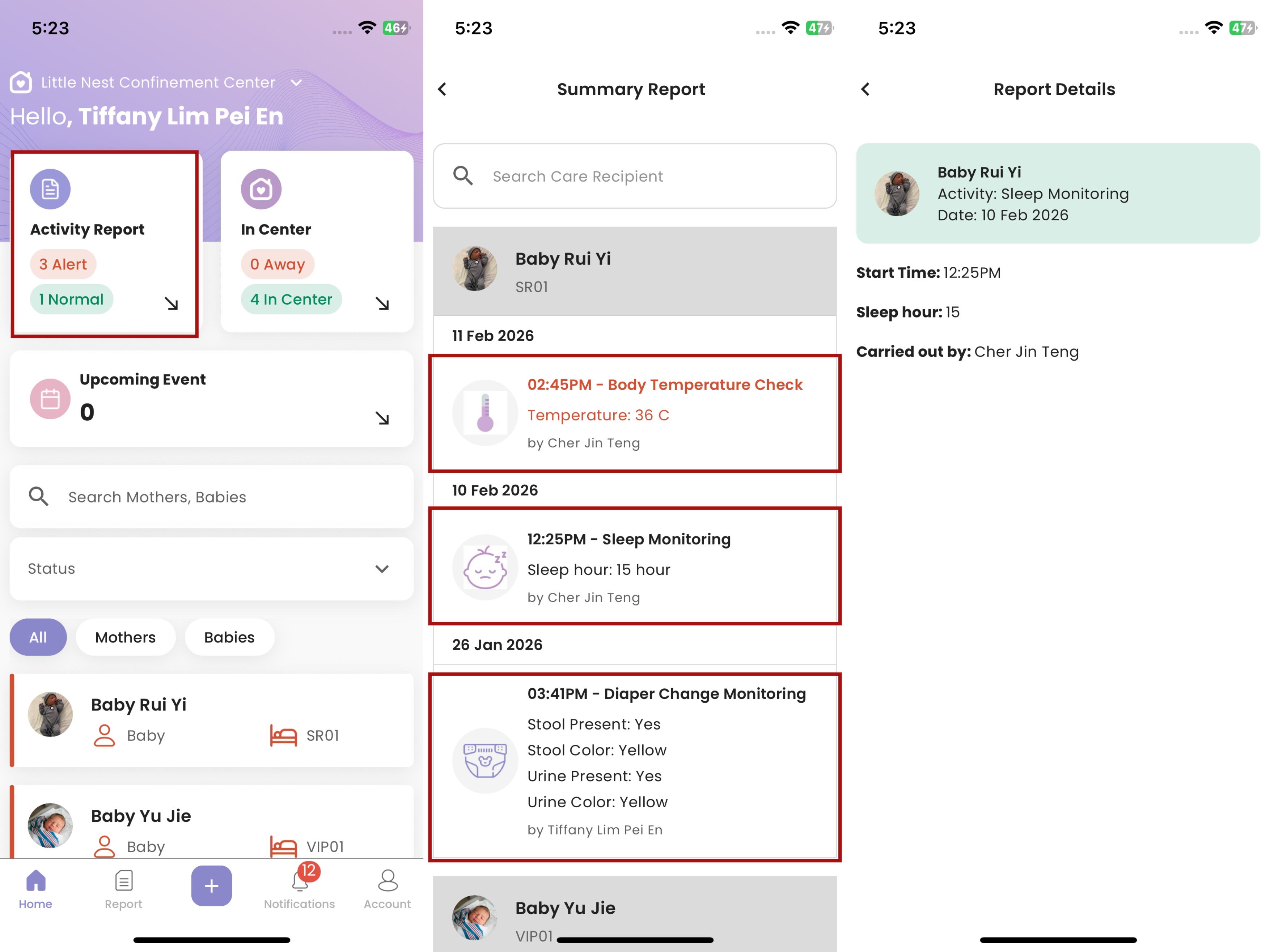
- On the Homepage, there's an Activity Report card
- The red tag shows the total number of "Alert" Mother/Baby, while the green tag shows the total number of "Normal" Mother/Baby. Please note that the total number refers to the number of Mother/Baby, not the number of reports.
- Click the "Activity Report" card to view Summary Report
- Click the selected activity report to view Report Details
How to View Mother/Baby Details
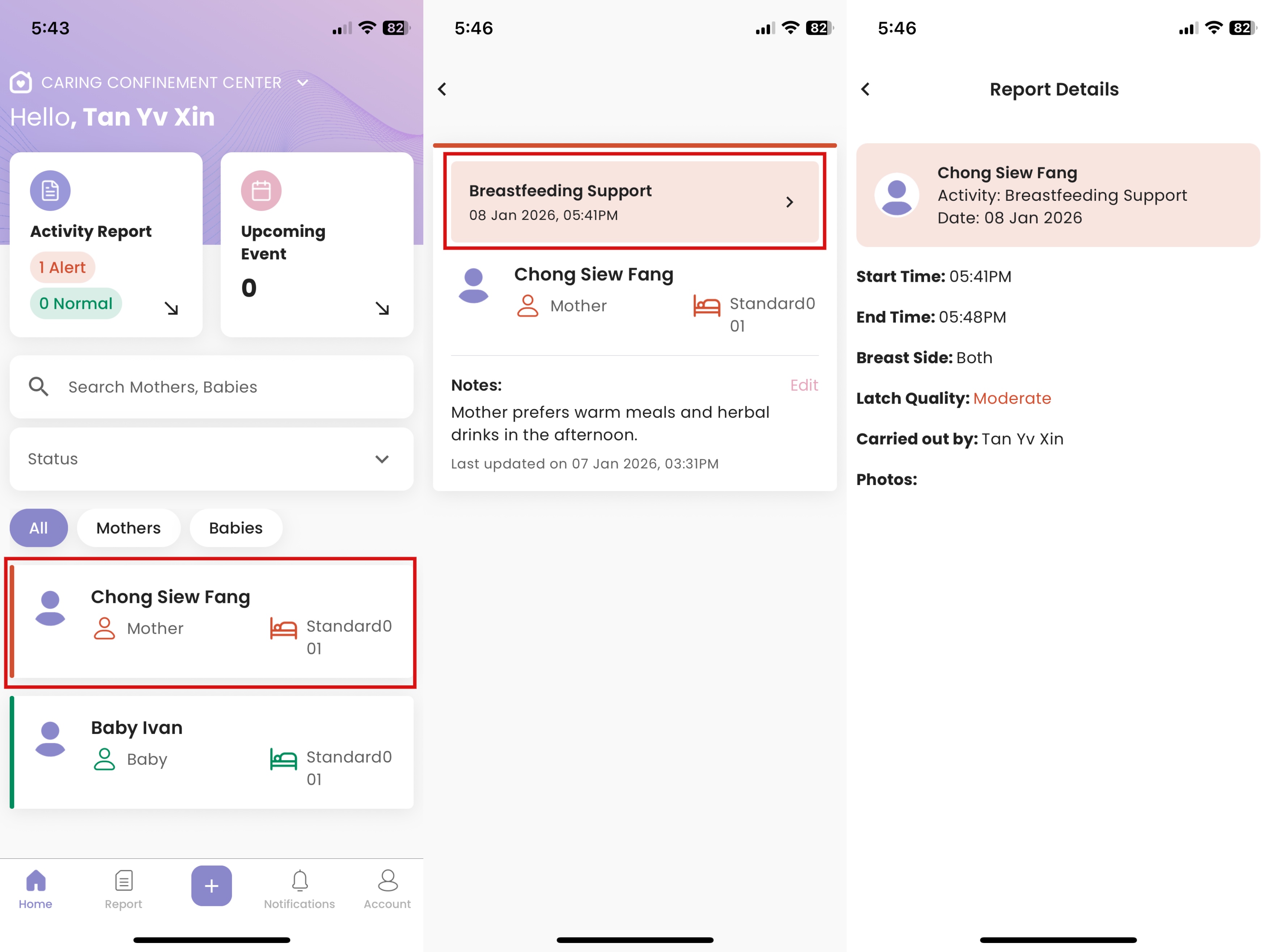
- Click on the mother/baby
- Notes added from client portal are displayed
- For mother/baby under alert, click on the alert to view report details
How to Search & Filter Mother/Baby
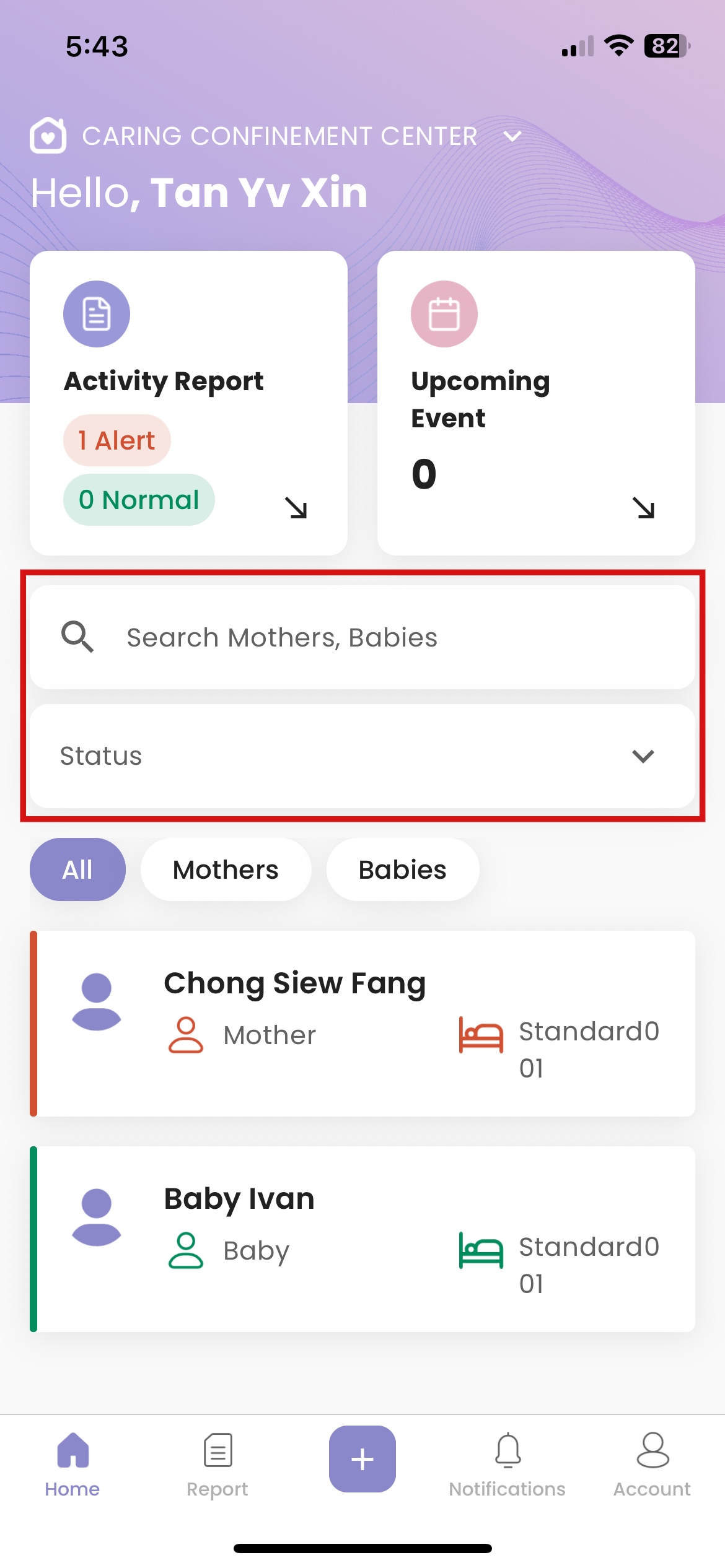
- Click “Search Mothers, Babies” then fill in the name
- Click “Status” then select the mother/baby’s status to filter
- Click “Room” then select the mother/baby’s assigned room to filter
How to Edit Mother/Baby's Notes
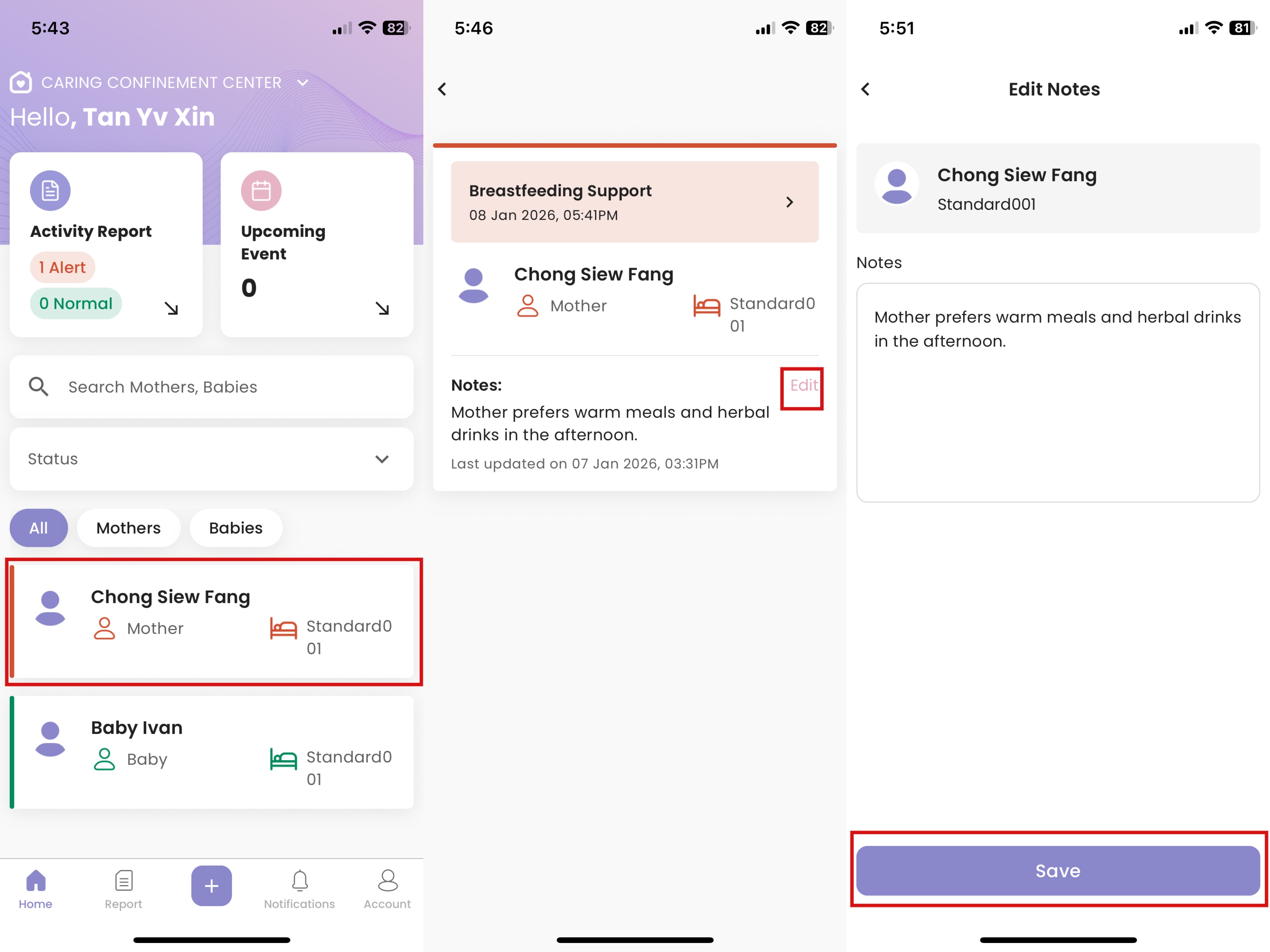
- Click the corresponding Mother/Baby
- Click "Edit"
- Edit the notes, then click "Save"
- The notes will show on the "Notes" section
How to View Upcoming Events
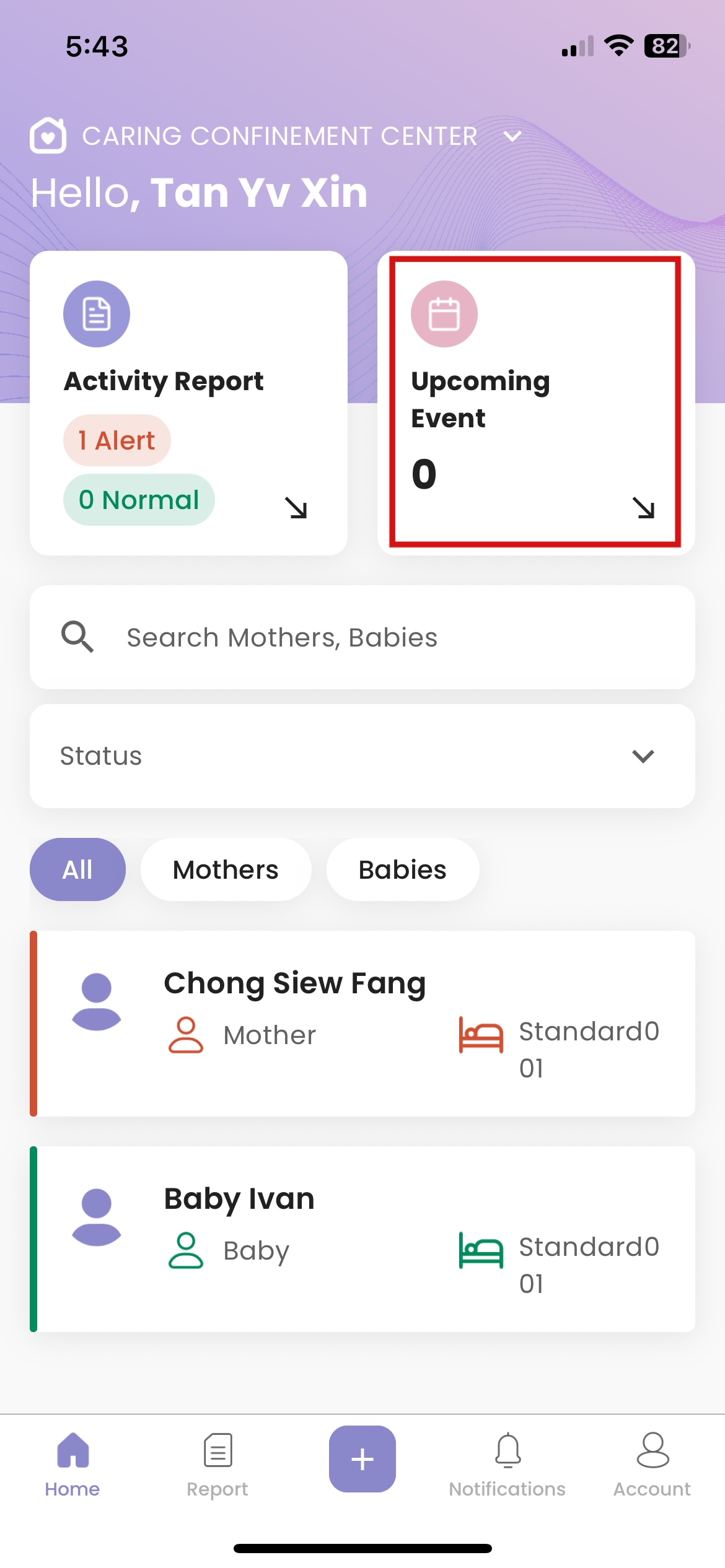
- Click "Upcoming Event"
How to View Pinned Announcement
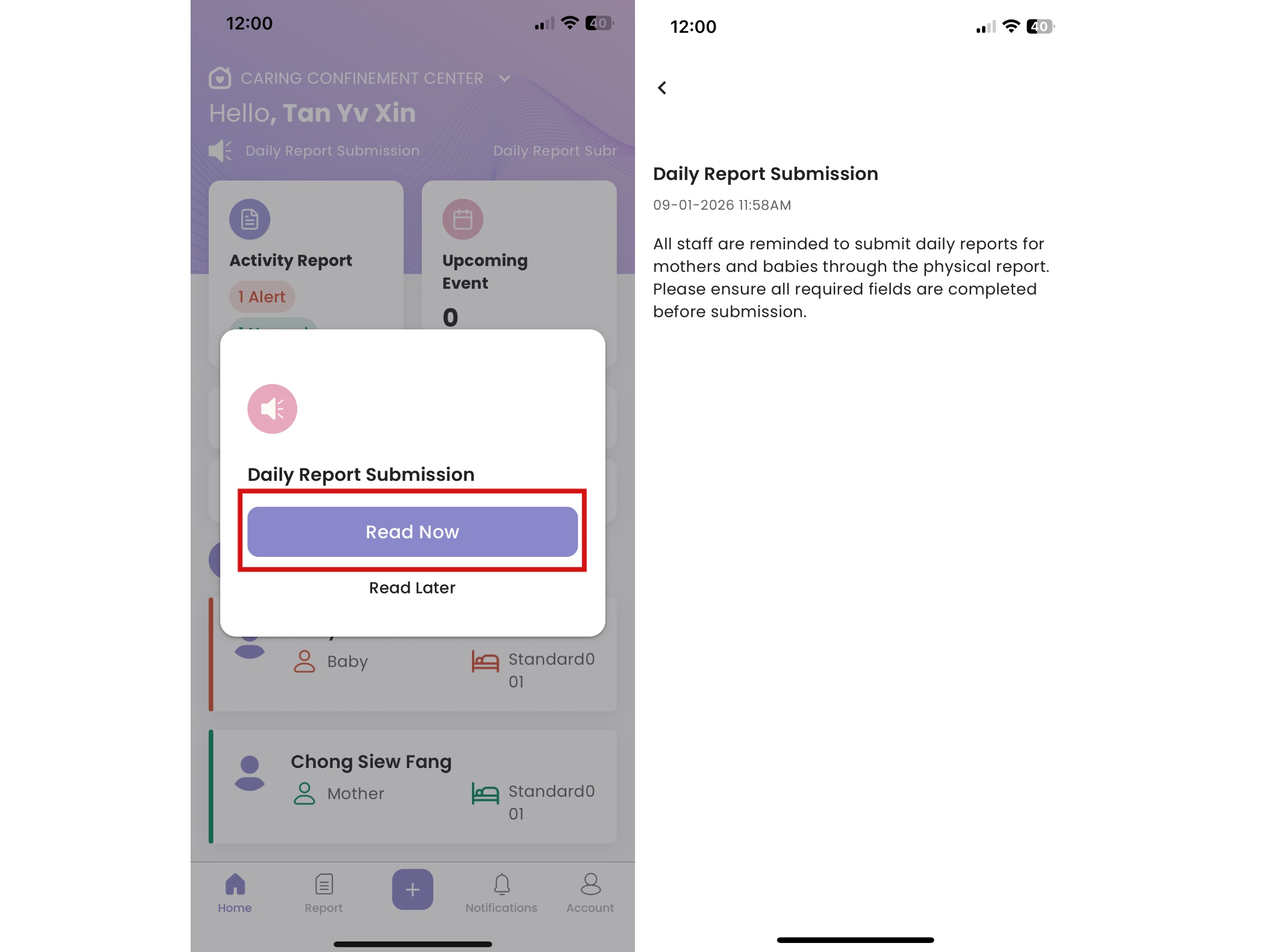
- When admin pins an announcement in the Admin Portal, a notification window will automatically appears on the Staff App homepage
- Click "Read Now" to view announcement details
- Click "Read Later" to close window and go back to homepage
- Pinned announcement is always displayed at the top of the Staff App homepage
- Click the announcement to view the announcement details
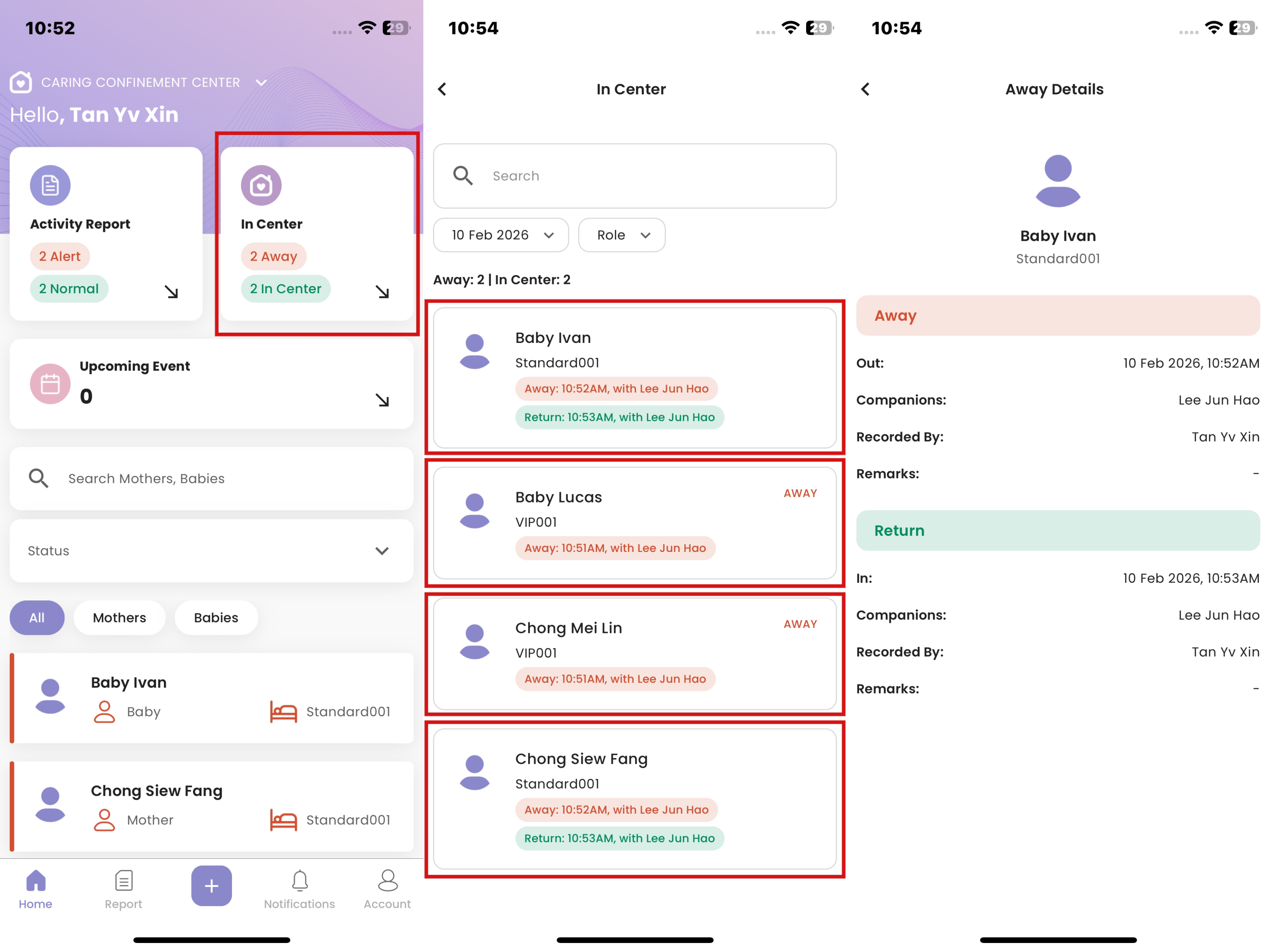
How to View Mother & Baby Away & Return Status
- Click "In Center" card
- Select Mother/Baby
- The "Away" status will be marked in red color, while "Return" status in green
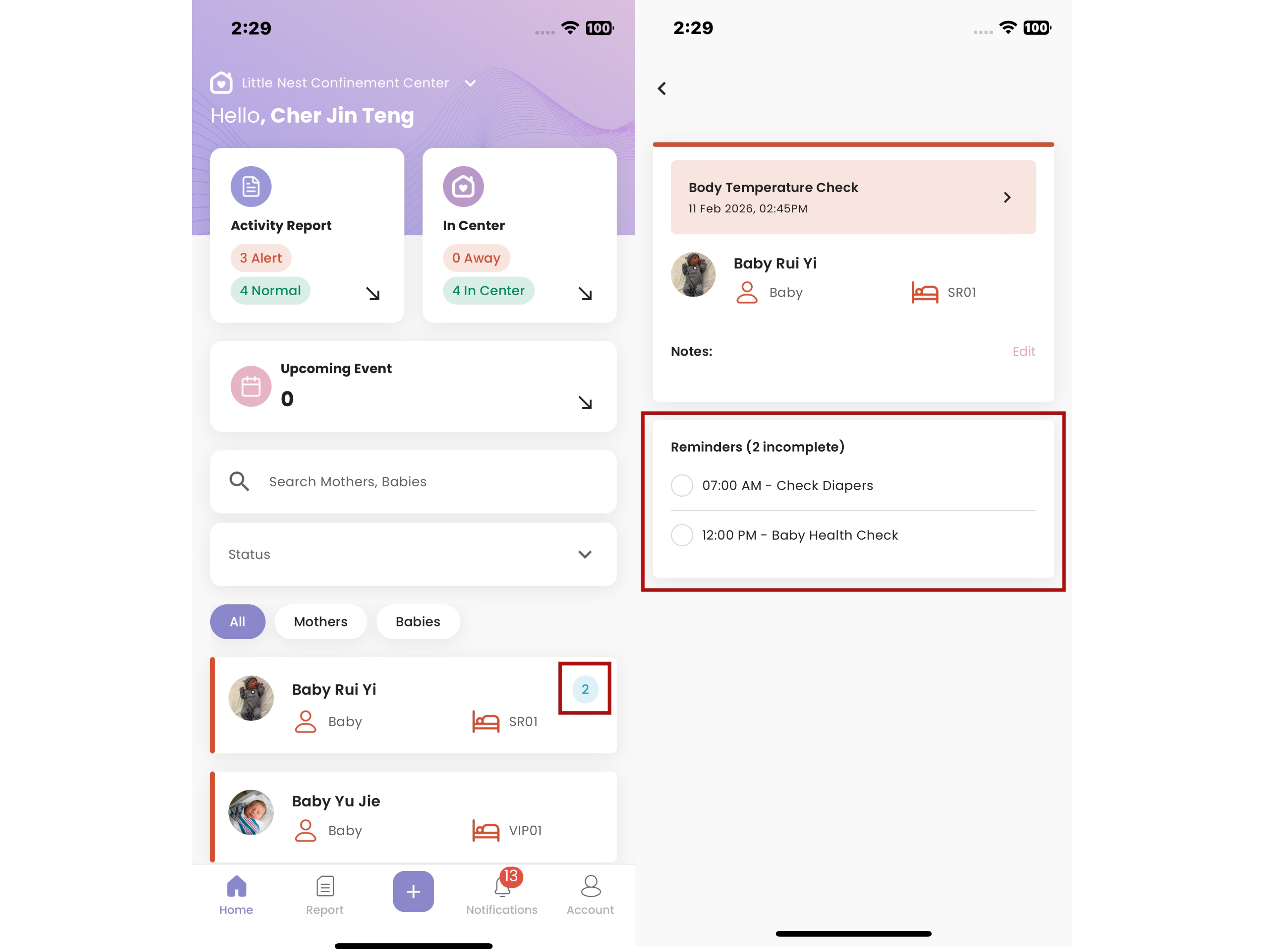
How to View Reminders
- Navigate to the Home page
- In the Mother/Baby List, identify the mother or baby
- If there are reminders available, the total number of reminders will be displayed beside the mother/baby name
- Tap on the mother/baby name that you want to view
- The list of reminders will be displayed in the Reminders section
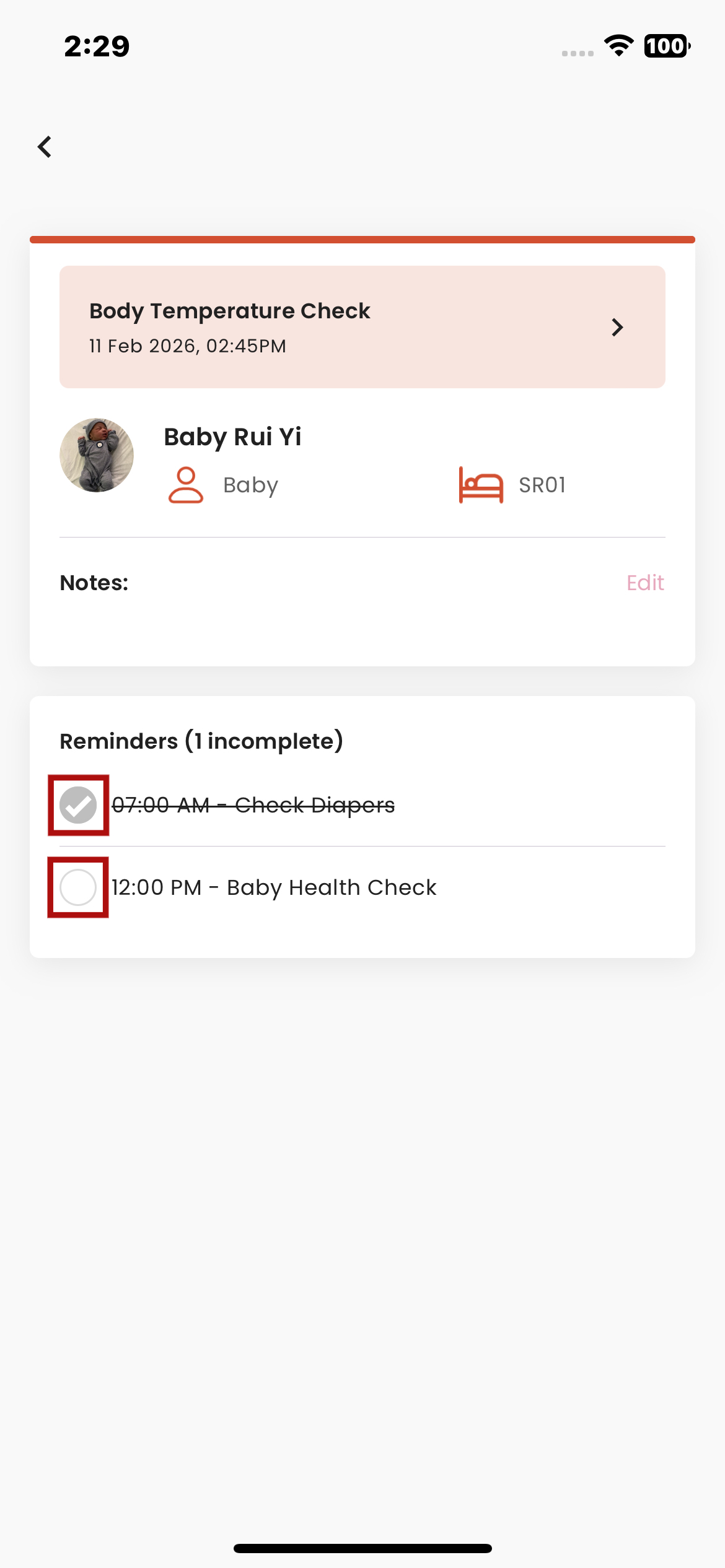
How to Update Reminders Status
- Navigate to the Mother/Baby Details page
- Locate the task you want to update
- Tap the checkbox beside the task
- If the task is not completed, a tick will appear in the checkbox and the task name will display with a strikethrough, indicating it has been marked as completed.
- If the task is already completed, tapping the checkbox again will remove the tick, and the strikethrough on the task name will disappear, indicating the task is marked as not completed.
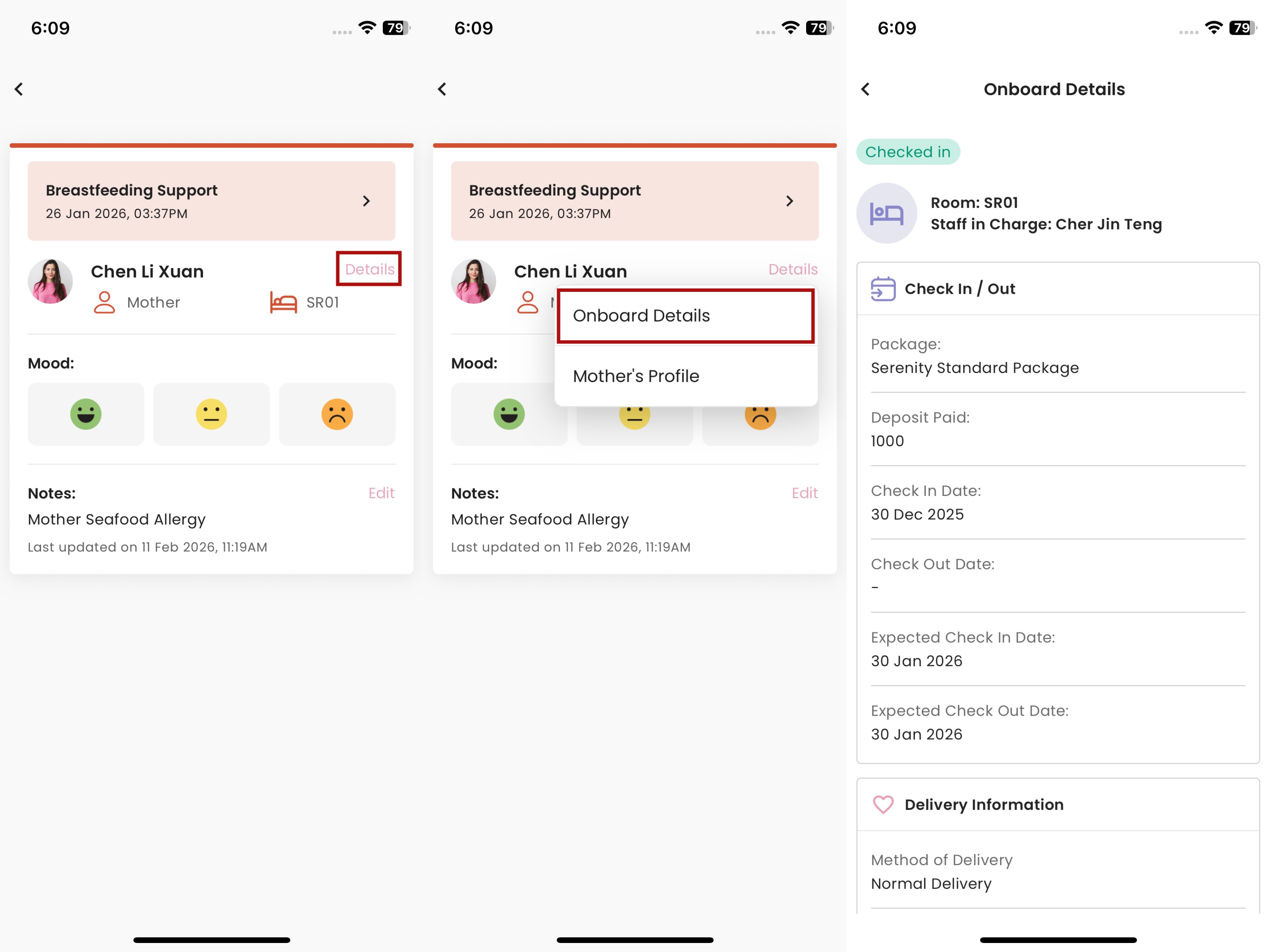
How to View Mother Onboard Details
- Navigate to the Mother Details page
- Click Details
- Select Onboard Details
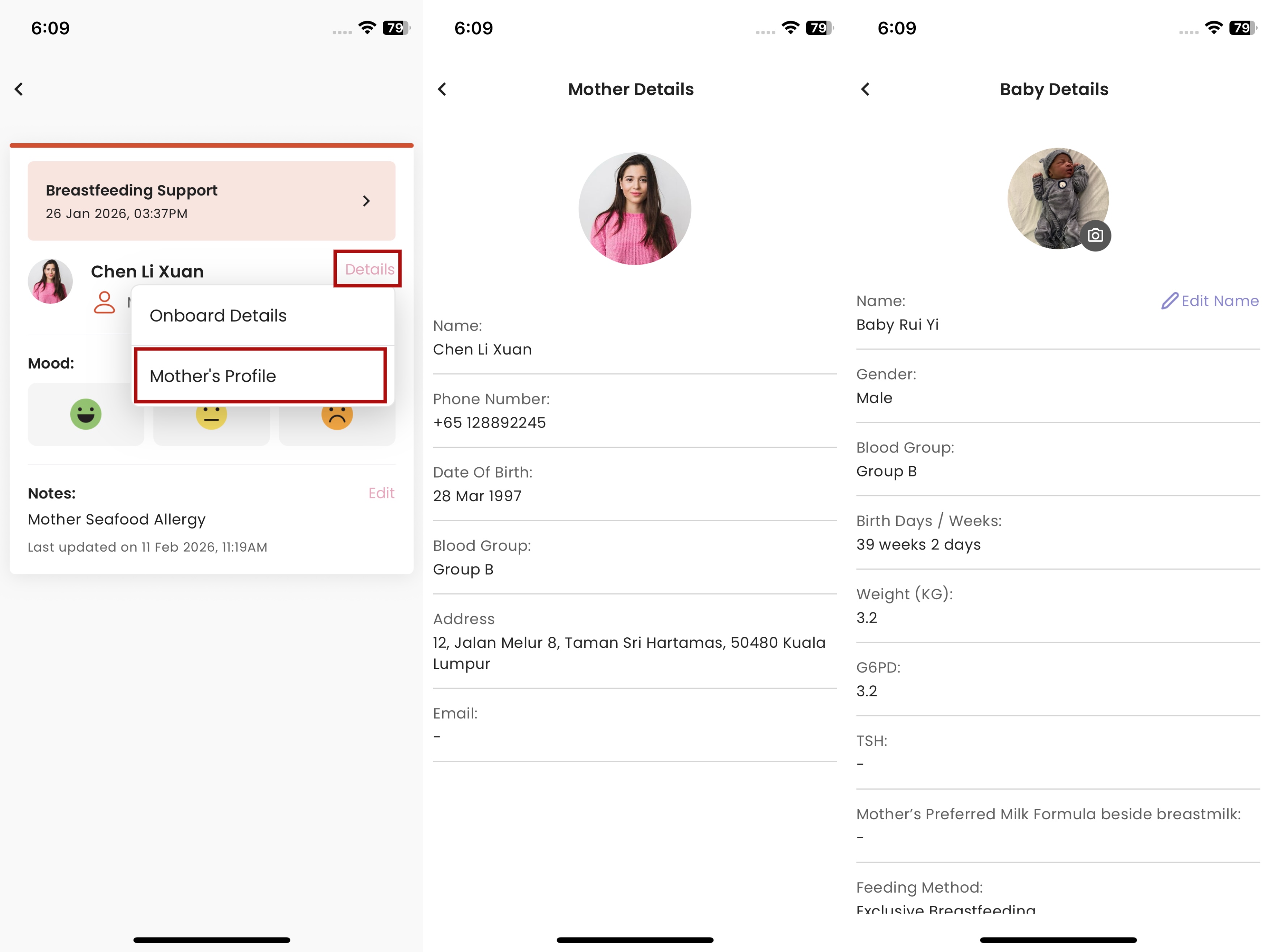
How to View Mother or Baby Profile
- Navigate to the Mother/Baby Details Page
- For baby, simply click Details to enter Baby Profile
- For mother, select Mother's Profile to enter Mother Profile
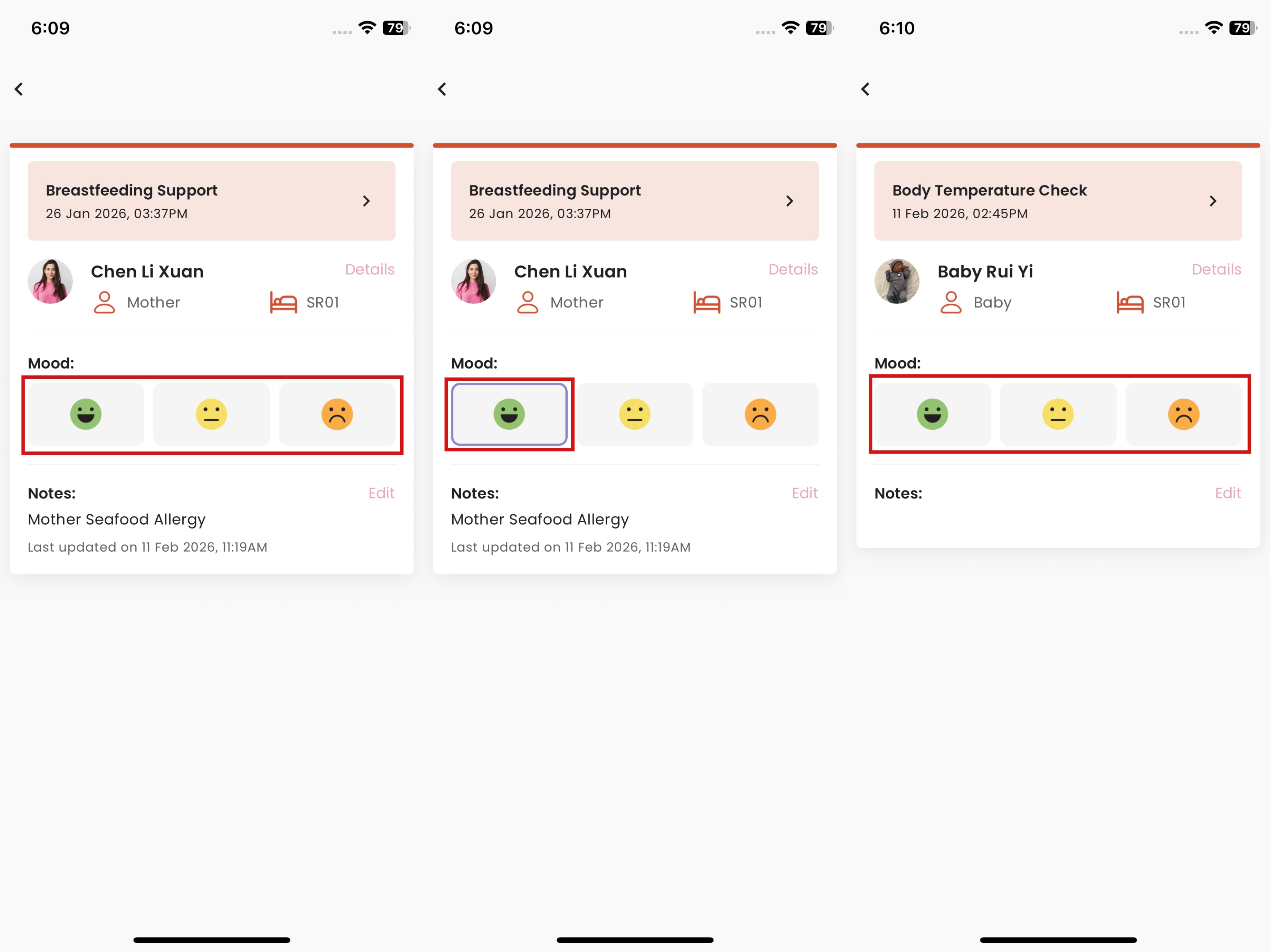
How to Add Mood for Mother or Baby
- Navigate to Mother/Baby Details Page
- In Mood field, click to select a mood and click again to deselect mood
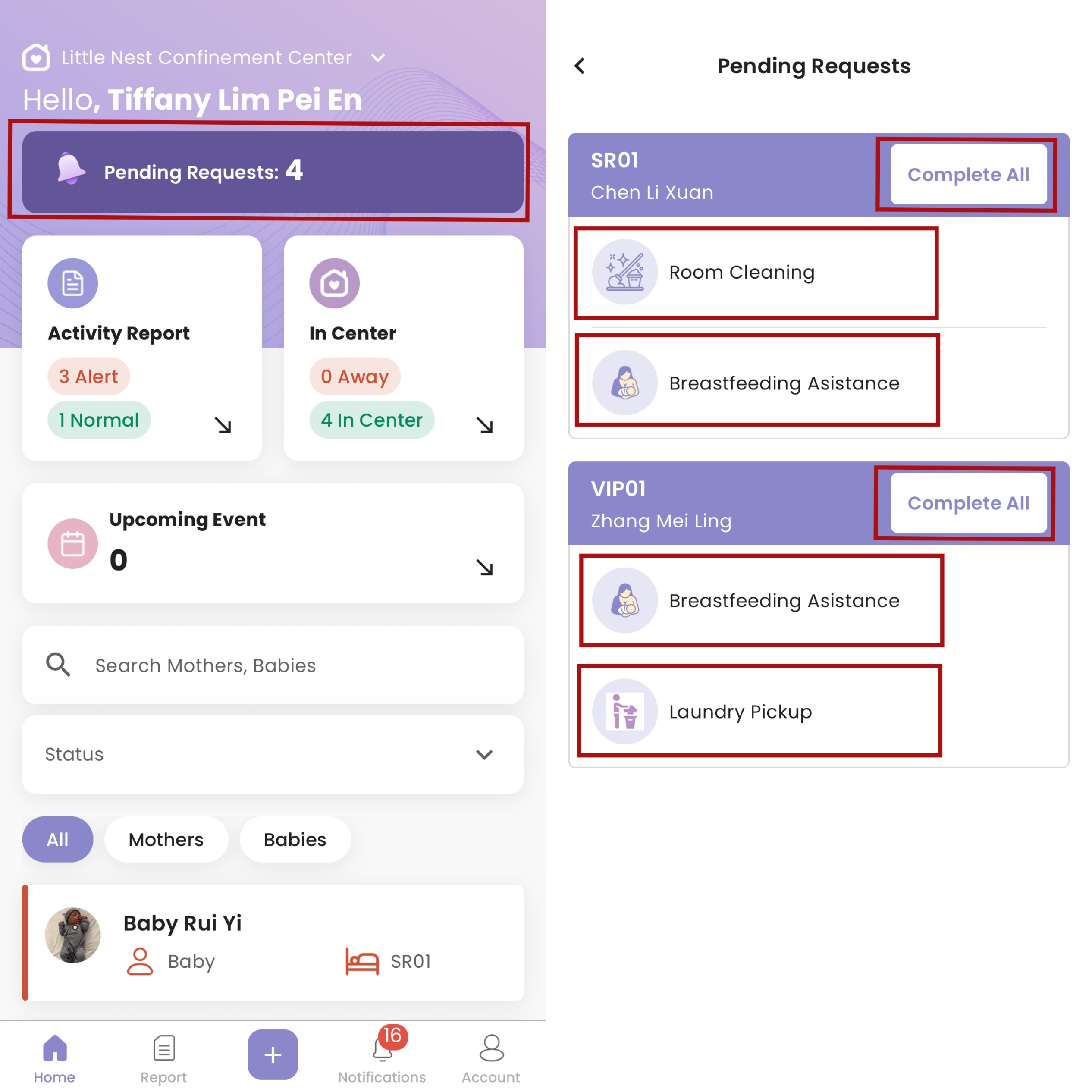
How to Complete Service Request
- Only roles that include access to the Guest Service Dashboard will receive guest service notifications.
Steps:
- Navigate to Home
- If there's a service request the homepage will show Pending Requests
- Click the Pending Requests to view details
- Click Complete All to mark all the requests under the selected mother as completed
- Click the selected service request to mark only that request as completed
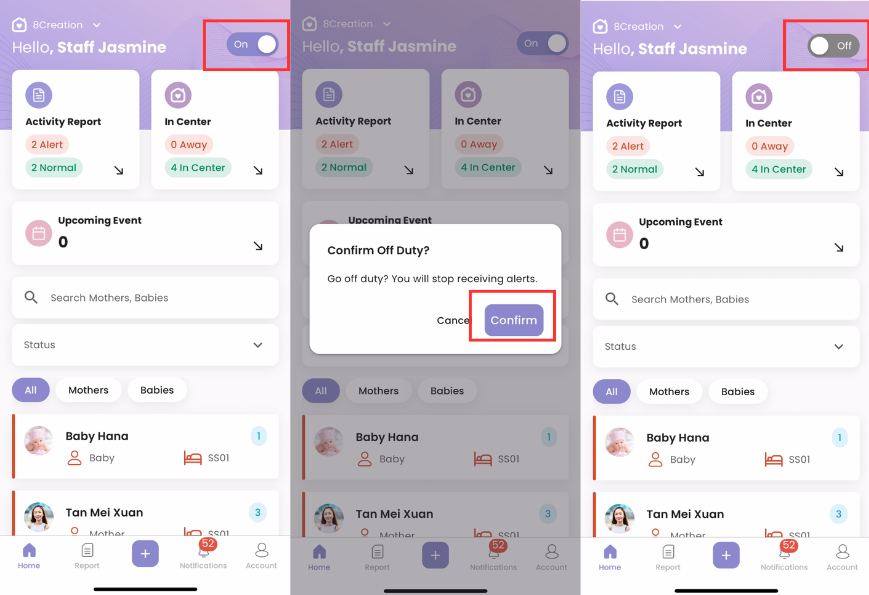
How to Toggle On Duty / Off Duty Status
- Navigate to the Home screen in the Staff App
- Locate the On Duty / Off Duty button on the homepage
- Toggle the button to Off Duty
- A confirmation dialog will appear asking whether you want to switch to off duty
- Tap Confirm to proceed
- Once confirmed, your status will be updated to Off Duty
- While you are off duty, you will not receive push notifications
- To start receiving push notifications again, toggle your status back to On Duty.