Notifications
Everything the app tells you is kept in the Notifications tab, even if you missed the phone notification. The red number on the tab is how many you haven't read.
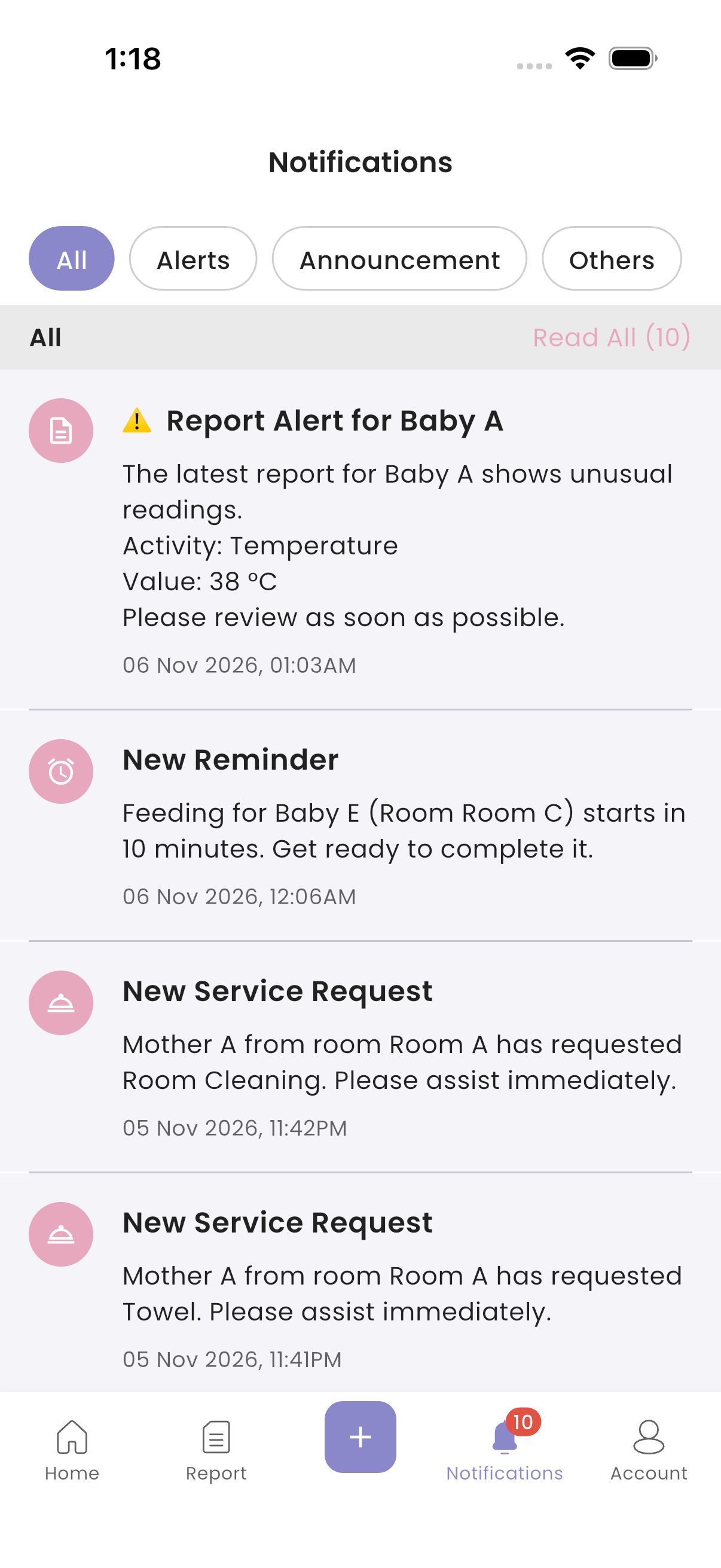
What you get
| Notification | When |
|---|---|
| ⚠️ Report Alert | A report has a value outside the normal range |
| New Service Request | A mother requested a service sent to you |
| New Reminder | 10 minutes before a reminder of yours |
| New Notes Added | Someone wrote a note about a mother or baby |
| New <activity> Report Submitted by Mother <name>, for example "New Activity A Report Submitted by Mother Mother A" | A mother recorded a report (alerts only, unless the centre turned on all of them) |
| New Event Available, Event Reminder | An event is published, and the day before it |
| Announcements | The centre publishes an announcement for staff |
Staff with Guest Service Request Only access only get service requests and announcements.
note
While you are off duty, you get no phone notifications. They still appear here.
How to read notifications
- Open the Notifications tab.
- Choose a filter: All, Alerts, Announcement or Others.
- Tap a notification to open what it's about: the report, request, event, announcement and so on. It is marked as read.
To mark everything in the current filter as read, tap Read All.
If a notification is from another of your branches, the app switches to that branch first.
Troubleshooting
| What you see | Why, and what to do |
|---|---|
| Notifications show in the list but not on your phone | You are off duty, notifications are turned off for the app in your phone settings, or you logged out on this phone. Log in again. |
| A report notification isn't under Alerts or Others | Normal report and note notifications only show under All. |
| "Notification not found." | It belongs to another branch where you no longer work, or it was removed. |
| Notifications come in the wrong language | They follow the language you chose in the app. Change it in Account → Switch Language. |