Login Access
Sign In
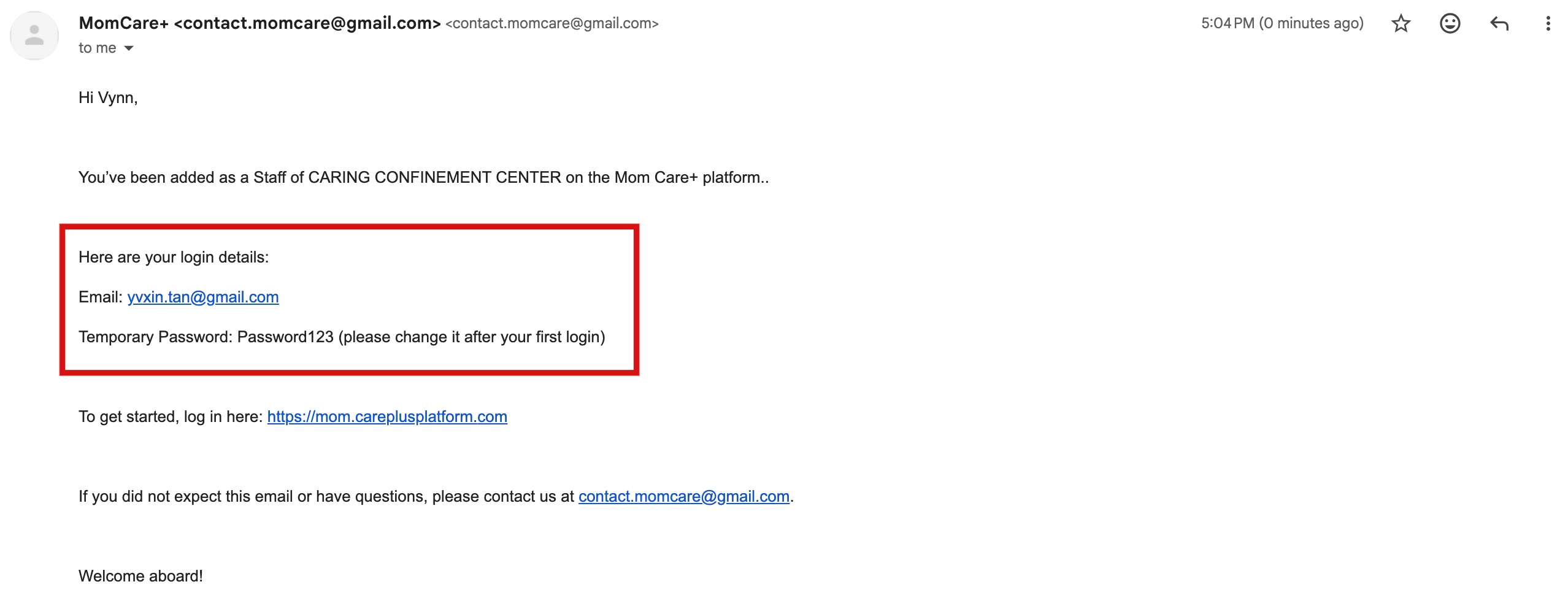
- Staff will receive an invitation email with the login credentials and link to install the app
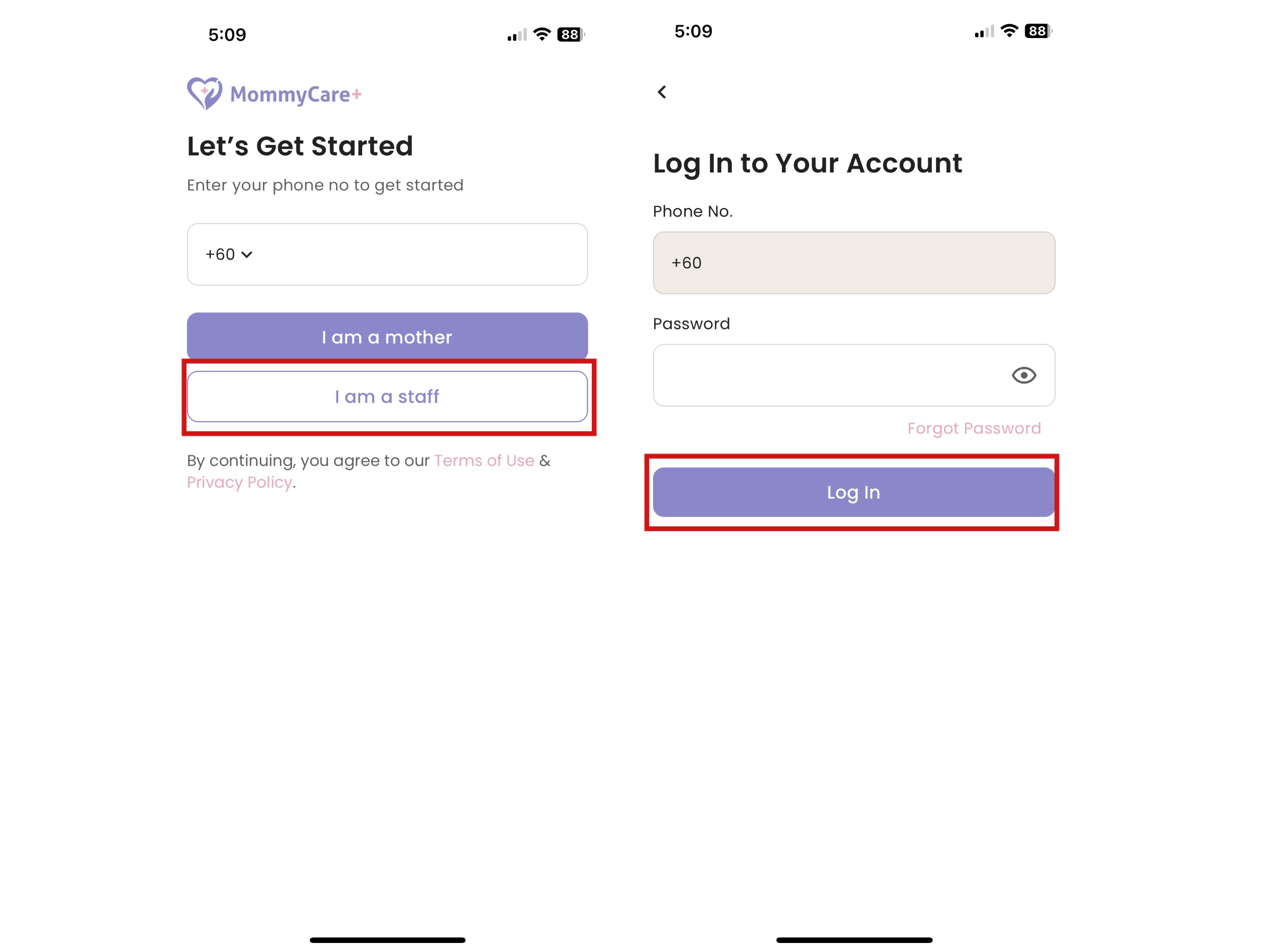
- After installing the app, fill in the registered phone number then click “I am a staff”
- Fill in the correct password, then click “Log In”
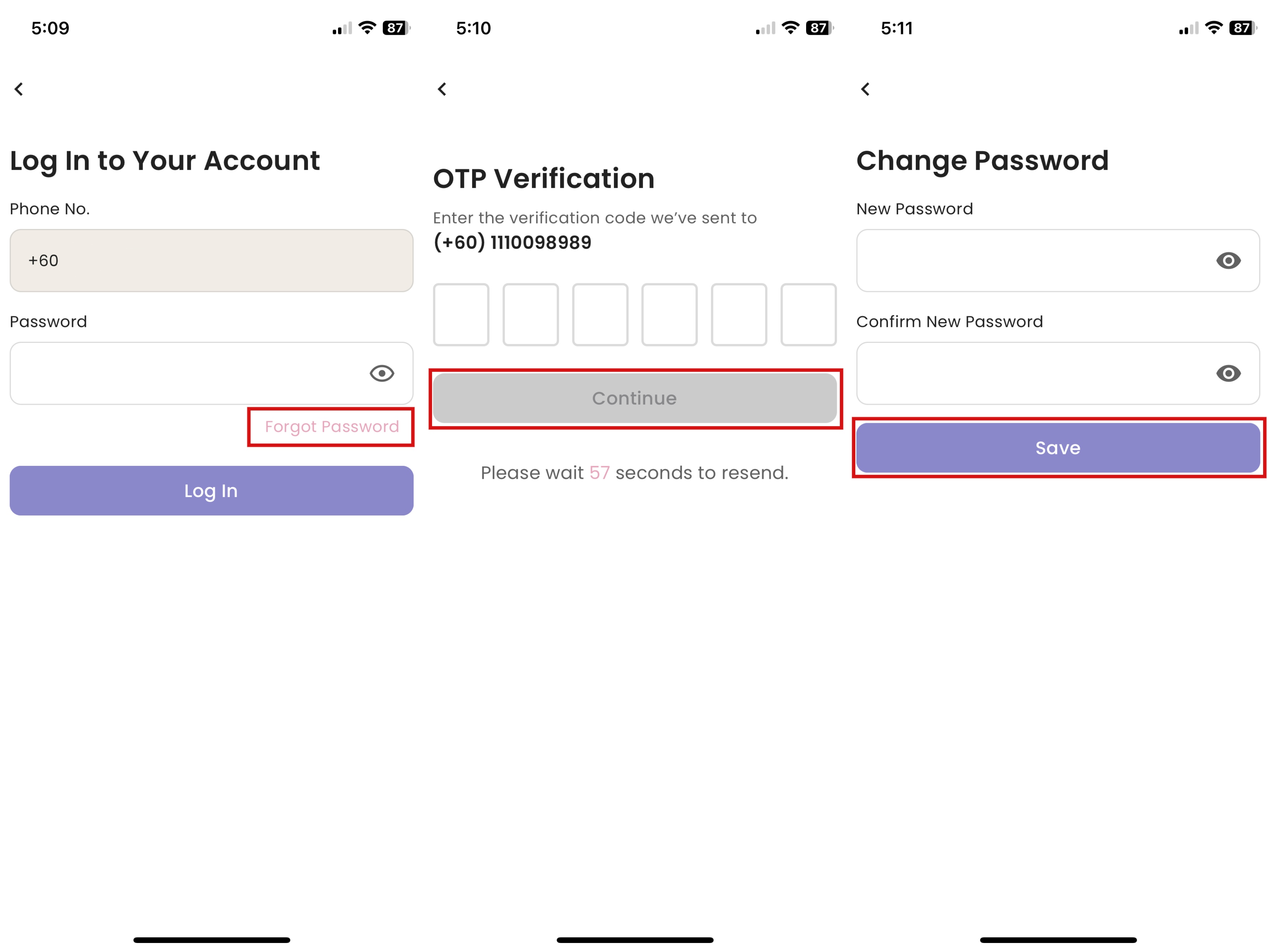
Forgot Password
- Click “Forgot Password”
- OTP is sent to your registered phone number through Whatsapp
- Fill in OTP and click “Continue”
- Enter your new password, then click “Submit”