Sign up & log in
After the centre books your stay, you receive a WhatsApp message with a link to download the app. You log in with your phone number: the one you gave on your registration form.
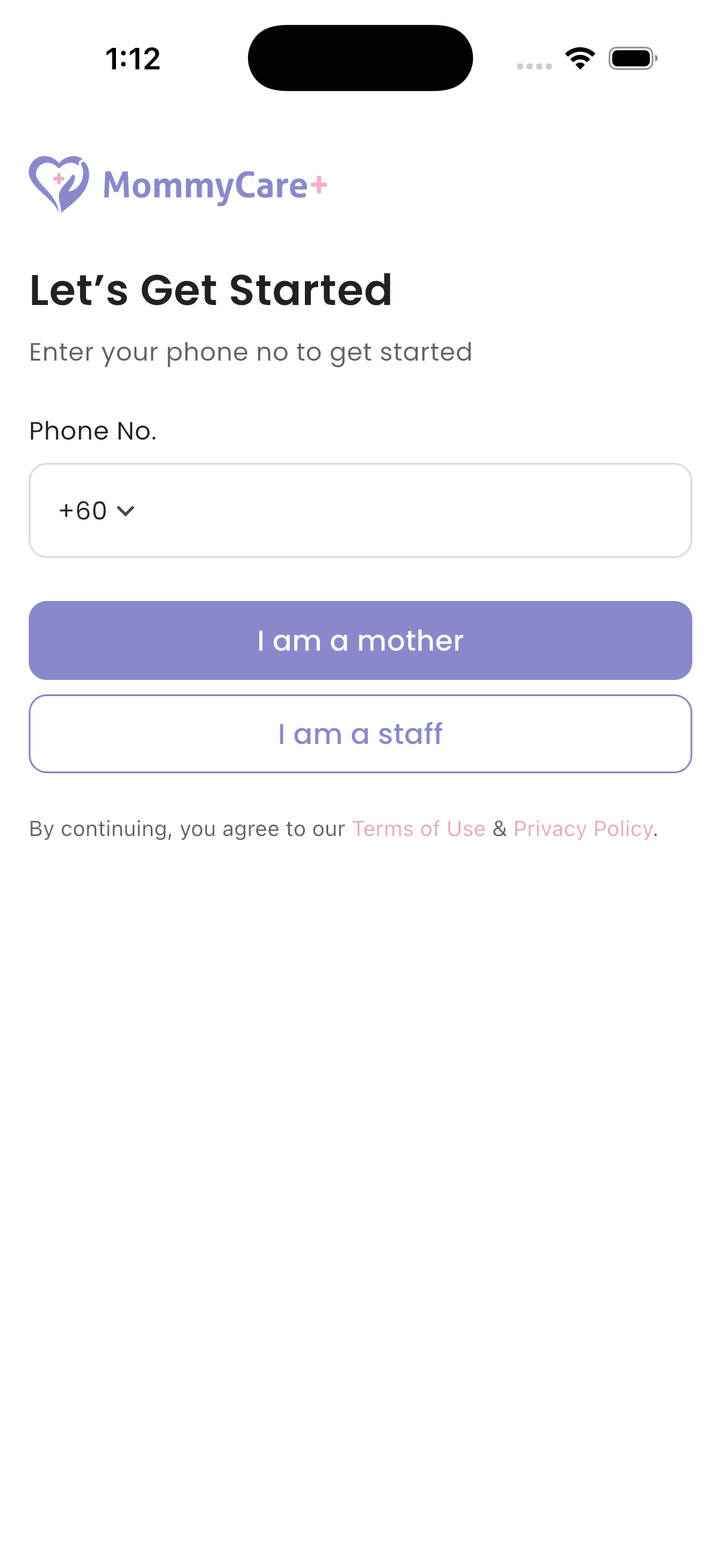
How to sign up (first time)
- Open the link in the WhatsApp message to download the app from the App Store or Google Play, and open it.
- Choose your language.
- On Let’s Get Started, choose your country code and enter your phone number.
- Tap I am a mother.
- A 6-digit code is sent to you by WhatsApp. Enter it on OTP Verification. If it doesn't arrive, tap Resend OTP after the 60-second countdown.
- On Create Your Account, set your password and confirm it.
You are logged in, and Home opens. When you are checked in, the app first asks you to read and accept the centre's handbook.
Password rules
At least 8 characters, with at least one upper-case letter, one lower-case letter and one digit.
How to log in
- Enter your phone number and tap I am a mother.
- Enter your password and tap Log In.
How to reset a forgotten password
- On the Log In screen, tap Forgot Password.
- Enter the WhatsApp code you receive.
- Set a new password and save.
You are logged out on all your devices. Log in with your new password.
Troubleshooting
| What you see | Why, and what to do |
|---|---|
| "This record does not exist." | Check the phone number: it must be the one on your registration. If you are staff, tap I am a staff. |
| "Your account is inactive…" | You have no active booking with the centre. Contact the centre. |
| "The password you entered is incorrect. Please try again." | Try again, or tap Forgot Password. |
| "The OTP you entered is incorrect. Please check and try again." | Use the latest WhatsApp code. |
| The WhatsApp code doesn't arrive | Tap Didn’t receive the OTP? on the screen and follow the steps: accept WhatsApp's terms, or message us on WhatsApp. |
| You didn't get the download link | Ask the centre to resend your invitation. |
| "There's an update available!" | Tap Update and install the latest version. |