Request a service
While you are checked in, you can ask for things to your room from the Service card on Home, for example a towel or hot water. The staff on duty are told straight away.
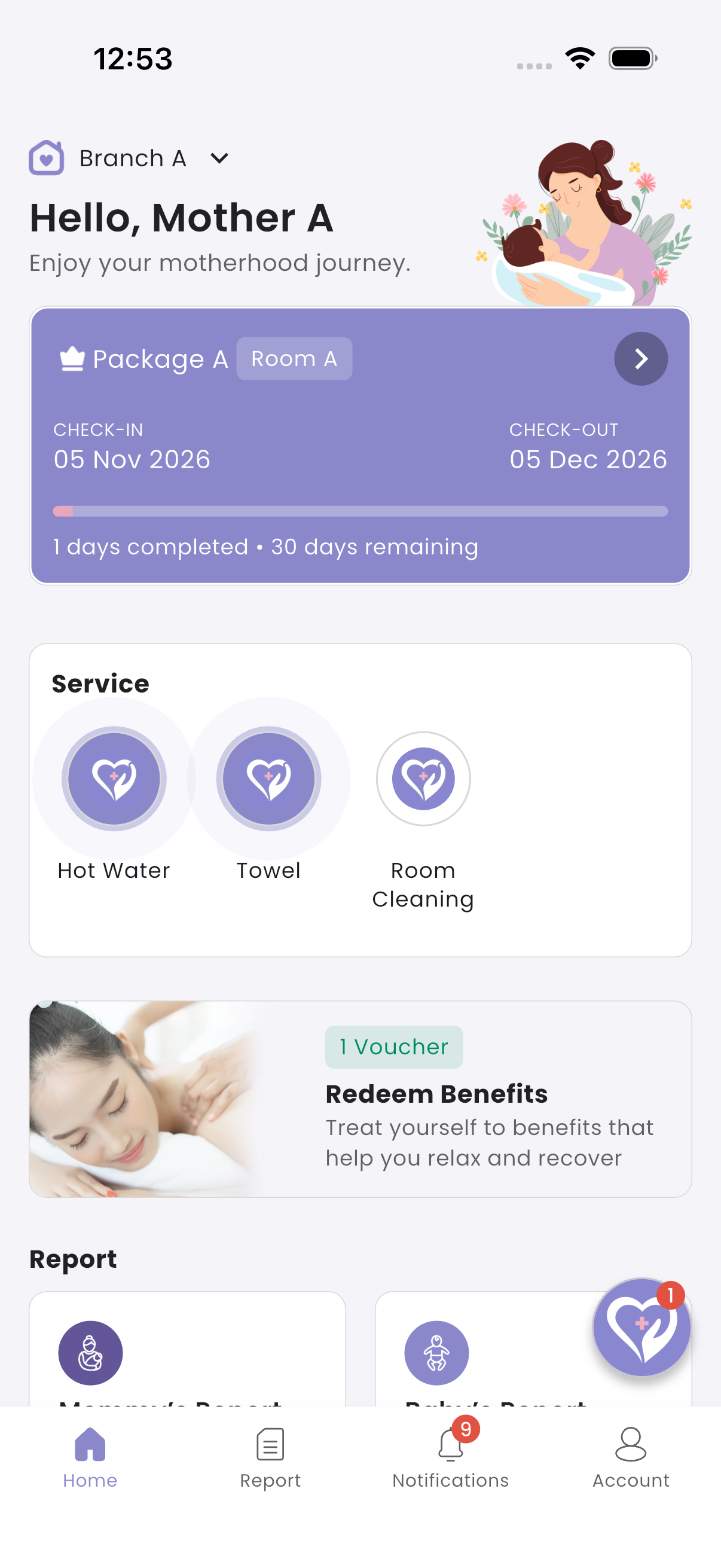
How to request a service
- On Home, tap the service in the Service card.
- On Confirm Request?, tap Yes, request.
"Service requested successfully!" is shown, and the service is highlighted while your request is waiting. When staff complete it, you get a Service Completed notification with the staff member's name.
How to cancel a request
- Tap the highlighted service.
- On Cancel Request?, tap Yes, cancel.
"Service cancelled successfully!" is shown.
How to call reception
If your request has been waiting for more than a minute, a Call Reception button appears. Tap it, then tap a number in Reception Contacts to message reception on WhatsApp.
Troubleshooting
| What you see | Why, and what to do |
|---|---|
| "Service is currently unavailable." | No staff member for this service is on duty right now. Try again shortly, or tap Call Reception. |
| "This service has already been requested." | You already have a request waiting for this service. |
| "You've reached the maximum number of times this service can be requested…" | You requested or cancelled this service many times in a short time. Wait a little. |
| No Service card | You aren't checked in, or the centre has no services. |
| No Call Reception button | Your request is less than a minute old, or the centre hasn't set a reception number. |