Service requests
The Service Request page (Room Requesting Service) shows every pending request from mothers, as they arrive. It is the page the dashboard opens on.
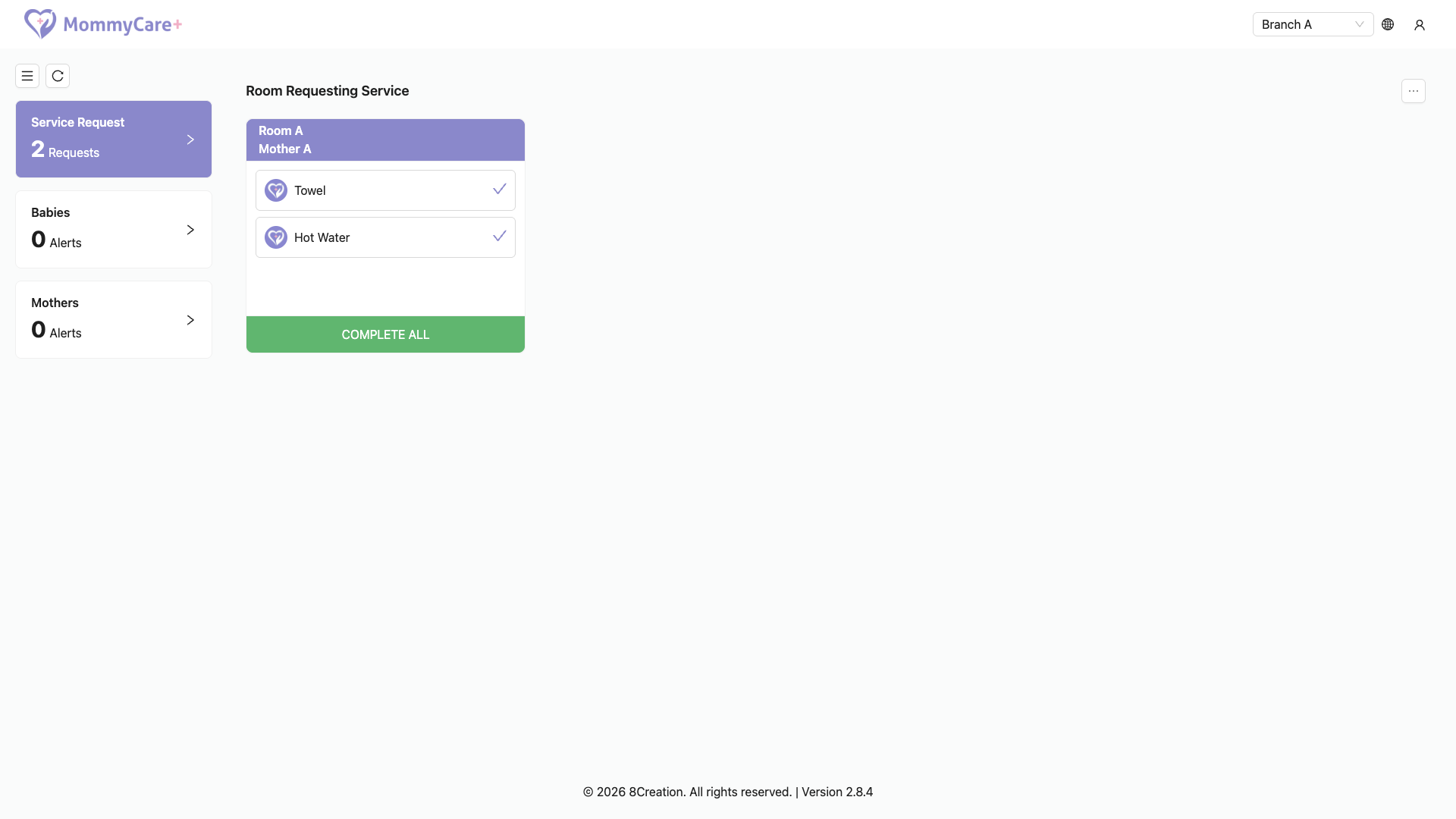
What you see
- One card per mother with pending requests, showing her room and name
- A row for each service she requested, for example Towel or Hot Water
- COMPLETE ALL at the bottom of each card
When a new request arrives, a card appears, the request count goes up, and the alert sound plays. When a mother cancels, her request disappears.
How to complete a request
- One request: tap its row. "Request(s) mark as completed successfully." is shown, and the row disappears.
- All of a mother's requests: tap COMPLETE ALL on her card.
The mother gets a "Service Completed" notification naming who completed it. Staff with the Staff App see the request disappear too.
Which requests are shown
The dashboard shows the requests for services sent to its account (all staff, its role, or the account by name). The centre owner sees all requests. Which staff receive each service is set in Guest services.
Requests still pending when a mother checks out are closed automatically.
Troubleshooting
| What you see | Why, and what to do |
|---|---|
| No sound for a new request | Click the page once after opening it. |
| A request you expect isn't shown | The service isn't sent to this account's role or to this account. Check the service's recipients in the Portal. |
| A mother says "Service is currently unavailable." | Nobody who receives that service is on duty. Dashboard accounts are on duty by default, so check that the service is sent to the dashboard account's role. |
| The list didn't update | Check the network connection. The page refreshes when the connection comes back. |