Mother & baby details
Tap a mother or baby on Home to open their details.
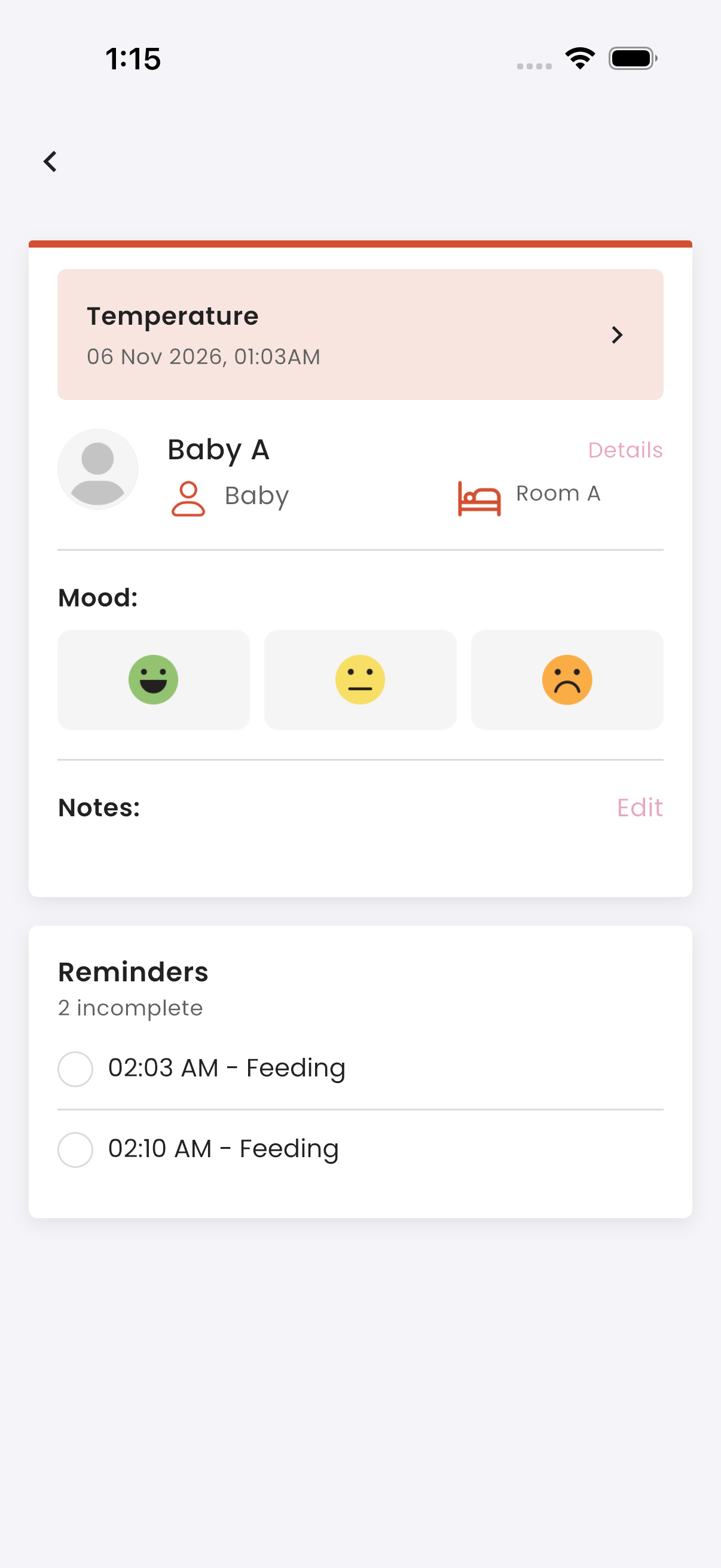
What you see
- their name, room, and whether they are a Mother or Baby
- their alerts: tap an alert to open the report behind it
- their latest reports
- Reminders for today
- Notes, with when they were last updated
- Mood
How to tick off reminders
The Reminders section lists today's reminders for this mother or baby that are yours, with how many are incomplete.
- Tap the circle beside a reminder to tick it off. Tap it again to untick it.
- When you tick the last one, the app asks "Complete all reminders?". Once you confirm, today's list is cleared and locked for the day.
You get a "New Reminder" notification 10 minutes before each reminder.
How to write a note
- In Notes, tap Edit.
- Write the note and tap Save. "Notes updated." is shown.
Other staff get a "New Notes Added" notification. Notes written in the Portal show here too.
How to set the mood
In Mood, tap a mood (good, neutral or bad) to select it. Tap it again to clear it.
How to see the profile
- Baby: tap Details to see the baby's profile. Staff can also edit a baby's profile.
- Mother: tap Details, then Mother's Profile for her profile, or Onboard Details for her stay: package, room, dates and delivery details.
Troubleshooting
| What you see | Why, and what to do |
|---|---|
| You can't untick a reminder | All of today's reminders for this mother or baby are done, so the list is locked for the day. |
| "Today's reminder has already been completed. Please check back tomorrow." | Your own reminders for today are all done. |
| A reminder you expect isn't listed | You aren't its receiver, or it starts tomorrow (changes in the Portal apply from 00:00 the next day). |
| The alert is still showing | The alert stays while the latest report of an activity is an alert. It clears when a newer report of that activity is normal. |