Service requests
When a checked-in mother requests a service in the Mother App (for example a towel), the staff who handle it are told straight away. Complete the request when it's done, and the mother is notified.
- Who gets requests: staff with Guest Service Request Only access, staff with full Staff App access and Guest Service Request → Manage, and the centre owner. Each service can be sent to all of them, to certain roles, or to certain people. See Guest services.
How you're told
- If you are on duty: a "New Service Request" notification, for example "Mother A from room Room A has requested Towel. Please assist immediately."
- If you are off duty: it only appears in your notifications list.
Tapping the notification opens the pending requests.
How to see pending requests
- Full Staff App: tap the Pending Requests card on Home.
- Guest Service Request Only: the pending requests are listed on your Home.
Requests are grouped by mother, with her room and name, and each service she requested. Pull down to refresh. When nothing is waiting, you see "All clear! No pending requests."
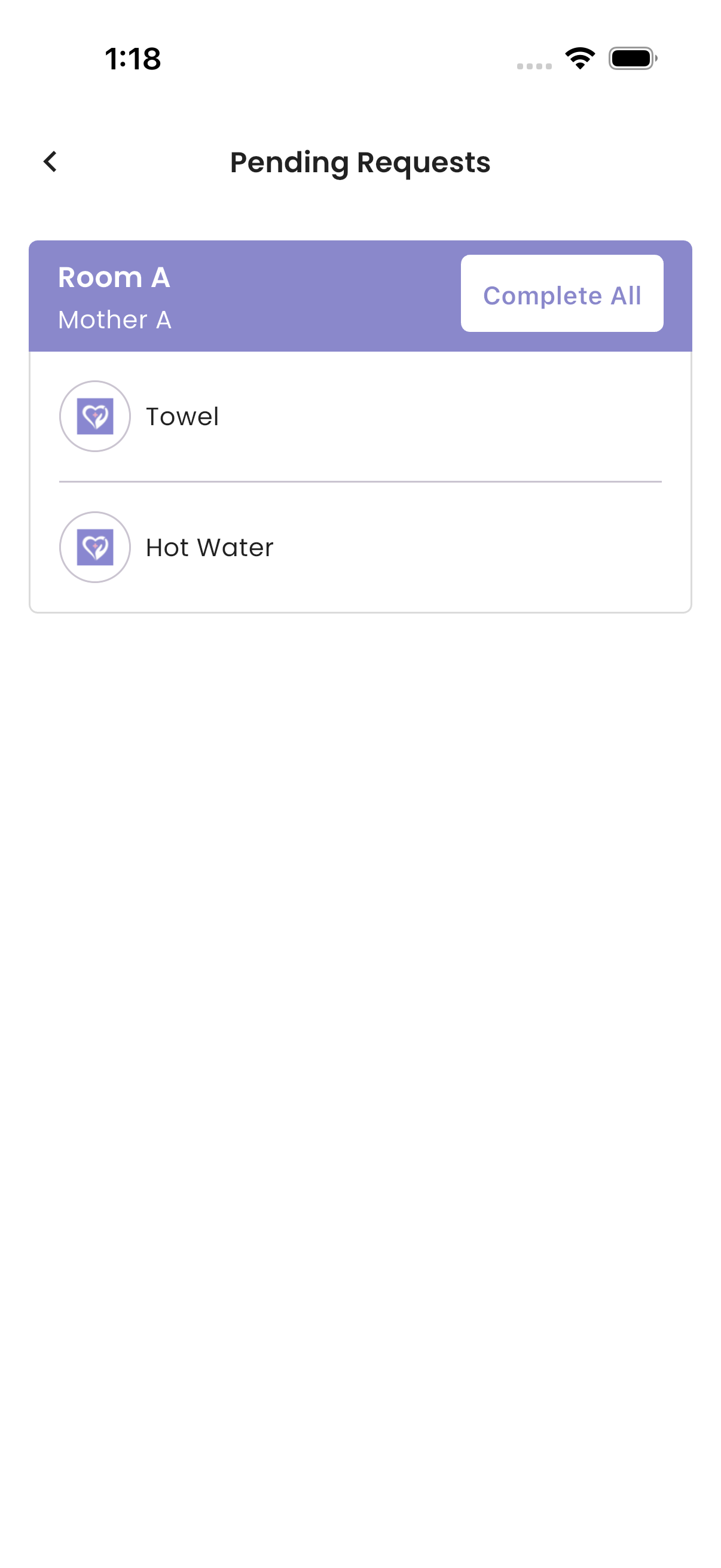
How to complete a request
- One request: tap the service. "Request Completed." is shown.
- All of a mother's requests: tap Complete All.
The mother gets "Service Completed", with your name. The request disappears for everyone, including on the Room Service Dashboard.
If a mother cancels a request, it disappears from your list by itself.
Troubleshooting
| What you see | Why, and what to do |
|---|---|
| No notifications for requests | You are off duty, your role doesn't handle requests, or that service isn't sent to you. |
| No Pending Requests card | Nothing is waiting for you, or your role doesn't have Guest Service Request → Manage. |
| A mother says "Service is currently unavailable." | Nobody who receives that service is on duty. Go on duty on Home. |
| A request disappeared before you completed it | Another staff member completed it, the mother cancelled it, or she checked out. |