Audit Log & Edit History
The Audit Log lists the changes staff make in your branch: who did it, when, and what changed. Individual babies, stays and reports also have an Edit History.
- Location: Audit Log
- Who can do this: staff whose role has Audit Log view permission. Edit History is open to anyone who can open the baby, stay or report.
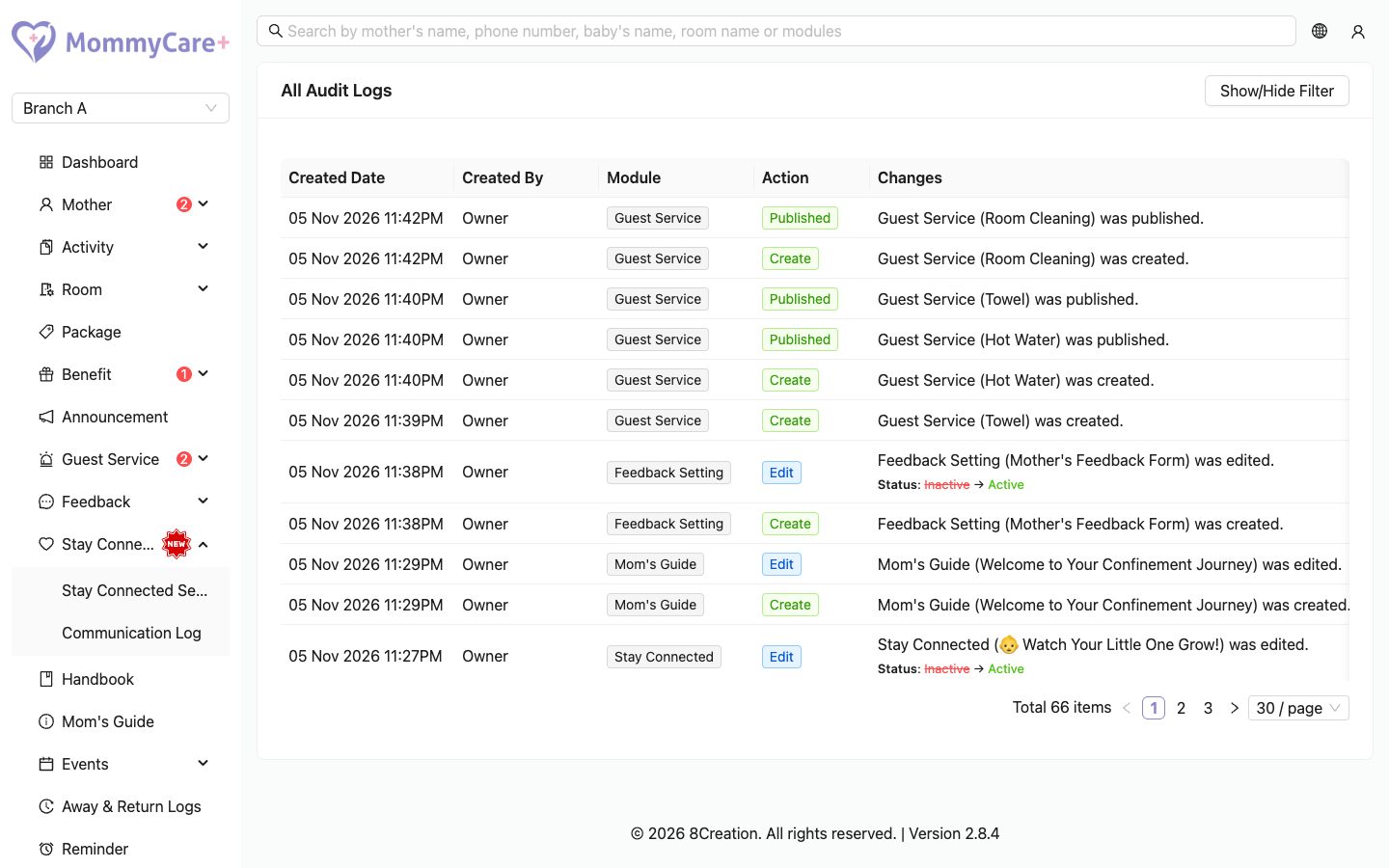
The log
The newest changes come first, 30 per page. Each entry shows:
- Created Date and Created By
- Module: what kind of record, for example Room, Mother, Benefit Booking
- Action: what was done, for example Create, Edit, Approve, Check In
- Changes: a one-line summary, such as "Room (Room A) was edited.", then each changed field as the old value (crossed out) → the new value
By default, it shows the last month, up to the moment you opened the page.
How to find a change
- Click Show/Hide Filter.
- Choose a Module, then an Action (the Action list only opens once a Module is chosen).
- Choose the Date range. It can be at most one month long.
- Click Filter. Clear Filter goes back to the last month.
Edit History
- A baby or a stay: click the clock button on the baby's details, or on the stay's details (Onboard History). The changes are listed as a timeline. Click Load more for older ones.
- A report: click Edit History (n) on the report in Activity → Activity Report. The number doesn't count the report's creation.
What isn't recorded
Some things don't appear in the Audit Log:
- announcements published or unpublished automatically on schedule
- benefit bookings completed by QR scan, and mothers' own bookings
- event bookings and attendance
- service requests and their completion
- staff switching on or off duty
- notes
- Branch Profile changes
- anything mothers do in the Mother App
Troubleshooting
| What you see | Why, and what to do |
|---|---|
| A change isn't in the log | It may be one of the things not recorded (see above). |
| Today's latest changes are missing | The date range ends when you opened the page. Reload, or choose the dates again. |
| The Action filter is greyed out | Choose a Module first. |
| You can't choose a longer date range | The range can be at most one month. |
| Audit Log isn't in the menu | Your role doesn't have the Audit Log permission. |