Mom's Guide
Mom's Guide holds short guides for mothers, for example what to eat in the first week. Each guide can be sent as a phone notification at check-in, or on a set day of her stay. Mothers read them in the Mother App under Account → Mom's Guide.
- Location: Mom's Guide
- Who can do this: staff whose role has the Mom's Guide permissions (view, add, edit, delete)
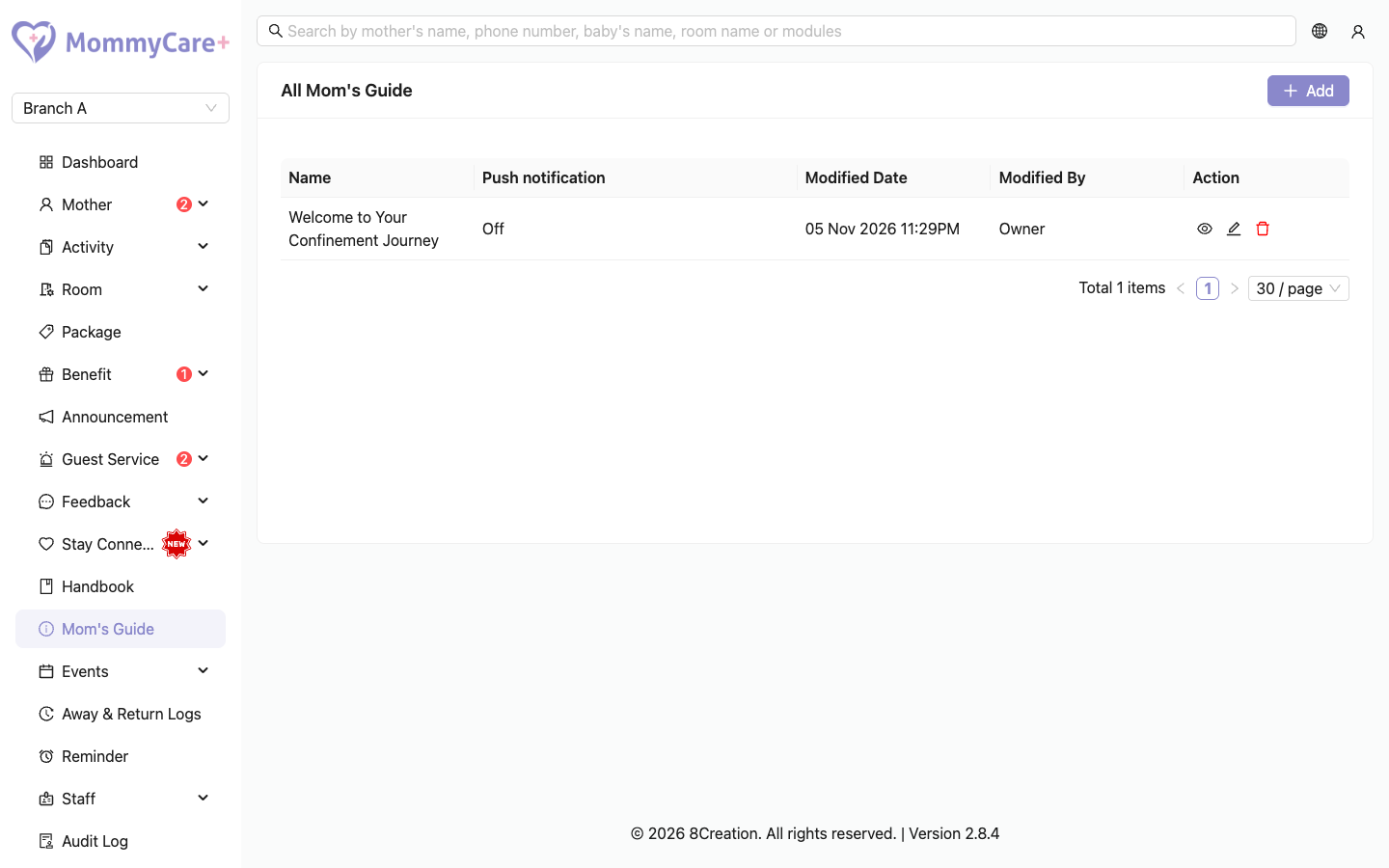
The list shows each guide's name, when it is sent (for example "On day 5 after check-in"), and when it was last changed.
How to add a guide
- Click Add.
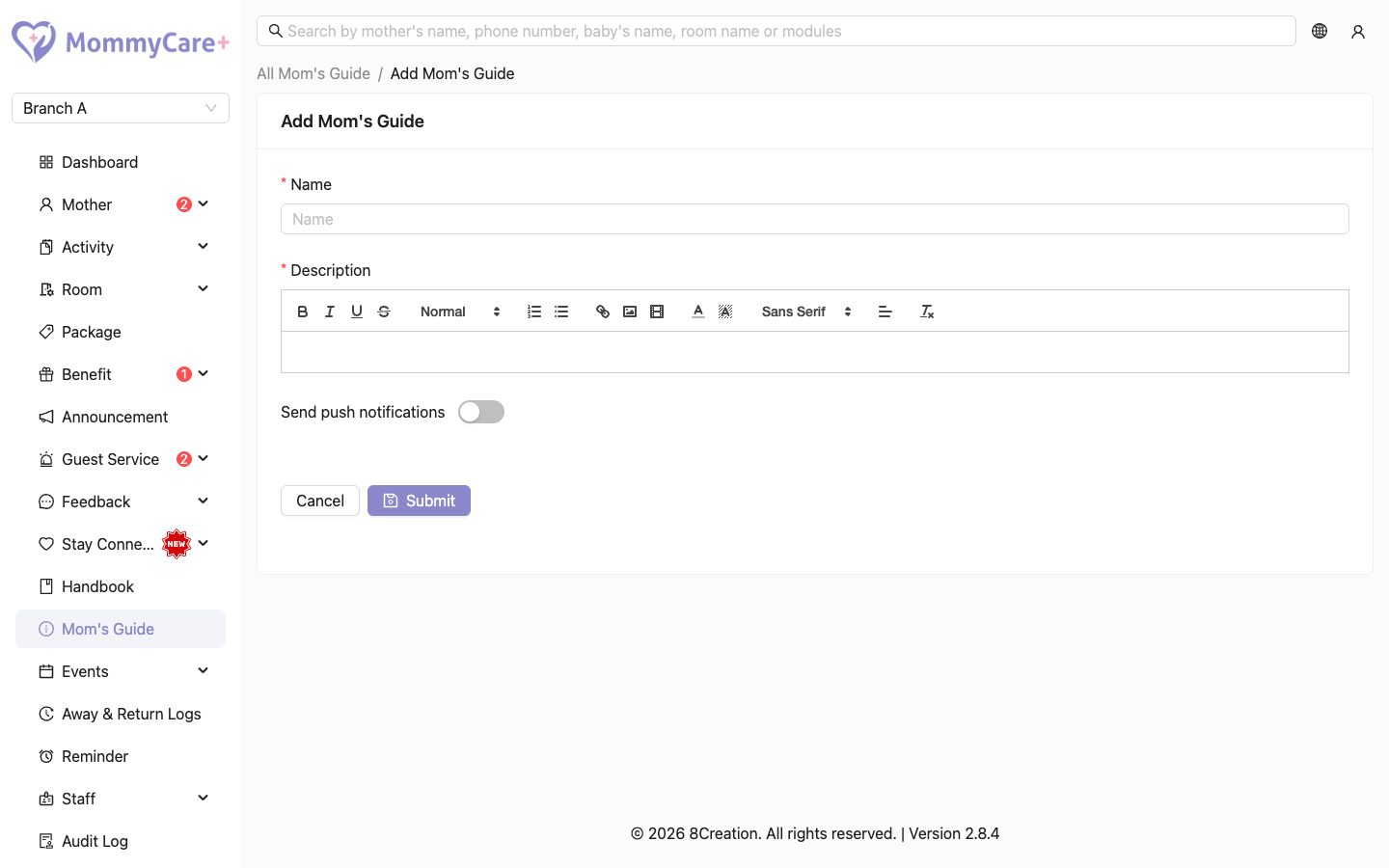
- Enter the Name and Description. The description editor supports bold, headings, lists, links, images and videos.
- Optionally turn on Send push notifications, then choose:
- Push notification when mother checks in, and/or
- On day N after check-in: the day of her stay. Day 1 is the check-in day, so day-based guides start from day 2. The notification is sent at 8:00 AM on that day.
- Click Save.
How to add a video
- In the description editor, click the video icon.
- Paste the video link, and save it.
- Click Save on the guide.
When mothers get guides
| Guide setting | When she gets the notification | When it appears in her Mom's Guide |
|---|---|---|
| When mother checks in | At check-in, if she has signed up. Otherwise, about 2 minutes after she signs up. | Straight away |
| On day N | 8:00 AM on day N of her stay | From day N |
| No push setting | Never | Straight away |
If she reinstalls the app, guides she hasn't read are sent again about 2 minutes after she logs in.
After check-out, her Mom's Guide keeps the guides up to her last day.
How to edit a guide
Click Edit, make your changes and click Save. The change applies for every mother, including those who already received it. A new day applies from the next 8:00 AM.
How to delete a guide
Click Delete and confirm. The guide disappears from every mother's Mom's Guide. If she taps its old notification, it can't be opened.
Troubleshooting
| What you see | Why, and what to do |
|---|---|
| Can't save with day 1 | Day 1 is the check-in day. Use When mother checks in, or day 2 or later. |
| A day-N guide didn't arrive | It is only sent at 8:00 AM on that day, and only while she is checked in. A guide created or changed after 8:00 AM on her day N isn't sent to her this stay. |
| The check-in guide didn't arrive | She hadn't signed up at check-in. It is sent about 2 minutes after she signs up. |
| A day-N guide isn't in her Mom's Guide yet | Day-based guides appear from that day of her stay. |
| No Delete button | Your role doesn't have the Mom's Guide delete permission. |