Feedback
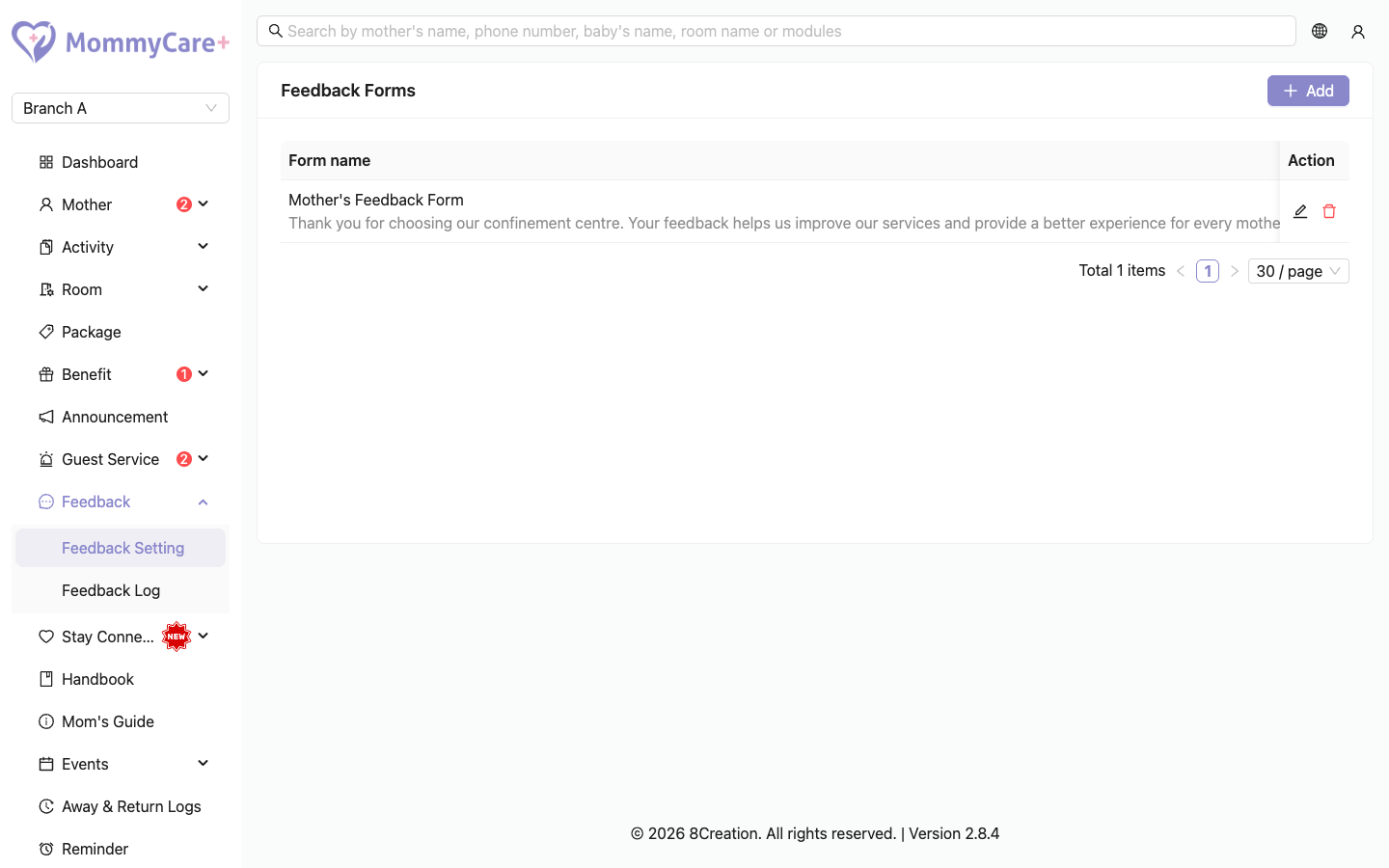
Ask mothers about their meals, care, room and overall experience. You build a form, choose when it is sent (on a schedule, on certain days of the stay, at check-out, or once), and mothers answer it in the Mother App. Mothers can also send you general feedback at any time.
- Location: Feedback → Feedback Setting (forms) and Feedback → Feedback Log (answers)
- Who can do this: staff whose role has the Feedback Setting permissions (view, add, edit, delete) for forms, and Feedback Log (view, and Review Feedback to mark answers as reviewed)
How to build a form
-
Go to Feedback → Feedback Setting and click Add.
-
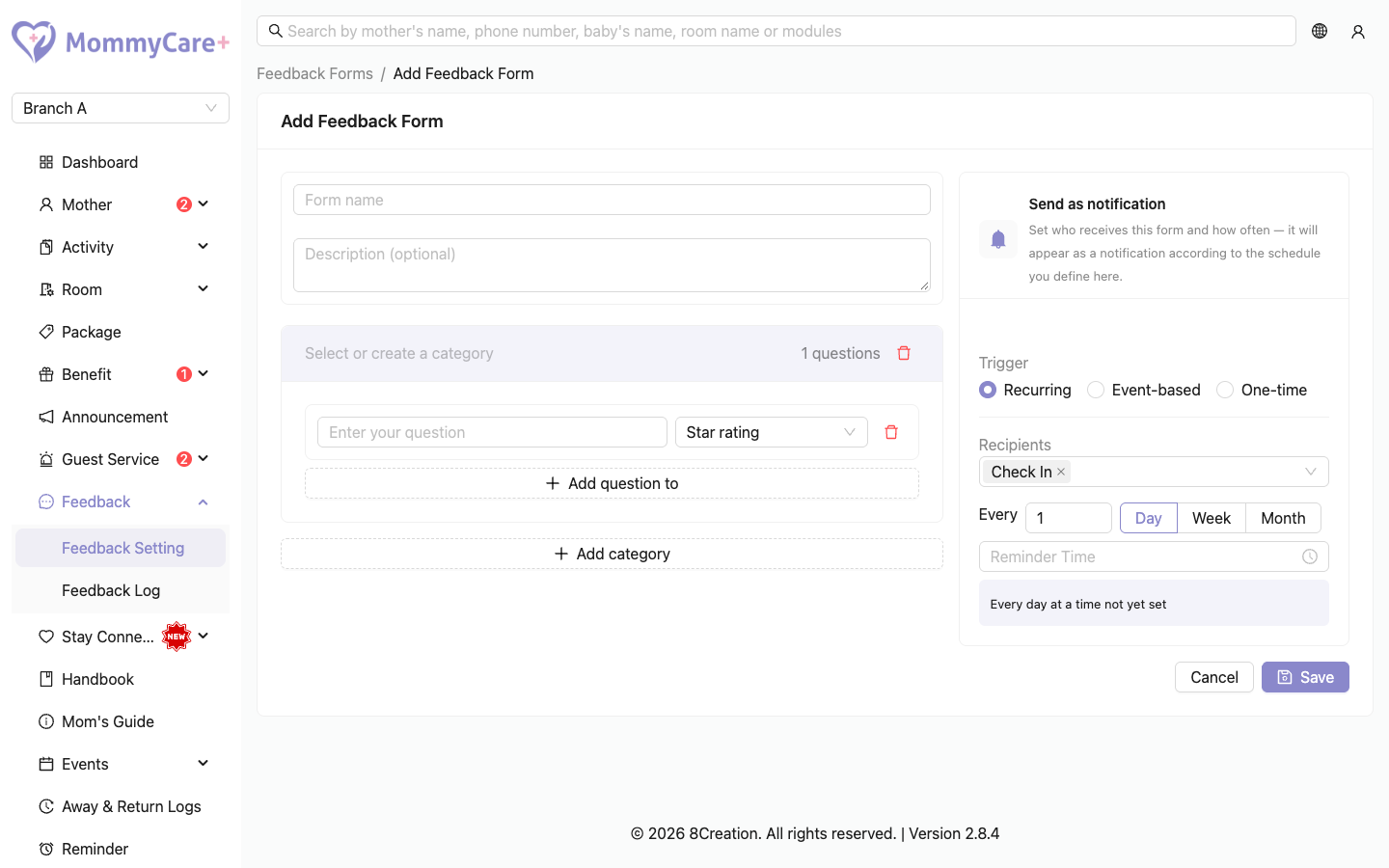
Enter the Form name and, optionally, a description.
-
Click Add category and name it, for example "Food". You can pick a category name another form already uses, so their answers are grouped together in the log.
-
Add questions to the category. The question types are:
Type The mother answers with Star rating 1 to 5 stars. You can label the two ends, for example "Poor" and "Excellent". Multiple choice One option, or several if you tick Allow multiple selections Open text Her own words Mood scale One of five moods: Great, Good, Okay, Low, Struggling -
Add more categories and questions as needed.
-
Under Send as notification, choose when it is sent (see below).
-
Save.
When the form is sent
| Trigger | Settings | Who gets it |
|---|---|---|
| Recurring | Every few days, weeks (choose the weekday) or months (choose the day), a start date and a Reminder Time | Mothers whose latest stay is in the statuses you choose: Pre Check In, Checked In, Checked Out |
| Event-based → Check-in | Send on day(s) of stay (day 1 to 60) and a time | Each mother on her own day of stay. Day 1 is the check-in day. |
| Event-based → Check-out | — | The mother, when staff check her out |
| One-time | Send at a date and time | Mothers whose latest stay is in the statuses you choose |
Each mother gets a Feedback Reminder notification that opens the form. A mother who has already answered isn't reminded again for the same day.
- A mother can answer a recurring or day-of-stay form she missed, up to 7 days back.
- A check-out or one-time form can only be opened on the day it was sent.
- A mother who checks in after the form's send time gets it on her next matching day.
How to switch a form on or off
New forms start Inactive. Click the status tag and confirm to make a form Active. Click it again to switch it off. A form with no questions can't be made active.
If a mother taps the notification of a form that has been switched off or deleted, she sees "This feedback form is unavailable."
How to edit or delete a form
- Edit: click Edit, make your changes and save. If you change the time, the form is never sent twice to the same mother for the same day.
- Delete: click Delete and confirm.
How to review answers
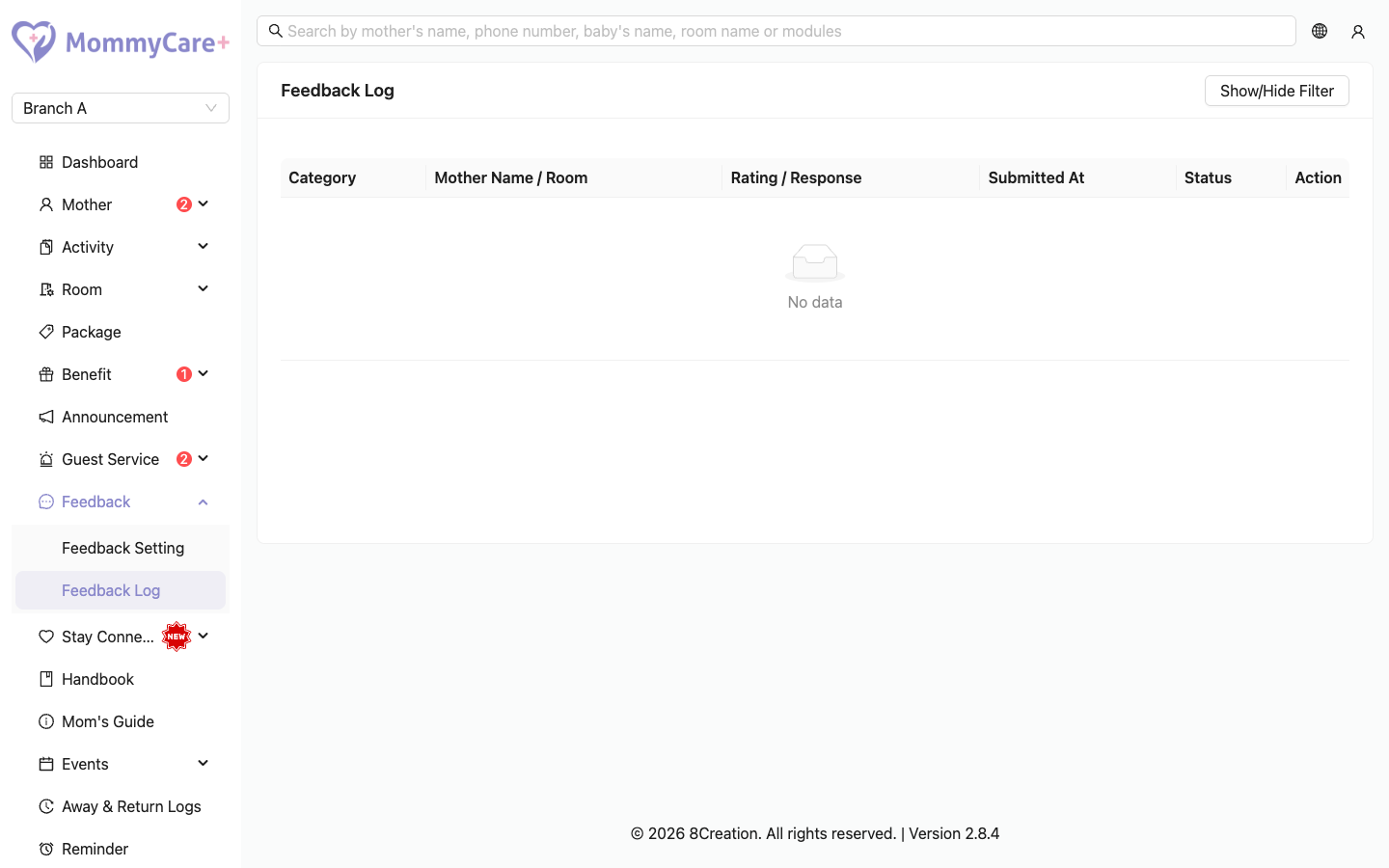
- Go to Feedback → Feedback Log.
- Each row is one category of one answer: the first answer, when it was submitted, the day it was for, the category, the mother and room, and the status (New or Reviewed). Messages a mother sent from Account → Feedback in the app are listed under the category General, with any photos or videos.
- Filter by date, mother or room, category or status.
- Click a row to open the Detail View with all the answers, then mark it Reviewed.
The Feedback Log menu shows a red badge with the number of new answers.
The summary shows, for each category, how many answers there are, how many are new, the average star rating, and how many of each mood.
Troubleshooting
| What you see | Why, and what to do |
|---|---|
| Nobody received the form | It is Inactive, no mother matches its statuses or days, or everyone has already answered. |
| "An active form needs at least one question." | Add a question before activating it. |
| A mother sees "This feedback form is unavailable." | The form was switched off or deleted, or it's a check-out or one-time form opened on a later day. |
| A mother sees "This feedback form has already been submitted." | She already answered it for that day. |
| The check-out form didn't arrive | It is only sent when staff check her out, and only if the form is active. |
| You edited a form, and it wasn't sent again today | It is only sent again to mothers who haven't answered, if the new time is still ahead today. |
| You can't mark an answer as reviewed | Your role needs Review Feedback. |