Stay Connected
Stay Connected sends each mother messages from your branch at her own point in the journey. For example, "7 days before your expected check-in", "on your check-in day", "on your baby's 100th day" or "happy birthday". Mothers read them in a separate chat-style inbox in the Mother App: the round button with your branch logo on the Home screen.
- Location: Stay Connected → Stay Connected Setting (messages) and Stay Connected → Communication Log (what was sent)
- Who can do this: staff whose role has the Stay Connected permissions (view, add, edit, delete), and View Communication Log
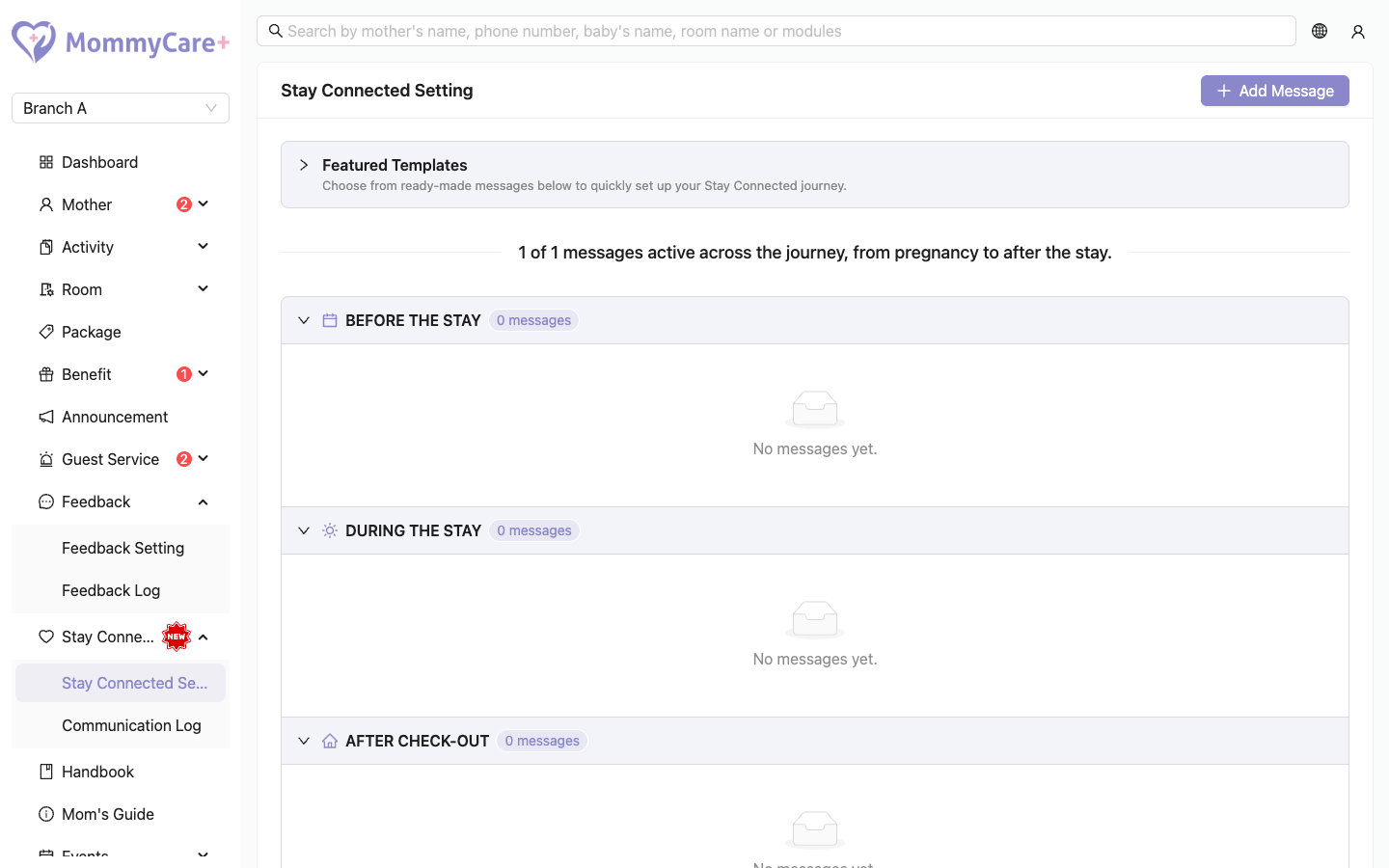
The page groups your messages under Before the Stay, During the Stay, After Check-out and Special Occasions, in timeline order. The top line shows how many are active, for example "5 of 12 messages active across the journey".
How to add a message from a template
- Open Featured Templates.
- Search by title, or filter by stage.
- Click Add on a template.
A copy is added to your messages, marked From template. It starts Inactive: switch it on when you're ready (see below). The template shows Added for your branch.
How to write your own message
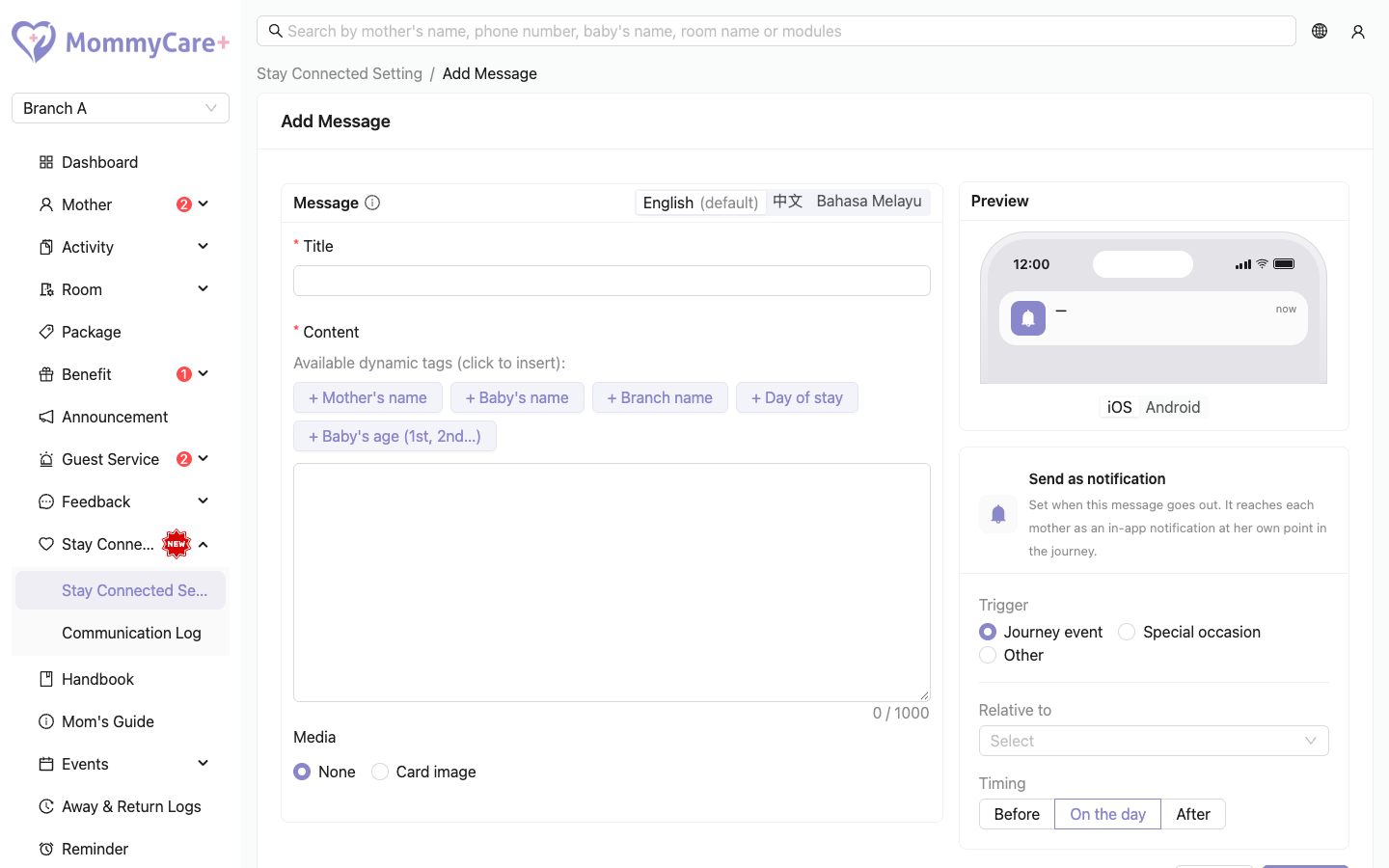
- Click Add Message.
- Choose the Trigger:
- Journey event: choose what it is relative to, then Before, On the day or After, and the number of days. The choices are booking confirmed, expected delivery date, expected check-in date, check-in date, baby's date of birth, expected check-out date, and check-out date.
- Special occasion: Mother's birthday or Baby's birthday, with the same timing, and Send to (which stay statuses)
- Other: a Send date and Send to
- Enter the Title (up to 100 characters) and Content (up to 1,000). Use the tag buttons to insert personal details, such as the mother's name
{motherName}, the baby's name{babyName}, her day of stay{dayCount}, or the baby's age on a birthday{babyAge}. - Optionally add the 中文 and BM versions. Fill in both the title and the content, or leave both blank.
- Under Media, choose None or a Card image.
- Check the preview and the hint that says which section it will appear in.
- Save.
The message is saved Inactive.
How to switch a message on or off
Click the message's status tag and confirm.
A message only goes to mothers who are due it today or later. Switching a message on doesn't send it to mothers whose day has already passed.
When messages are sent
- Most messages go at 10:00 AM.
- "On the day" of booking confirmed, check-in and check-out go within about 10 minutes of it happening.
- Each message goes once per stay (or per baby). A mother who comes back for a new stay can get it again.
- "Before the stay" messages only go to mothers who haven't checked in yet. "Expected check-out" messages only go to mothers still checked in.
- Baby's date of birth messages go once per baby. Twins mean two messages.
- Birthday messages repeat every year.
Each mother gets the version in her app language, or the English text if there's none in her language. A tag with no value for her (for example {babyName} before the birth) is left blank.
How to edit or delete a message
- Edit: click Edit, make your changes and save. Messages already sent keep their old text. Editing doesn't change whether it's on or off.
- Delete: click Delete and confirm "Delete this message? Mothers will stop receiving it." Messages already sent stay in mothers' inboxes.
How to see what was sent
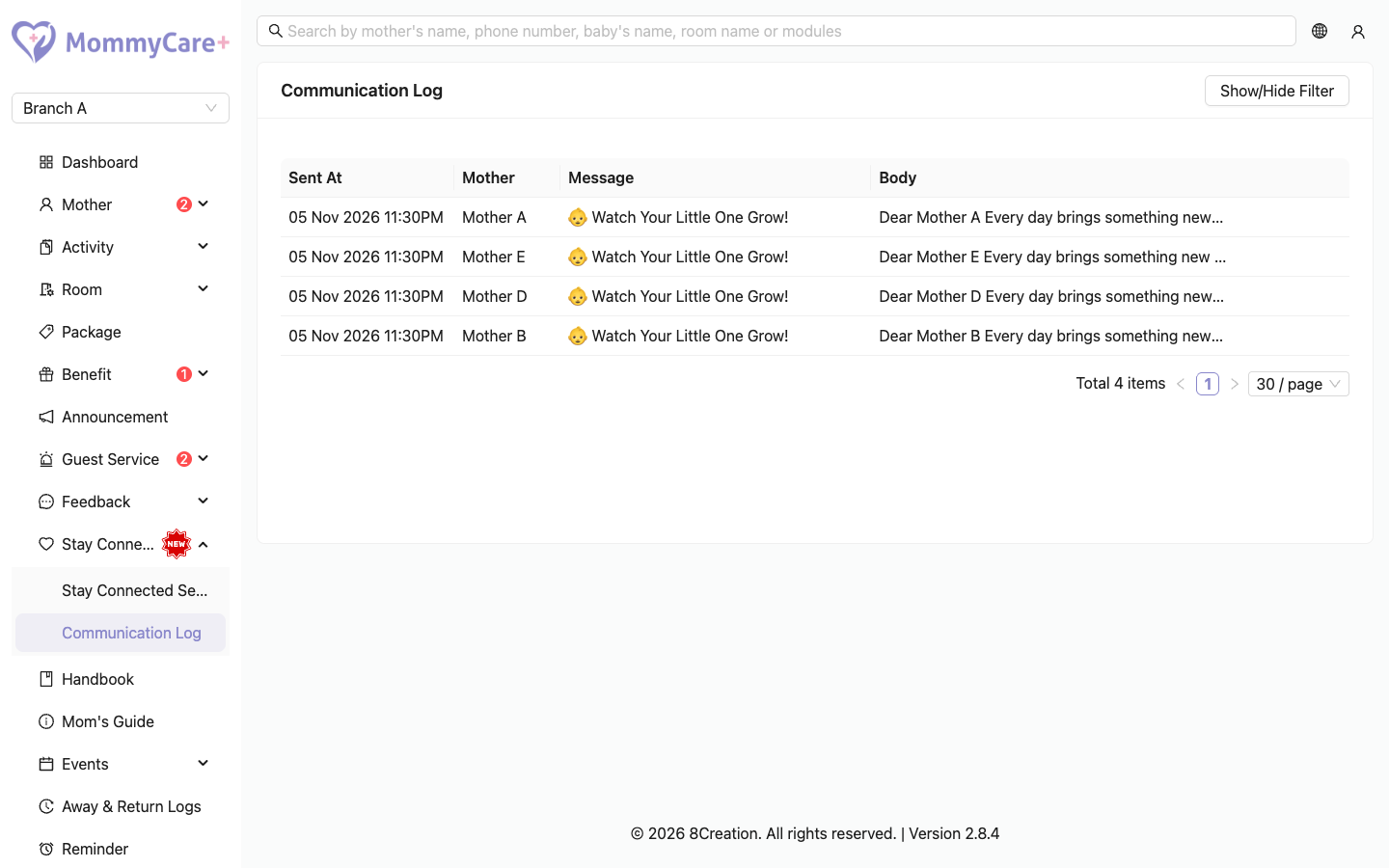
Go to Stay Connected → Communication Log. It lists Sent At, Mother, Message and Body. Point to the body to see the full text and image. Click Show/Hide Filter to choose dates or search for a mother.
The log doesn't show whether the mother has read the message.
Troubleshooting
| What you see | Why, and what to do |
|---|---|
| Nobody received a new message | It is still Inactive. Click the status tag to switch it on. |
| A mother didn't get it after you switched it on | Her day had already passed. Messages don't go back in time. |
| It hasn't arrived yet | Most messages go at 10:00 AM. |
| A "before the stay" message didn't reach her | She has already checked in. |
| A birthday message didn't reach her | She has no date of birth on her profile, her stay status isn't in Send to, or she is inactive. |
| She has the old text after you edited the message | Sent messages keep the text they went out with. |
| A name is blank in the message | That detail doesn't exist for her yet. |
| "Fill in both title and content, or leave both blank." | You filled in only the title or only the content of a translation. |