Companions
Companions are the mother's family members or other authorised people, for reference and emergency contact. Staff choose a companion when they record a mother or baby going away from the centre. Companions don't log in.
- Location: Mother → All Onboarded Mothers → open the mother's profile → Companions tab
- Who can do this: staff whose role has All Onboarded Mothers
The mother adds her companions on the registration form. You can add more here.
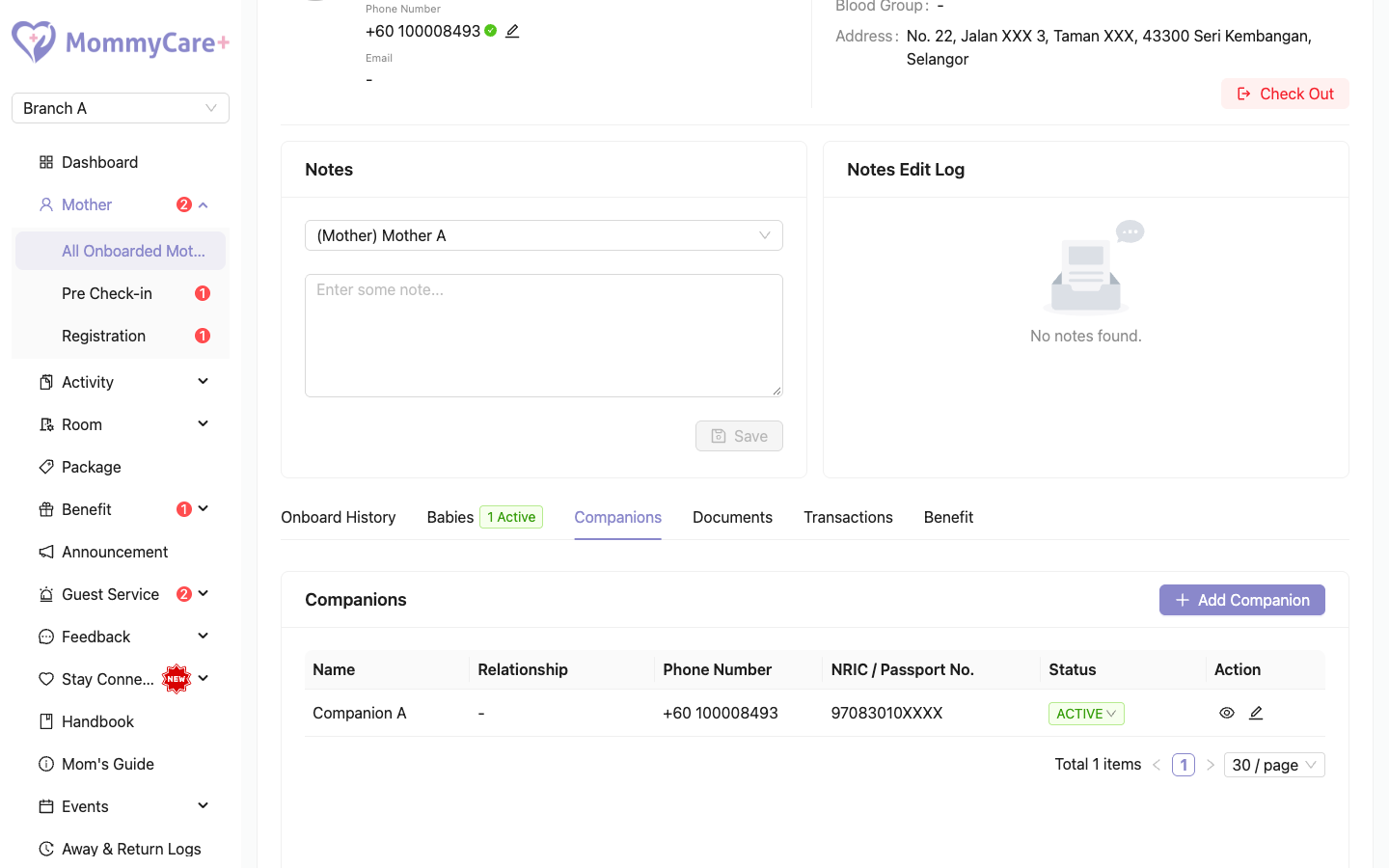
How to add a companion
- On the Companions tab, click Add Companion.
- Enter the name, relationship, NRIC and phone number.
- Click Save.
How to edit, deactivate or delete a companion
- Edit: click the Edit icon, make your changes and click Save.
- Deactivate or activate: click the companion's status tag and confirm.
- Delete: click the Delete icon and confirm. A mother must always have at least one companion.
Companions belong to this mother in this branch. If two mothers list the same person, editing one doesn't change the other.
Troubleshooting
| What you see | Why, and what to do |
|---|---|
| "A mother must have at least one companion. Add another before deleting this one." | Add another companion first, then delete this one. |
| A duplicate error when adding | A companion with that phone number is already on her list. |