Packages
A package is what a mother buys: how many days, which room types, the price, and the benefits included (for example 2 × Baby Spa). You choose her package when you onboard her, and confirm it at check-in. At check-in, the package's benefits are added to her account.
- Location: Package
- Who can do this: staff whose role has the Package permissions (view, add, edit, delete)
Set up room types and benefits first, because the package form lists them.
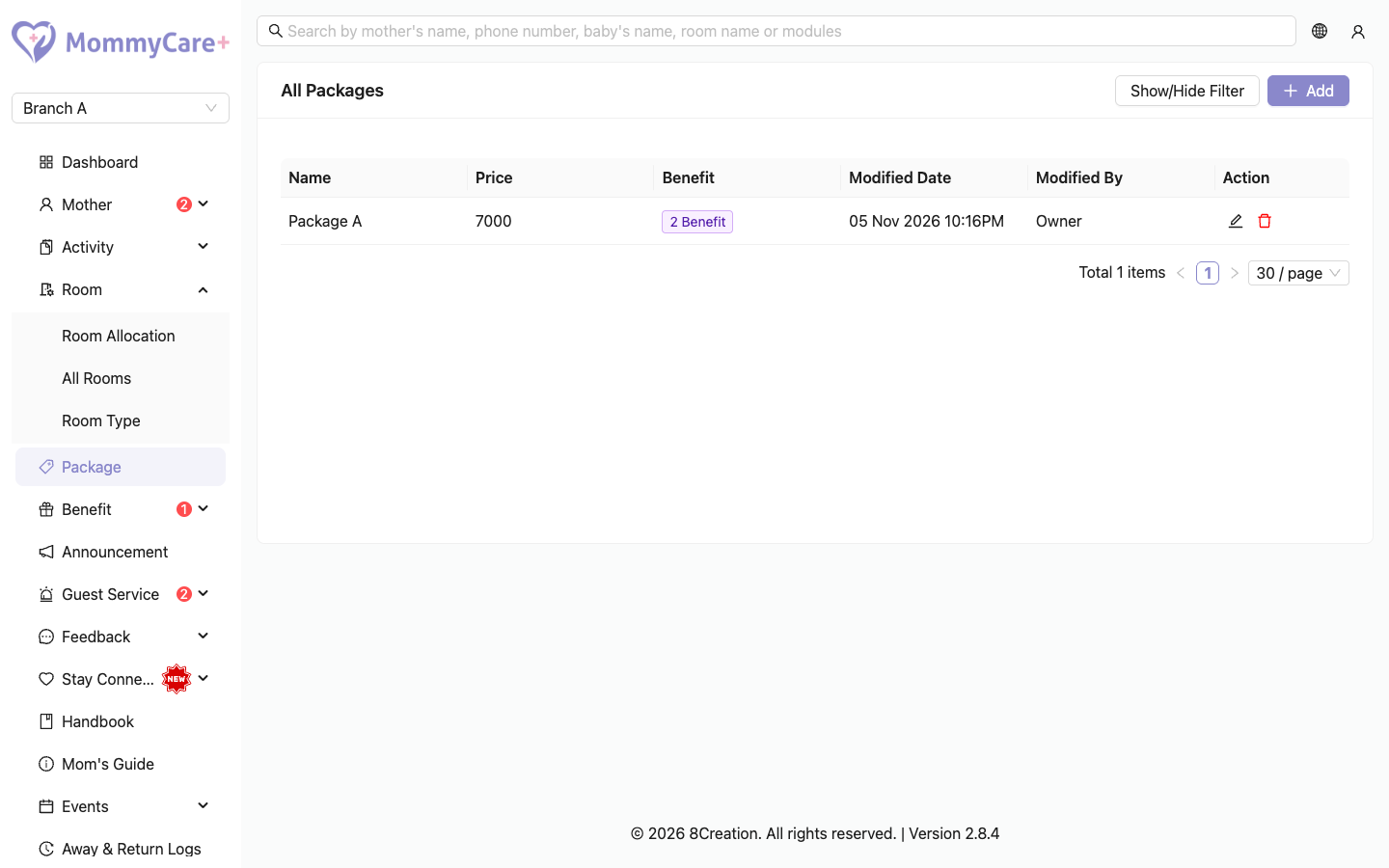
The list shows each package's name, room types, price, days and benefits. The benefits show as a tag such as "2 Benefit". Point to it to see the list, for example "2 x Baby Spa".
How to add a package
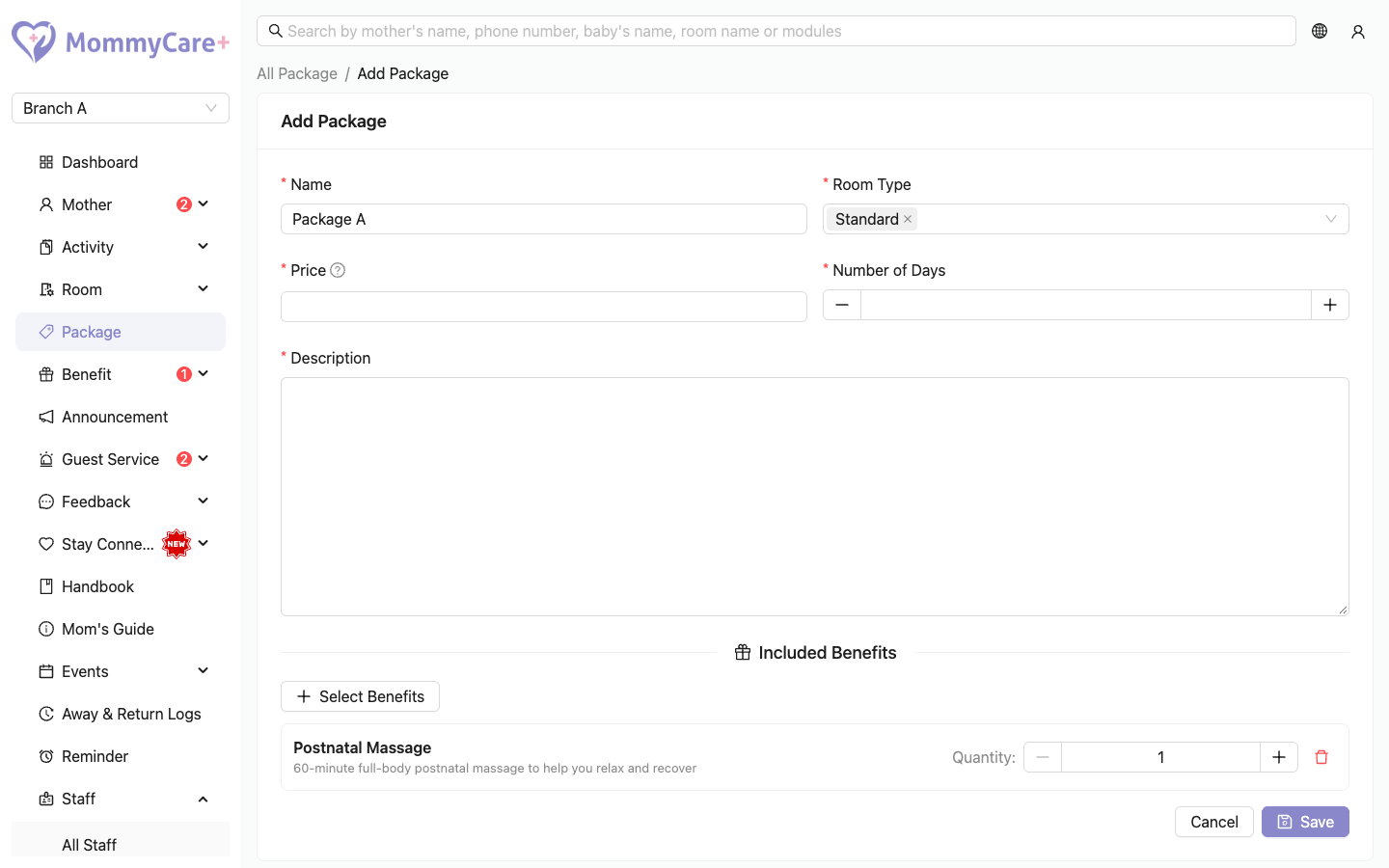
- Click Add.
- Enter the name and description.
- Choose one or more Room Types.
- Enter the Price and the Number of Days (1 or more).
- Optionally, under Included Benefits, click Select Benefits, find each benefit by name or description, and set its quantity (1 or more).
- Click Save.
How to edit a package
- Click the Edit icon on the package.
- Make your changes and click Save.
How to delete a package
- Click the Delete icon on the package.
- Confirm.
You can't delete a package that a pending, pre-check-in or checked-in booking uses.
How to find a package
Click Show/Hide Filter, enter what you're looking for, and click Filter.
Troubleshooting
| What you see | Why, and what to do |
|---|---|
| "This record cannot be deleted because there are ongoing admission" | A mother who is booked or checked in has this package. Wait until her stay ends, or change her package. |
| Can't save: days or quantity | Number of Days and each benefit quantity must be 1 or more. |
| A benefit isn't in the list | It hasn't been added yet under Benefit → All Benefits. |
| A room isn't offered at check-in | The room's type isn't one of the package's room types. |